Adalo Reviews: What Do People Think of Adalo in 2025?
What is Adalo?
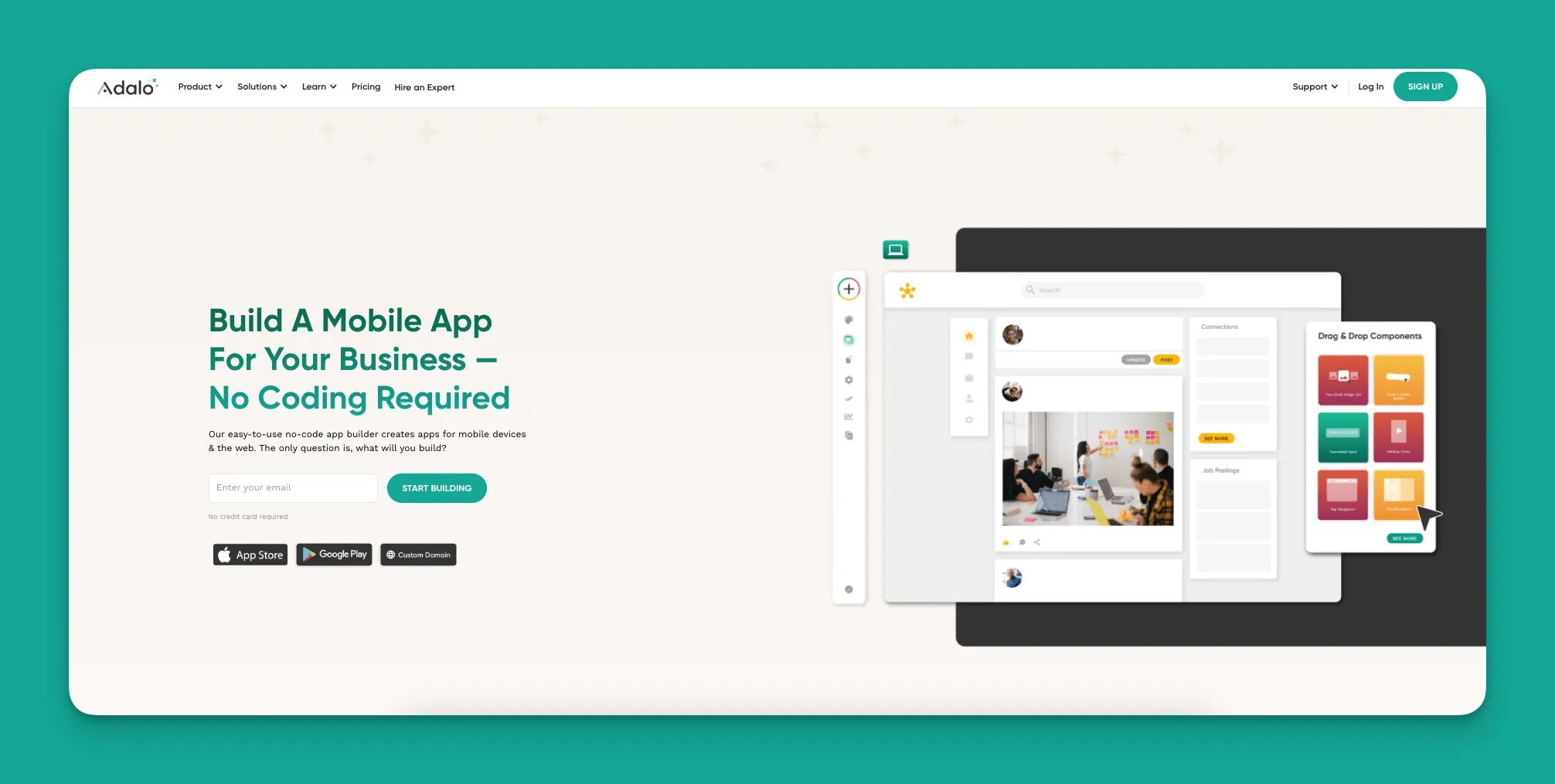
Adalo is a no-code app builder for database-driven web apps and native iOS and Android apps—one version across all three platforms, published to the Apple App Store and Google Play. With enough power to bring any app idea to life, the platform is simple enough for anyone who can turn on a computer.
Folks use Adalo to create web apps that users can access through their phones' browsers or true native mobile apps published in the Apple App Store or Google Play Store. Unlike web wrappers that package browser content as apps, Adalo compiles to actual native code—delivering faster performance and a smoother user experience.
Ada, Adalo's AI builder, lets you describe what you want and generates your app. Magic Start creates complete app foundations from a description, while Magic Add adds features through natural language.
To get started building, choose from over 35 app templates. These templates come pre-loaded with screens, colors, forms, and a database so you can hit the ground running. Magic Start takes this further—describe what you want to build, and it generates complete app foundations automatically. Tell it you need a booking app for a dog grooming business, and it creates your database structure, screens, and user flows in minutes rather than days.
You're in complete control of your app's design. Customize nearly every pixel to create an app that perfectly matches your tastes and needs. The result? Sleek, modern, and professional-looking apps that reflect your brand's identity.
The platform suits freelancers, entrepreneurs, and small or medium businesses. Over the years, folks building with Adalo have created apps for e-commerce businesses, CRM tools, travel apps, and much more. With over 3 million apps created on the platform, users describe the visual builder as "easy as PowerPoint."
Now, let's jump into some Adalo reviews!
Adalo Reviews from Real Users
We've taken quotes about Adalo from across the web, attached a link to their original source, and grouped them by topic.
A Healthy Template Selection
"Adalo is a simple and easy-to-learn low code no code editor. There are many great templates you can easily customize and get started with. You can start from scratch and have many options." - Eva E., Managing Director at a Small Management Consulting Firm.
Selecting and customizing your templates is one of the first steps you'll take when building your app. The template library includes many options:
- A coaching template for fitness instructors
- An ordering template for restaurants and food trucks
- An appointment template for salons, barbers, or other professional services
- Two e-commerce templates for your online store
- A Facebook clone template for your niche online social network
- A real estate app for listing properties to sell or rent
Check out the template and customization library to see for yourself!
Ease of Use
"It's great that you don't need previous knowledge of code to create a mobile app. It's a great tool for new developers who want to start learning how to create apps." - Diallo N., CEO
Coding and technical knowledge are unnecessary to build an app with Adalo. If you know how to turn on a computer and create an email or social media account, you can use the platform to build your own app. Magic Add makes this even simpler—describe what feature you want, and it adds the functionality through natural language requests.
But simplicity doesn't sacrifice power and flexibility:
"Adalo is a great LowCode/NoCode Builder. It is very easy to learn, and due to a lot of examples, learning content and a great community, it is straightforward to learn. The way they implemented databases is brilliant as you can either use their internal solutions or connect via API to external sources like Airtables, etc…Build quick internal applications or MVPs to make initial User Tests and text ideas. The fact that we don't need developers at an early stage is brilliant. The software is very easy to use and quick to learn." - Dirk E., Small Business Owner.
When you start building your app, you can use the preloaded database or connect your own if you already have one. The platform integrates with Airtable, Google Sheets (via SheetBridge, which turns spreadsheets into actual databases), and Xano database providers.
And as Dirk says, there's no need for developers! The free version is an excellent platform for creating your own startup app (Minimum Viable Product — MVP), and you won't need any development knowledge or technical expertise to do so.
Integrations
"It is amazing that we are in an era where you can build a mobile app by dragging and dropping stuff on a screen! Adalo was the easiest builder that I've used so far. I have some technical experience from working with various web CMS platforms for ages, so I am happy to see the features (like custom actions and external APIs) that allow me to integrate my app with other services. Excited to see how this product keeps growing." - Jacob, Freelancer
Adalo comes packed with integrations. Besides the database integrations mentioned above, here are additional integrations you can add to your app:
- Stripe, for taking payments
- Hubspot, to enhance your CRM system
- Google Maps, to guide users to specific locations
- Square, another payment integration
- Zoom, for adding face-to-face conversation features
- QuickBooks, to download your accounting data straight to your app
- Zapier, an external API that connects your Adalo app to over 5,500 third-party platforms and services
With such a large number of integrations, Adalo lets you create an app that executes any task you can imagine. This is why the platform can bring any app idea to life!
Cost-Effective Way to Create Your App
"Before trying out Adalo, I had spoken to a number of developers about building our mobile apps. And the quotes we were getting were absolutely ridiculous. With Adalo, we didn't even have to pay to begin the building process. This gave us a lot of freedom to iterate our designs and app structure while working on it ourselves. It's been really great." - Xorla A, Director at an IT Company.
Compared to hiring a developer, Adalo is a much cheaper option: It's not uncommon to pay a developer around $50,000 to create, hone, and launch your app. Once it's launched, you might need to pay extra fees for maintenance and updates, which can cost between $10,000 and $20,000.
Adalo's pricing plans start at $36/month with unlimited usage and no record caps on paid plans. Unlike competitors that charge based on workload units or limit database records, all Adalo plans now include unlimited usage—meaning no bill shock. You can publish up to two apps for $52/month.
If you need to publish up to 5 apps for your agency with up to 10 app-building collaborators, there's a pricing tier that runs for $160/month.
How Adalo Compares to Alternatives
When evaluating app builders, understanding the differences helps you choose the right tool for your needs:
| Platform | Starting Price | Native Mobile Apps | Database Limits |
|---|---|---|---|
| Adalo | $36/month | Yes (true native) | Unlimited on paid plans |
| Bubble | $59/month | Web wrapper only | Limited by Workload Units |
| Glide | $60/month | No App Store publishing | Limited rows + charges |
| FlutterFlow | $70/month | Yes (low-code) | External DB required |
Bubble offers more customization options, but that flexibility often results in slower applications that struggle under increased load—frequently requiring hired experts to optimize. Bubble's mobile solution is also a web wrapper, not true native, which introduces performance challenges at scale.
FlutterFlow targets technical users with low-code (not no-code) development. Users must set up and manage their own external database, which requires significant learning complexity. Suboptimal setup can create scaling problems, which is why their ecosystem is rich with paid experts.
Glide excels at spreadsheet-based apps but restricts users to set templates, limiting creative freedom. It doesn't support App Store or Play Store publishing.
Performance and Scalability
Following the Adalo 3.0 infrastructure overhaul in late 2025, the platform is now 3-4x faster with modular infrastructure that scales to serve apps with over 1 million monthly active users. Unlike app wrappers that hit speed constraints under load, Adalo's purpose-built architecture maintains performance at scale.
X-Ray, the platform's AI-powered performance tool, identifies potential issues before they affect users—helping you build apps that stay fast as they grow.
Note: Most third-party platform ratings and comparisons you'll find online predate the Adalo 3.0 infrastructure overhaul and don't reflect current performance capabilities.
Build Your Next App With Adalo
Now that you've read real-life testimonials from actual users, why not sign up to create your next app?
Creating your app on the platform is a breeze. Adalo is such an intuitive app-building platform that you can start building your app immediately after signing up!
The free version is one of the most generous out there: You don't need to provide any credit card info, and you can publish your finished app to the web. The free version also comes with a Stripe integration, so you can sell your products and make money!
Come experience the platform for yourself, and sign up for Adalo for free.
FAQ
Why choose Adalo over other app building solutions?
Adalo is an AI-powered app builder that creates true native iOS and Android apps. Unlike web wrappers, it compiles to native code and publishes directly to both the Apple App Store and Google Play Store from a single codebase—the hardest part of launching an app handled automatically. Paid plans include unlimited database records and no usage-based charges.
What's the fastest way to build and publish an app to the App Store?
Adalo's drag-and-drop interface combined with AI-assisted building through Magic Start and Magic Add lets you create complete apps quickly. The platform handles the entire App Store submission process, so you can go from idea to published app without managing certificates, provisioning profiles, or app review guidelines yourself.
Can I build a mobile app without coding experience?
Yes, Adalo requires no coding knowledge. The platform is designed for anyone who can use a computer, with over 35 pre-loaded templates and AI features that generate app foundations from simple descriptions.
What types of apps can I build with Adalo?
Adalo supports e-commerce stores, CRM tools, travel apps, fitness coaching apps, restaurant ordering systems, appointment booking apps, real estate listings, and social networking platforms. The template library and extensive integrations allow you to create virtually any app you can imagine.
How much does it cost to build an app with Adalo compared to hiring a developer?
Adalo's pricing starts at $36/month with unlimited usage, compared to the typical $50,000+ you might pay a developer. The free version lets you start building immediately without a credit card and includes Stripe integration for accepting payments.
Which is more affordable, Adalo or Bubble?
Adalo starts at $36/month with unlimited usage and no record caps. Bubble starts at $59/month with usage-based Workload Unit charges and record limits that can lead to unexpected costs as your app grows.
Is Adalo better than Glide for mobile apps?
For mobile apps, yes. Adalo publishes true native apps to the Apple App Store and Google Play Store, while Glide doesn't support App Store publishing at all. Glide also restricts users to set templates, limiting design flexibility.
What integrations does Adalo offer?
Adalo integrates with Stripe and Square for payments, Hubspot for CRM, Google Maps for location services, Zoom for video calls, and QuickBooks for accounting. You can connect databases like Airtable, Google Sheets, and Xano, plus access over 5,500 third-party platforms through Zapier.