Build Web Apps Without Code
Adalo is the no-code app builder that pairs AI-powered generation with a visual multi-screen canvas, so entrepreneurs and business teams can design, build, and publish custom database-driven apps to the Apple App Store, Google Play Store, and web from a single project. Share it via URL or custom domain, then push mobile versions to the Apple App Store and Google Play Store, all from the same version.
Existing business? Adalo Blue
- Free forever
- Build unlimited apps, AI included
- True native
- iOS IPA and Android AAB builds
- Ada AI builder
- Generate, edit, and publish
- Built-in Postgres database
- No Firebase setup, 500 free records
- Adalo 3.0
- 3–4x faster, scales to 1M+ MAU
Build Any Web App You Can Imagine
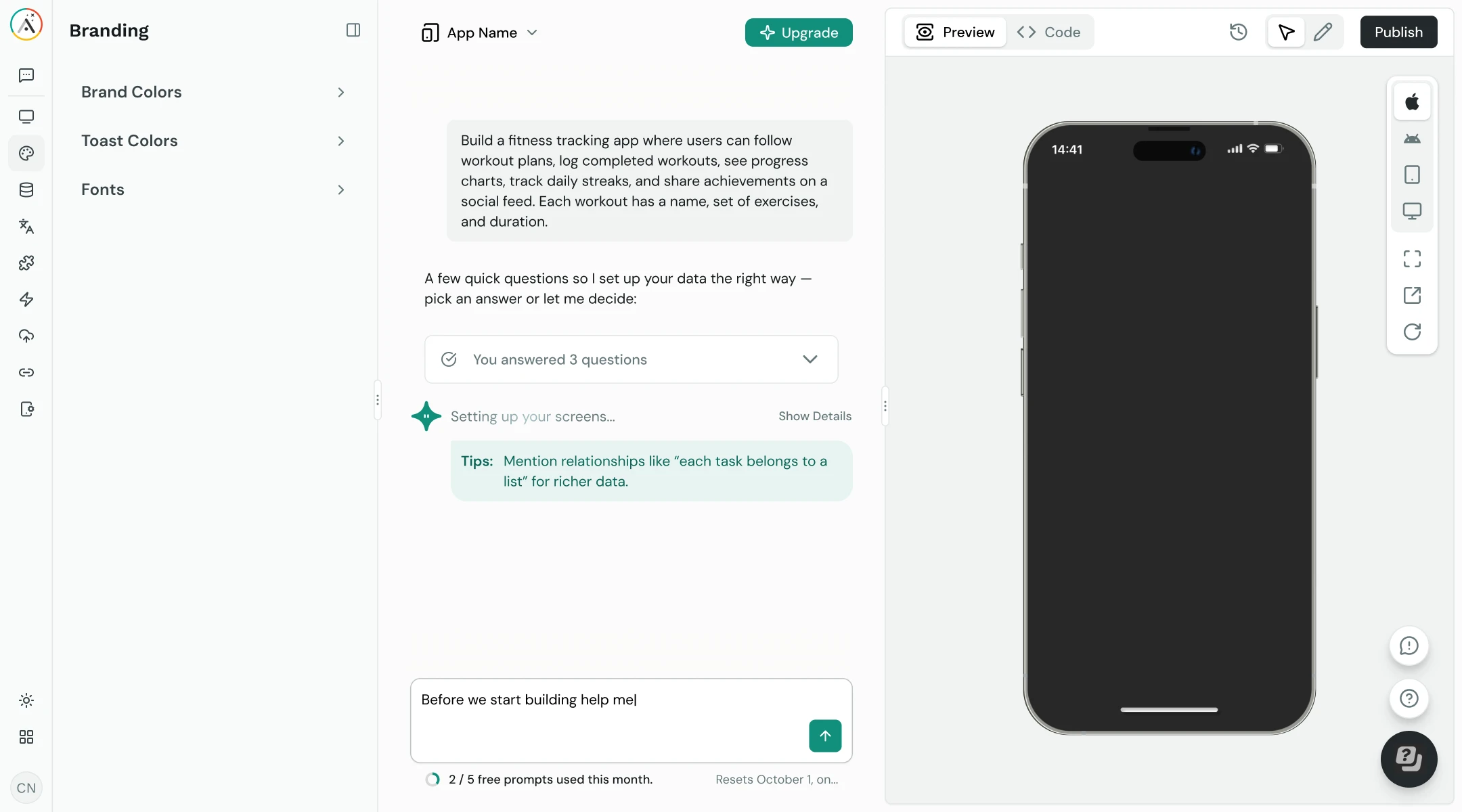
From CRM dashboards to patient portals, describe what you need and Ada, Adalo’s AI builder, generates a working web app with Magic Start in minutes.
Building Web Apps Traditionally Is Expensive and Slow
Custom web development requires hiring developers, managing hosting, and maintaining code. Even “simple” web apps take months and cost tens of thousands of dollars.
The Traditional Web App Problem
3–6 months- 01React/Next.js projects require developer expertise
- 02WordPress plugins break and need constant updates
- 03Hosting, SSL, and DevOps add recurring complexity
- 04No built-in database: you wire up Firebase, Supabase, or Postgres yourself
- 05Mobile versions require separate development budgets
 Build, Preview, and Publish Visually
Days - 01Visual canvas: see every screen at once, no code needed
- 02Ada generates your initial app from a description
- 03Built-in relational database with authentication
- 04Responsive web output plus native iOS and Android from one build
- 05Custom domain support: share at yourapp.com
Everything You Need to Build a Web App
From design to database to deployment, Adalo handles the full stack so you can focus on your product.
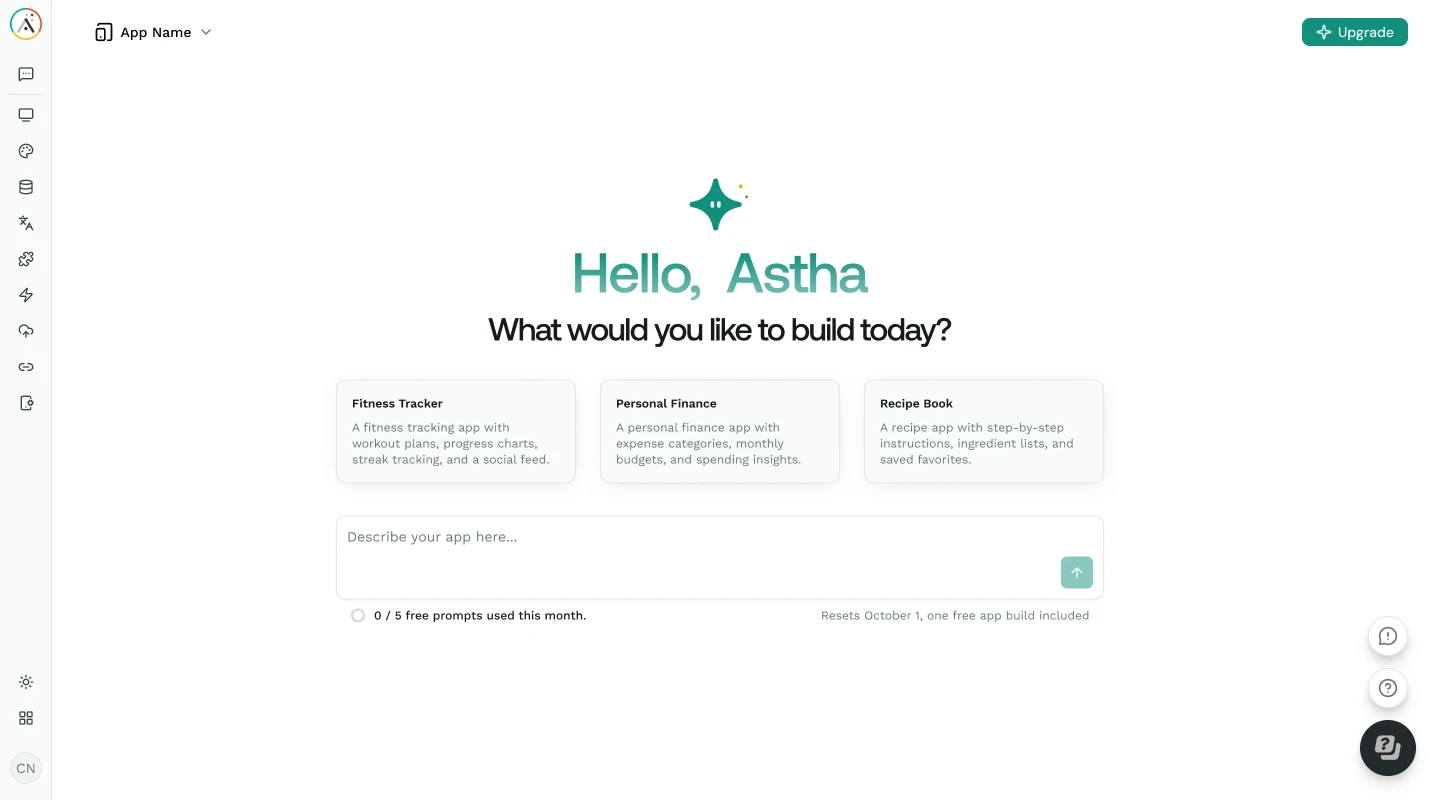
See every screen of your web app simultaneously on a spatial canvas. Drag components, arrange layouts, and connect screens visually. No toggling between tabs or navigating page trees: everything is visible at once.
Describe your web app to Ada and get a working prototype in minutes with Magic Start. Use Magic Add to add features via natural language, then visually direct changes by pointing at elements on the canvas.
No Firebase setup. No Supabase configuration. No SQL. Adalo includes a relational database with collections, relationships, user authentication, and role-based access control, all configured visually.
Your web app adapts to desktop, tablet, and mobile screen sizes automatically. Preview on any device form factor directly from the canvas to verify layouts before publishing.
Publish your web app to your own custom domain (yourapp.com, not a subdomain of someone else’s platform). SSL certificates are handled automatically. Share a clean URL with your users.
Connect to external APIs via External Collections and Custom Actions. Integrate with Zapier, Make, Stripe for payments, and SheetBridge for Google Sheets as a relational database. Extend your web app without code.
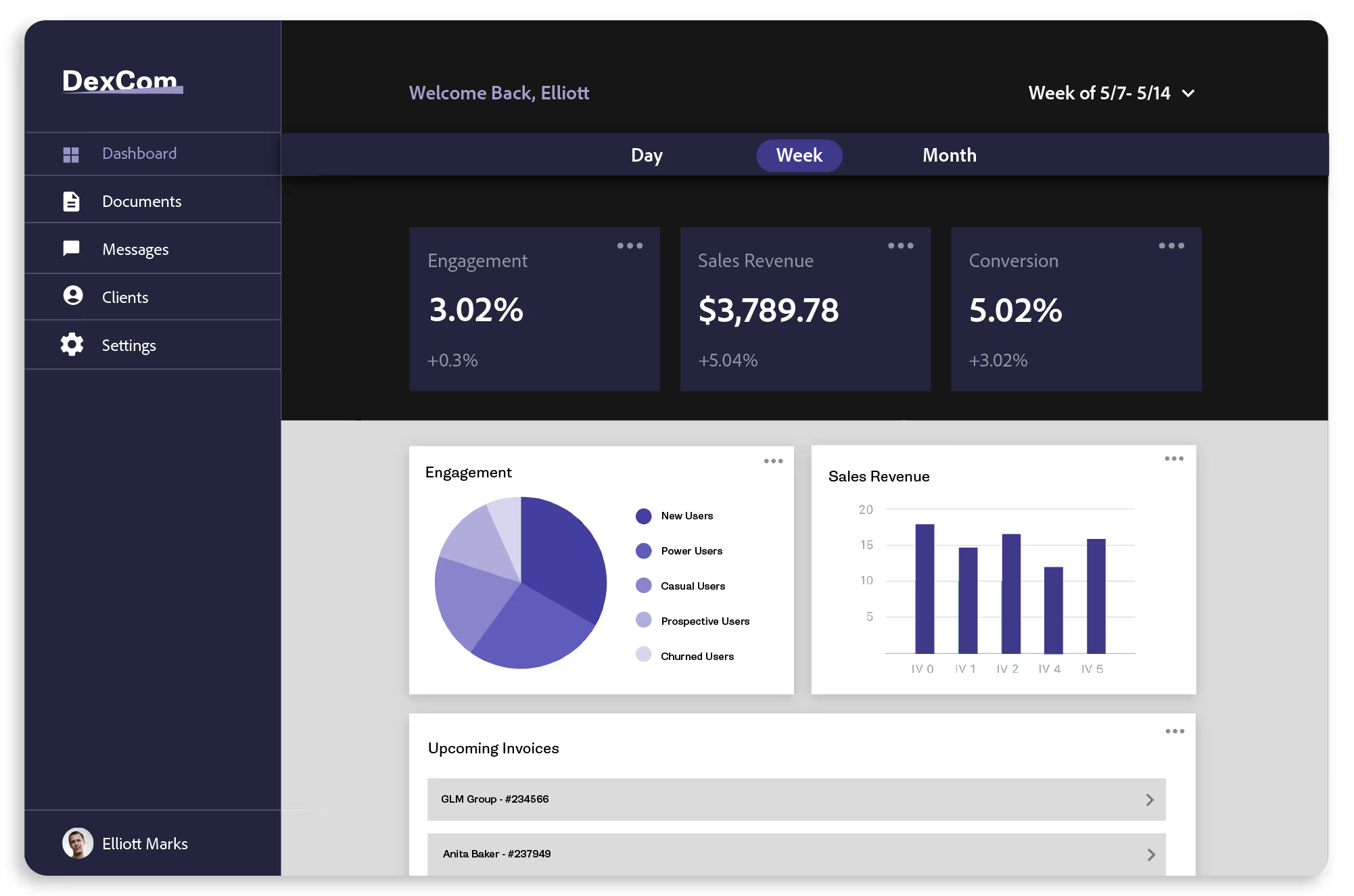
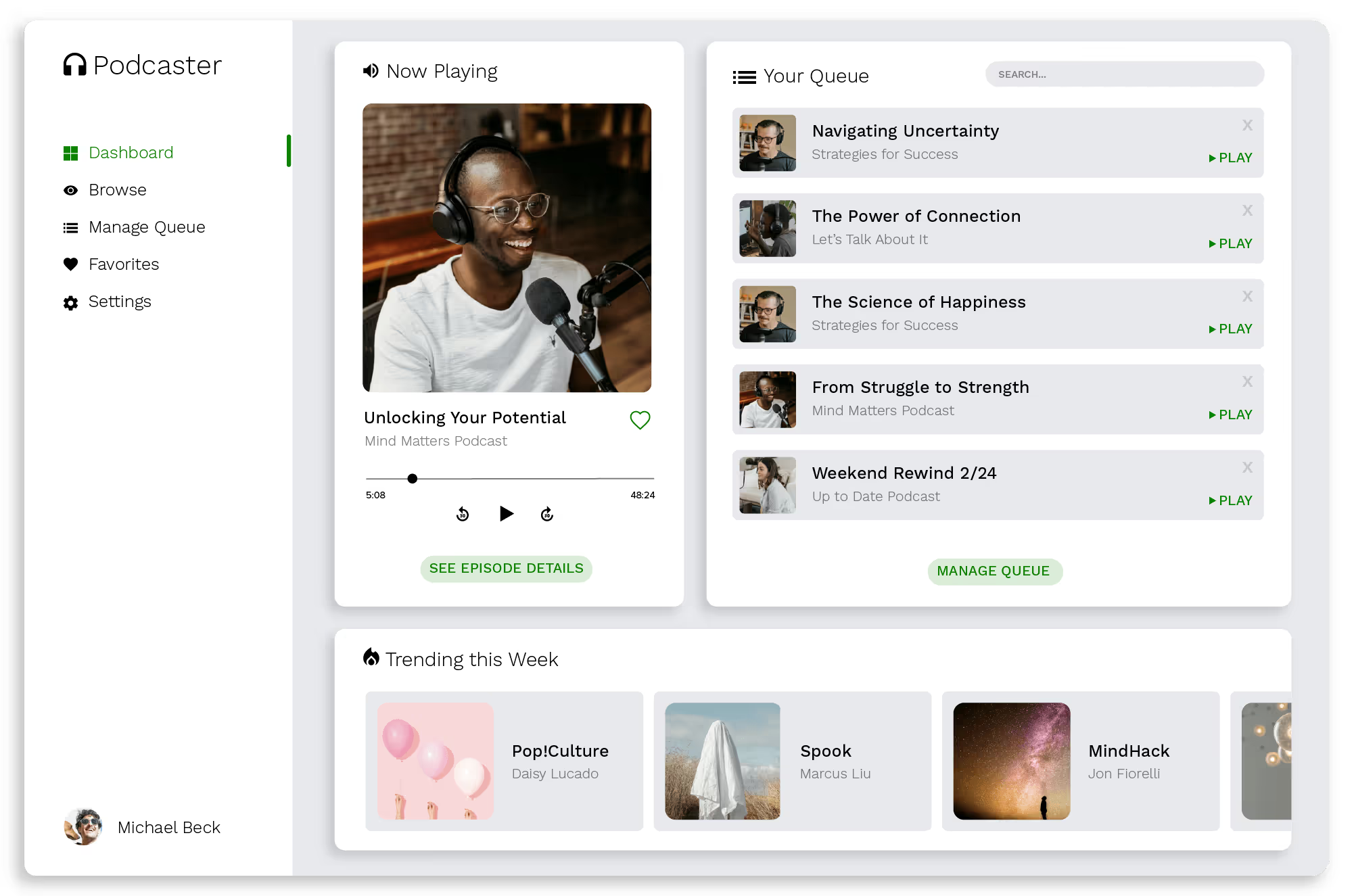
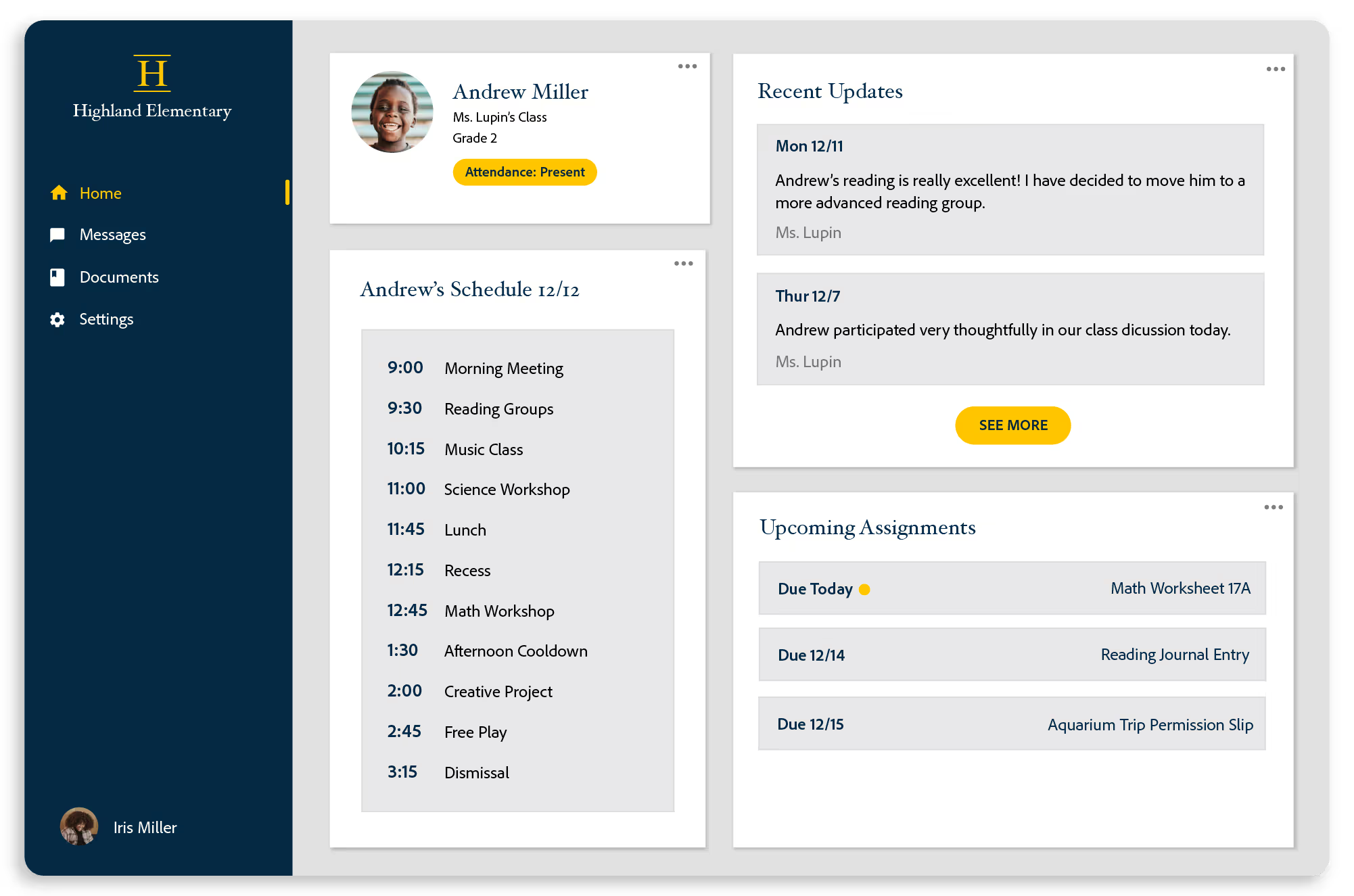
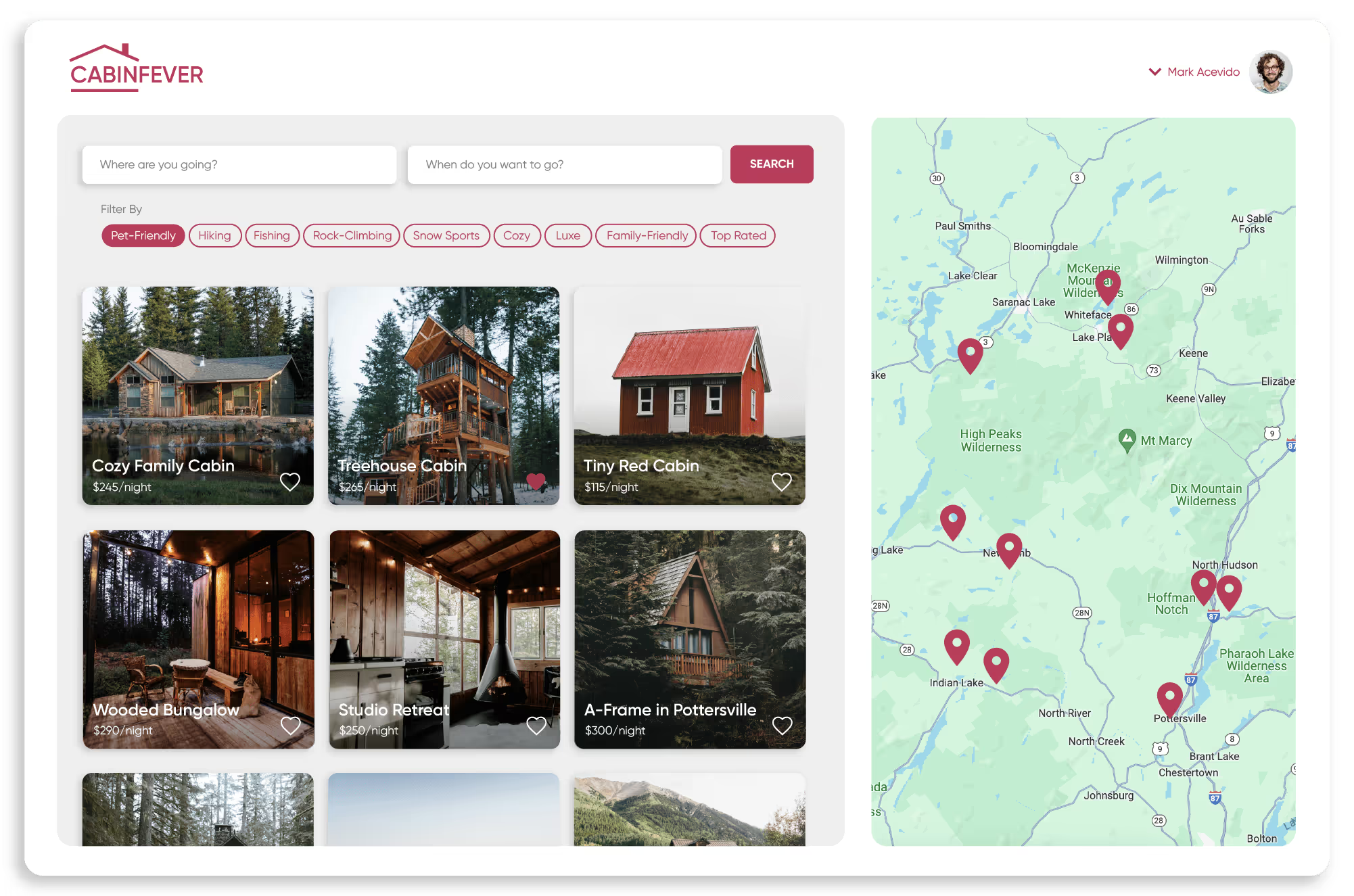
Real Web Apps, Built Without Code
These web apps were designed, built, and deployed on Adalo’s visual canvas.
Web-Native Features Built In
Your Adalo web app includes the features modern web users expect.
User Authentication
Email/password login, social auth, and role-based access control, built into the database layer.
Responsive Layout
Adapts to desktop, tablet, and mobile screens automatically using Adalo’s layout engine.
Search & Filters
Built-in search bars, dropdown filters, and list sorting for data-heavy web apps.
Stripe Payments
Accept payments directly in your web app via Stripe. Subscriptions and one-time charges supported.
File Uploads
Let users upload images, documents, and files. Stored and served from Adalo’s CDN.
Push Notifications
Send browser push notifications to re-engage users, triggered by database events or user actions.
Charts & Data Viz
Display data with charts, graphs, and custom list layouts. Visualize collections in real time.
External APIs
Connect to any REST API via External Collections. Pull in and push data to third-party services.
From Idea to Live Web App in Five Steps
No coding, no hosting setup, no DevOps. Describe your app, build it visually, and publish.
-
Describe Your App to Ada
Tell Ada, Adalo’s AI builder, what your web app should do, like “Build me a project management tool with task boards, team assignments, and due date tracking.” Ada generates a working prototype with screens, database, and navigation in minutes using Magic Start.
-
Customize on the Visual Canvas
Every screen of your web app is visible simultaneously on Adalo’s multi-screen canvas. Drag components, adjust layouts, modify colors, and rearrange navigation. Point at any element and tell Ada to make changes. No property panels, no widget trees.
-
Set Up Your Database
Adalo’s built-in relational database stores your app’s data. Create collections (users, projects, tasks), define relationships, and set up access permissions. No SQL, no Firebase, no external database configuration. Magic Add lets you describe new data structures in plain language.
-
Preview on Any Device
Preview your web app on desktop, tablet, and phone form factors directly from the canvas. Test the full user flow (login, data entry, navigation, and permissions) before publishing. No browser DevTools needed, no separate preview environment.
-
Publish to the Web
Deploy your web app with one click. Share it via an Adalo-hosted URL immediately, or connect your own custom domain for a professional URL like app.yourcompany.com. SSL is handled automatically. Your app also deploys as native iOS and Android apps from the same project.
How Adalo Gets Your Web App Live
No hosting to configure. No SSL certificates to manage. No deployment pipelines to set up. Click publish and your web app is live.
Web App

- Responsive web app accessible from any browser
- Custom domain support with automatic SSL
- No hosting setup or DevOps required
- Instant deploys: changes go live immediately
Apple App Store

- Native IPA build from the same Adalo project
- Apple Developer Account required ($99/year)
- Same app, same database, same logic
- Review typically 24–48 hours
Google Play Store

- Native AAB build from the same Adalo project
- Google Play Developer Account ($25 one-time)
- Same app, same database, same logic
- Review typically a few hours to a few days
The Fastest Path from Idea to Live Web App
Build, preview, and publish responsive web apps without writing a single line of code. Then deploy the same app to iOS and Android from one build.
Unlimited Usage
No caps on actions, users, records, or storage. Compare that to Bubble’s Workload Unit quotas, FlutterFlow’s per-seat pricing, or hiring developers at $100+/hour. One flat price for web, iOS, and Android.
Web + Mobile from One Build
Build once, deploy to web, iOS, and Android. Same database, same logic, same screens. No maintaining separate React and Swift codebases, no tripling your development budget.
Database Included
Every Adalo app comes with a built-in relational database. No Firebase setup, no Supabase configuration, no SQL. Create collections, define relationships, and set permissions visually.
Ship in Days, Not Months
Go from idea to live web app in days. Traditional web development takes weeks to months just to set up the stack. Ada generates your initial app in minutes; then you customize, preview, and publish.
How Adalo Compares for Web App Building
See how Adalo stacks up against other approaches to building web apps.
| Feature | Adalo | Bubble | Webflow | Traditional (React) |
|---|---|---|---|---|
| Code required | Included: None | Partial: None (steep learning curve) | Partial: HTML/CSS helps | Not included: JavaScript, React, CSS |
| Built-in database | Included: Relational DB | Included: Built-in | Not included: CMS only (not relational) | Not included: Setup manually |
| Visual canvas | Included: Multi-screen canvas | Partial: Page-by-page panels | Included: Visual designer | Not included: Code editor |
| AI app generation | Included: Ada (Magic Start) | Partial: Basic AI features | Not included: None | Not included: None built-in |
| Native mobile apps | Included: iOS + Android from same build | Not included: Web only (PWA/wrapper) | Not included: No | Not included: Separate project |
| Custom domain | Included: Yes | Included: Yes | Included: Yes | Partial: Yes (manual setup) |
| User authentication | Included: Built-in | Included: Built-in | Not included: Requires Memberstack/etc. | Not included: Build from scratch |
| Starting price | Included: Free to start | Partial: $69/mo | Partial: $29/mo (no app logic) | Partial: Free (SDK) + hosting + time |
Tips for Building Great Web Apps
Patterns that help your web app perform well and keep users engaged.
Focus Your MVP
Ship the smallest version that solves the core problem. You can always add features with Magic Add later. Users who get value from a focused app will tell you exactly what to build next.
Minimize Data Loads
Only fetch the data each screen needs. Use filtered lists instead of loading entire collections. Paginate long lists. Keep images compressed. A fast web app retains users; a slow one loses them in seconds.
Design Mobile-First
Start with the mobile layout, then expand to tablet and desktop. This ensures your web app works on the screens where most users will access it. Use Adalo’s device preview to check every breakpoint before publishing.
Set Up Proper Permissions
Use Adalo’s role-based access control from the start. Define which users can see, edit, and delete records. Restrict admin screens to admin roles. Permissions are harder to retrofit than to build in from day one.
Requirements for Publishing a Web App
See Pricing and Plans- 1
A Web Browser
Adalo’s editor runs entirely in the browser. No software installation, no local development environment, no IDE setup. Works on any modern browser (Chrome, Safari, Firefox, Edge) on Mac, Windows, or Chromebook.
- 2
Adalo Account (Free to Start)
Adalo’s app store publishing plan starts with unlimited usage: no caps on actions, users, records, or storage. The free plan includes 500 database records for prototyping your web app before committing.
- 3
Custom Domain (Optional)
For a professional URL like app.yourcompany.com, you’ll need a domain name (typically $10–$15/year from any registrar). Without a custom domain, your app is accessible via an Adalo-hosted URL at no extra cost.
- 4
App Store Accounts (If Going Mobile Too)
To publish as a native iOS or Android app too, you’ll need an Apple Developer Account ($99/year) and/or a Google Play Developer Account ($25 one-time). The same Adalo project deploys to all three platforms.
Learn How to Build Web Apps with Adalo
Guides, documentation, and tutorials to help you build and publish your web app.
Publishing to the Web
Step-by-step guide for publishing your Adalo web app, including custom domain setup and SSL configuration.
View guide DocumentationDatabase Setup & Relationships
How to structure collections, create relationships, and set up user authentication in Adalo’s relational database.
View docs TutorialHow to Build a Web App Without Code
Complete walkthrough from app concept to live web app deployment with custom domain setup.
Read tutorial DocumentationExternal APIs & Integrations
Connect your web app to external APIs, Zapier, Make, and SheetBridge for Google Sheets integration.
View docsCommon Questions About Building Web Apps
Can I use my own custom domain for my Adalo web app?
Yes. Adalo supports custom domain publishing, so your web app can live at yourapp.com or app.yourcompany.com instead of an Adalo subdomain. SSL certificates are handled automatically. You can also use the default Adalo-hosted URL if you don’t have a custom domain yet.
Are Adalo web apps responsive on mobile devices?
Yes. Adalo web apps adapt to desktop, tablet, and mobile screen sizes. You can preview your app on different device form factors directly from the canvas to check layouts before publishing. The same build also deploys as native iOS and Android apps if you need dedicated mobile experiences.
What’s the difference between a web app and a website?
A website primarily displays content, like a blog or brochure site. A web app is interactive: users log in, create data, manage records, and perform actions. Adalo builds web apps, database-driven applications with user authentication, CRUD operations, and business logic. For a content website, tools like Webflow or WordPress are better suited. For an interactive application, Adalo is the right tool.
How much does it cost to build a web app with Adalo?
Adalo’s paid plans start with unlimited usage: no caps on actions, users, records, or storage. That’s significantly less than hiring developers ($50–$150/hour) or using Bubble ($69/month with Workload Unit quotas). The free plan includes 500 database records for building and testing your web app before committing to a paid plan.
Can I also publish to iOS and Android from the same Adalo project?
Yes. Adalo lets you build one version of your app that deploys to web, iOS (native), and Android (native). Same database, same screens, same logic across all three platforms. You don’t maintain separate codebases or hire separate development teams for each platform.
Do I need to set up hosting for my Adalo web app?
No. Adalo handles all hosting, SSL certificates, and infrastructure. You don’t need to configure servers, set up CDNs, or manage deployment pipelines. Click publish and your web app is live. If you connect a custom domain, Adalo provisions SSL automatically.
Does my web app include a database?
Yes. Every Adalo app includes a built-in relational database. Create collections (like Users, Projects, Tasks), define relationships between them, set up user authentication, and configure role-based access permissions, all from the visual editor. No SQL, no Firebase, no external database configuration required.
Can I integrate my web app with external services?
Yes. Adalo supports External Collections (connect to any REST API), Custom Actions (trigger external workflows), and integrations with Zapier, Make, Stripe, and SheetBridge. Pull in data from external services, push data out, and automate workflows, all configured visually without writing code.
What can’t Adalo web apps do that custom development can?
Adalo covers most web app functionality but has limitations. Complex custom animations, advanced SEO control (meta tags, server-side rendering), real-time features like video calling, and highly customized UI beyond Adalo’s component library require custom development. For pixel-perfect CSS control or server-side rendering, React or Next.js gives you complete access. For 90% of business web apps (dashboards, CRMs, portals, booking systems, marketplaces), Adalo’s capabilities are sufficient.
Why choose Adalo over Bubble for web apps?
Both build database-driven web apps without code. Adalo’s visual canvas shows all screens simultaneously (Bubble uses page-by-page editing with property panels), Adalo starts with unlimited usage (Bubble is $69/mo with Workload Unit quotas), and Adalo also outputs native iOS and Android apps from the same project (Bubble is web-only). Bubble offers more complex workflow logic and a larger plugin ecosystem. Choose Adalo for native mobile output and simpler pricing.
Explore more from Adalo: iPhone App Builder, Android App Builder, CRM Apps, eCommerce Apps, Internal Tools, and Marketplace Apps. Learn more about Adalo’s no-code app builder.
Ready to Build Your Web App?
Start building free today, no credit card required. Describe your app to Ada, customize it on the visual canvas, and publish to the web.