Build Native Android Apps Without Code
Adalo is the no-code app builder that pairs AI-powered generation with a visual multi-screen canvas, so entrepreneurs and business teams can design, build, and publish custom database-driven apps to the Apple App Store, Google Play Store, and web from a single project. Go from idea to Google Play submission in days, not months, with unlimited usage on paid plans.
Existing business? Adalo Blue
- Free forever
- Build unlimited apps, AI included
- True native
- iOS IPA and Android AAB builds
- Ada AI builder
- Generate, edit, and publish
- Built-in Postgres database
- No Firebase setup, 500 free records
- Adalo 3.0
- 3–4x faster, scales to 1M+ MAU
Build Any Android App You Can Imagine
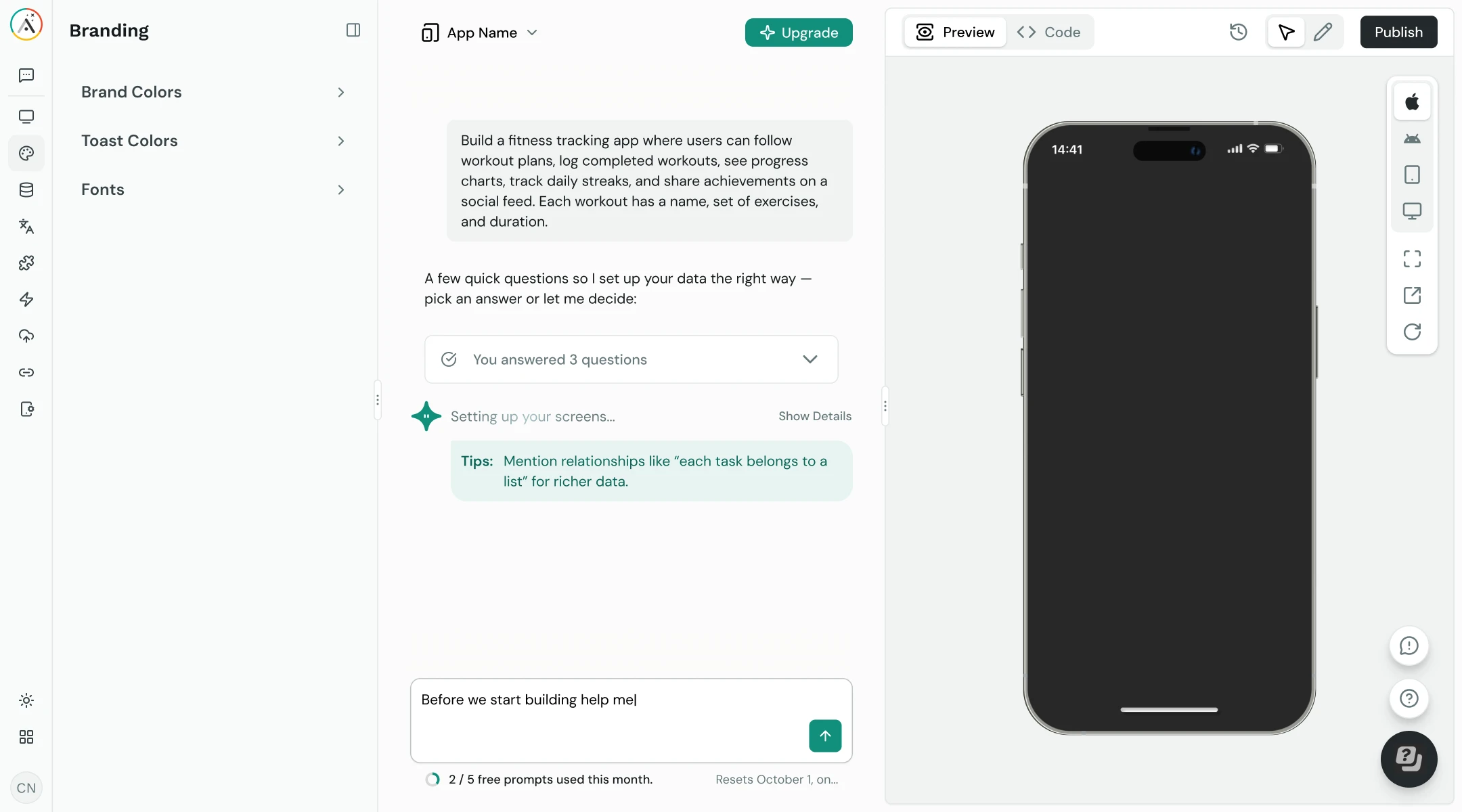
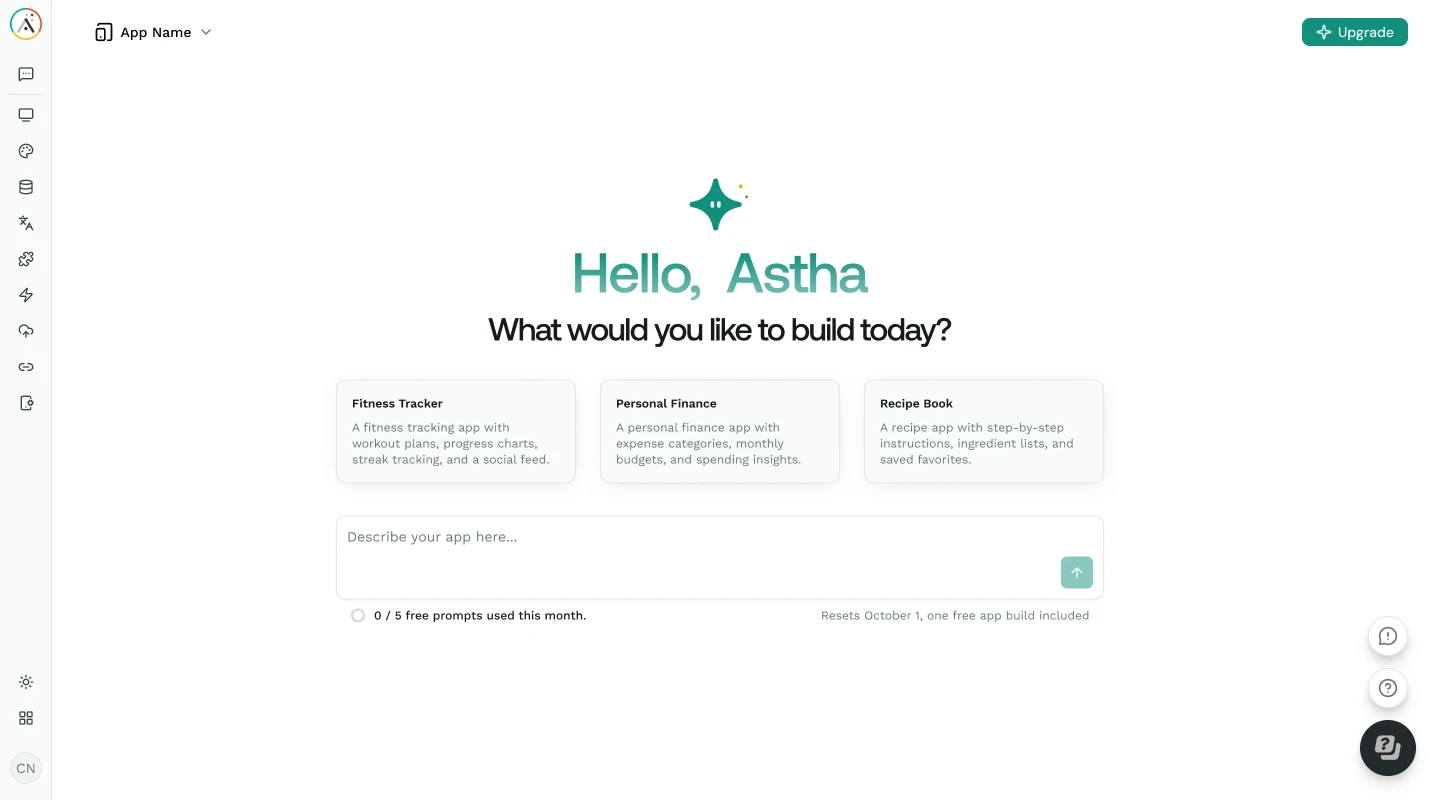
From marketplace apps to fitness trackers, describe what you need and Ada, Adalo’s AI builder, generates a working Android app with Magic Start in minutes.
From Idea to Google Play, Without the Traditional Barriers
Building an Android app has historically required specialized development skills, months of work, and a significant budget. Adalo removes those barriers entirely.
The Android Development Problem
3–6 months- 01Traditional Android development requires Kotlin or Java knowledge plus Android Studio proficiency
- 02Custom Android apps cost $50,000–$150,000 and take 3–6 months minimum to build
- 03Android fragmentation means testing across thousands of devices, screen sizes, and OS versions
- 04Setting up build pipelines, signing certificates, and Gradle configurations is a project in itself
- 05Maintaining separate codebases for Android, iOS, and web multiplies cost and complexity
- 06Google Play submission requires handling metadata, screenshots, privacy policies, and content ratings
 The Adalo Android Solution
Days - 01Build on a visual canvas: no Kotlin, no Java, no Android Studio required
- 02Adalo generates true native Android builds (AAB files), not web wrappers or PWAs
- 03One build works across Samsung, Pixel, OnePlus, Xiaomi, and thousands of other Android devices
- 04Free to start with unlimited usage on paid plans: no caps on actions, users, records, or storage
- 05Build once, deploy to Android, iOS, and web from the same project
- 06One-click Google Play submission handles the build pipeline so you focus on your app
Everything You Need to Build & Ship Android Apps
Built for founders, teams, and businesses who want native Android apps on Google Play, without hiring Android developers or learning Kotlin.
Adalo generates real AAB files compiled for Android, not web wrappers or PWAs. Your app runs natively on Android devices with full access to device capabilities including push notifications, camera, GPS, and biometric authentication.
Submit directly to the Google Play Store from Adalo. The build pipeline handles AAB generation, signing, and packaging. You handle your store listing (screenshots, description, and privacy policy) and Adalo handles the technical build.
See all your app’s screens simultaneously on one canvas. Drag, resize, and connect screens visually instead of navigating page-by-page through an editor. The entire app is visible and editable at once.
Describe your Android app and Ada generates it with Magic Start: screens, database, and navigation in minutes. Use Magic Add to add features through natural language, and X-Ray to identify performance issues before publishing.
No Firebase or Supabase setup required. Adalo includes a relational database with full CRUD operations, user authentication, and role-based permissions. Your data model is ready from day one, not a separate infrastructure project.
Preview your Android app on any device form factor during building. See exactly how it looks and behaves across phones and tablets before publishing to Google Play. No emulator setup, no USB debugging: just click and preview.
Real Android Apps, Built and Published with Adalo
Adalo compiles your app into a true native Android build that runs on every Android device, from budget phones to flagship Samsung Galaxy and Google Pixel devices. Hover any app and scan the code to try it on your phone.
From Description to Google Play in Five Steps
Adalo 3.0’s infrastructure (launched late 2025) is 3–4x faster and scales to 1M+ monthly active users. Here’s how to build your Android app on it.
-
Describe Your App to Ada
Tell Ada, Adalo’s AI builder, what your Android app should do. Magic Start generates a complete app with screens, navigation, and database structure, typically in under two minutes.
-
Customize on the Visual Canvas
See every screen of your Android app on the visual canvas simultaneously. Point at elements and visually direct Ada to adjust layouts, add components, and rearrange flows. Add features with Magic Add using natural language: no property panels or widget trees.
-
Set Up Your Database
Adalo’s built-in relational database handles users, records, relationships, and permissions. No Firebase project setup, no Supabase configuration, no SQL migrations. Migrating from spreadsheets? SheetBridge imports data from Google Sheets directly into Adalo’s database.
-
Preview on Android Devices
Preview your app on any Android device form factor directly from the canvas. Test the full user flow on phone, tablet, and different screen sizes before committing to a build. No emulator installation, no USB cable required.
-
Publish to Google Play
Submit your Android app to the Google Play Store with one click. Adalo generates the AAB, handles code signing, and packages your app for submission. Google Play reviews often take a few hours to a couple of days. Your app also deploys to iOS and web from the same build.
How Adalo Gets Your App on Google Play
No Android Studio. No Gradle builds. No code signing headaches. Adalo handles the native build pipeline; you upload your icon, screenshots, and metadata.
Google Play Store
- Native AAB build, not a web wrapper or PWA
- Adalo handles code signing and packaging
- One-time $25 developer registration
- Review typically a few hours to a few days
Apple App Store

- Native IPA build from the same Adalo project
- Apple Developer Account required ($99/year)
- Review typically 24–48 hours
- Same app, same database, same logic
Web App
- Deploys as a responsive web app automatically
- Share via URL, no store submission needed
- Same build, same data, same user accounts
- Progressive Web App capabilities included
The Fastest Path from Idea to Google Play
Build, preview, and publish native Android apps without writing a single line of code. Then deploy the same app to iOS and web from one build.
Unlimited Google Play Publishing
The lowest price for native Android app publishing with unlimited usage. No caps on actions, users, records, or storage. Compare that to FlutterFlow at $80/mo per seat or Thunkable at $189/mo for app store publishing.
One Version, Three Platforms
Build once, deploy to Android, iOS, and web. Same database, same logic, same screens. No maintaining separate Kotlin and Swift codebases, no tripling your development budget.
No Device Fragmentation Hassle
Adalo handles Android’s device diversity. Build once and your app works across Samsung, Pixel, OnePlus, Xiaomi, and thousands of other Android devices without device-specific testing.
Ship in Days, Not Months
Go from idea to Google Play submission in days. Traditional Android development takes 3–6 months minimum. Ada generates your initial app in minutes; then you customize, preview, and publish.
How Adalo Compares for Android App Building
See how Adalo stacks up against other approaches to building Android apps.
| Feature | Adalo | FlutterFlow | Thunkable | Traditional (Kotlin) |
|---|---|---|---|---|
| Native Android builds | Included: True native AAB | Included: Flutter-based | Included: Cross-platform | Included: Fully native |
| Code required | Included: None | Partial: Dart knowledge helps | Partial: None (but limited) | Not included: Kotlin/Java + Android Studio |
| Visual canvas | Included: Multi-screen canvas | Partial: Widget tree + panels | Partial: Page-by-page | Partial: XML layouts (limited visual) |
| AI app generation | Included: Ada (Magic Start) | Included: AI features | Partial: Basic | Not included: None built-in |
| Built-in database | Included: Relational DB | Not included: Requires Firebase | Not included: Requires Airtable/Firebase | Not included: Setup manually |
| Google Play publishing | Included: One-click | Included: One-click | Partial: One-click ($189/mo plan) | Partial: Manual via Play Console |
| Starting price | Included: Free to start | Partial: $80/mo per seat | Partial: $189/mo (for publishing) | Partial: Free (SDK) + time investment |
| iOS + Web from same build | Included: Yes | Partial: Yes (web separate) | Partial: Yes (web separate) | Not included: No |
Tips for Building Great Android Apps
Patterns that help your Android app perform well on Google Play and keep users engaged.
Design for Material Design
Android users expect Material Design patterns: bottom navigation bars, floating action buttons (FAB), card-based layouts, and consistent spacing. Adalo’s component library includes these patterns natively, so your app feels at home on any Android device.
Optimize Your Images
Android devices range from low-end to flagship with different screen densities (hdpi, xhdpi, xxhdpi). Compress images before uploading to Adalo and use appropriate resolutions. Large unoptimized images slow down your app and increase data usage.
Test Multiple Screen Sizes
Android runs on phones, tablets, foldables, and Chromebooks. Use Adalo’s device preview to test your layout across different form factors before publishing. A layout that works on a Pixel 8 might need adjustment on a Samsung Galaxy Tab.
Handle Permissions Properly
Android requires explicit permission requests for camera, location, storage, and notifications. Ask in context: request camera access when the user taps a photo button, not at app launch. Users are more likely to grant permissions they understand.
Requirements for Publishing to Google Play
See the Android Publishing Guide- 1
Google Play Developer Account
A one-time $25 registration fee to create your Google Play Developer account. This gives you lifetime access to publish apps on Google Play, unlike Apple’s $99/year requirement for the App Store.
- 2
Adalo Account (Free to Start)
Adalo’s app store publishing plan starts with unlimited usage: no caps on actions, users, records, or storage. The free plan includes 500 database records for prototyping your app before committing.
- 3
App Icon & Screenshots
A 512x512px app icon and screenshots for your Google Play listing. Google requires at least 2 screenshots. Adalo’s device preview lets you capture screenshots directly from the editor during building.
- 4
Privacy Policy URL
Google Play requires a privacy policy URL for all apps. You can host one on your own website or use a free privacy policy generator. This is a Google Play requirement, not an Adalo requirement.
Learn How to Build Android Apps with Adalo
Guides, documentation, and tutorials to help you build and publish your Android app.
Publishing to Google Play Store
Step-by-step guide for submitting your Adalo app to Google Play, including AAB generation and store listing setup.
View guide DocumentationDatabase Setup & Relationships
How to structure collections, create relationships, and set up user authentication in Adalo’s relational database.
View docs TutorialHow to Build a Mobile App Without Code
Complete walkthrough from app concept to publishing on the Google Play Store and Apple App Store.
Read tutorial DocumentationExternal APIs & Integrations
Connect your Android app to external APIs, Zapier, Make, and SheetBridge for Google Sheets integration.
View docsCommon Questions About Building Android Apps
Does Adalo build real native Android apps or just web wrappers?
Adalo generates true native Android builds (AAB files) that run natively on Android devices. These are not PWAs, web wrappers, or hybrid apps. Your app uses native components and has full access to device capabilities like push notifications, camera, GPS, and biometric authentication.
How much does it cost to build and publish an Android app with Adalo?
Adalo’s app store publishing plan starts with unlimited usage: no caps on actions, users, records, or storage. You’ll also need a Google Play Developer Account ($25 one-time fee). Traditional Android development typically costs $50,000–$150,000 for a comparable app, plus ongoing maintenance.
Do I need to know Kotlin or Java to build an Android app?
No. Adalo handles the entire native build pipeline. You design your app on a visual canvas, and Adalo compiles it into an AAB file ready for Google Play submission. No programming language, no Android Studio, no Gradle builds. Ada, Adalo’s AI builder, can generate your initial app from a plain-language description.
How long does it take to get an Android app on Google Play?
Most builders go from idea to Google Play submission in 1–3 weeks. Ada can generate your initial app in minutes with Magic Start, and you’ll spend most of your time customizing the design and data model rather than writing code. Google’s review typically takes a few hours to a few days, generally faster than Apple’s App Store review.
Can I build one app for both Android and iPhone?
Yes. Adalo lets you build one version of your app that deploys to Android, iOS, and web. Same database, same screens, same logic across all three platforms. You don’t maintain separate projects or hire separate development teams for each platform.
Will my app work on all Android devices?
Adalo builds target a broad range of Android devices and OS versions. Your app works across Samsung, Google Pixel, OnePlus, Xiaomi, and other manufacturers without device-specific development. Adalo handles screen size adaptation and API level compatibility. Very old devices below the minimum supported API level may not be compatible.
What Android features can my Adalo app use?
Adalo apps support push notifications, camera and photo library access, GPS and location services, biometric authentication, QR and barcode scanning, and offline data persistence. Platform-specific features like Wear OS, Android Auto, or home screen widgets require custom components or native development.
Can I update my app after it’s on Google Play?
Yes. Make changes in Adalo’s editor, preview them on device, and submit an update. Content and data changes sync immediately without a new Google Play submission. Layout and feature changes require a new build and review cycle, which on Google Play often completes within hours.
What can’t Adalo do that native Kotlin development can?
Adalo covers most app functionality but has limitations. Advanced custom animations, Jetpack Compose fine-tuning, Wear OS integration, and real-time features like video calling require native code. If you need full control over every Android API and pixel-perfect Material Design 3, Kotlin gives you complete access. For 90% of business and consumer apps (task managers, marketplaces, booking systems, CRMs, social apps), Adalo’s capabilities are sufficient.
Why choose Adalo over FlutterFlow for Android apps?
Both build native Android apps. Adalo includes a built-in relational database (FlutterFlow requires Firebase setup), starts with unlimited usage (FlutterFlow is $80/mo per seat), and shows all screens on one visual canvas while FlutterFlow uses a widget tree with property panels. FlutterFlow offers Dart code export, which Adalo does not. Choose Adalo for a self-contained platform with everything included.
Explore more from Adalo: iPhone App Builder, Web App Builder, CRM Apps, eCommerce Apps, Fitness Apps, and Marketplace Apps. Learn more about Adalo’s no-code app builder.
Ready to Build Your Android App?
Build on our free plan with your own hosted Postgres database and 500 free records. Describe your app to Ada, customize it on the visual canvas, and publish to Google Play with unlimited usage.