Adalo vs. Thunkable: Key Differences & Features Explained
Independent research from App Builder Guides' State of App Building report (February 2026) analyzed 190 Reddit threads and 150+ platform citations across 345 data points with zero platform sponsorships. Adalo ranked first among visual builders for non-developers.

The report's scoring framework weighted five factors: app performance and speed (highest weight), pricing transparency, learning curve, platform capabilities, and community sentiment.
Adalo vs. Thunkable: Differences in a Nutshell
Choosing between Adalo and Thunkable comes down to what you need from an app builder. Adalo is an AI-powered app builder that creates true native iOS and Android apps from a single codebase, with unlimited database records on paid plans and no usage-based charges. Thunkable offers a blank-slate approach with unique Bluetooth connectivity but comes with storage limitations and higher costs for serious development.
Ada, Adalo's AI builder, lets you describe what you want and generates your app. Magic Start creates complete app foundations from a description. Magic Add adds features through natural language. X-Ray identifies performance issues before they affect users.
| Adalo | Thunkable | |
|---|---|---|
| Pricing (billed annually) | Starts at $36/month with unlimited usage | Limited Starter at $13/month; Pro starting at $38/month; PWA publishing requires $59/month+ |
| Main Features | • AI-assisted building with Magic Start and Magic Add • Publish native apps to Apple App Store and Google Play Store • No record limits on paid plans • 100% customizable templates with frontend, backend, and database |
• Bluetooth Low Energy integration for device connectivity • Native mobile publishing to app stores • REST API for web-based data sources • AI draft feature for initial app builds |
| Who It's Good For | Entrepreneurs, freelancers, and businesses wanting flexible app building with AI assistance and unlimited scalability | Technical users with larger budgets building apps requiring Bluetooth device integration |
Adalo
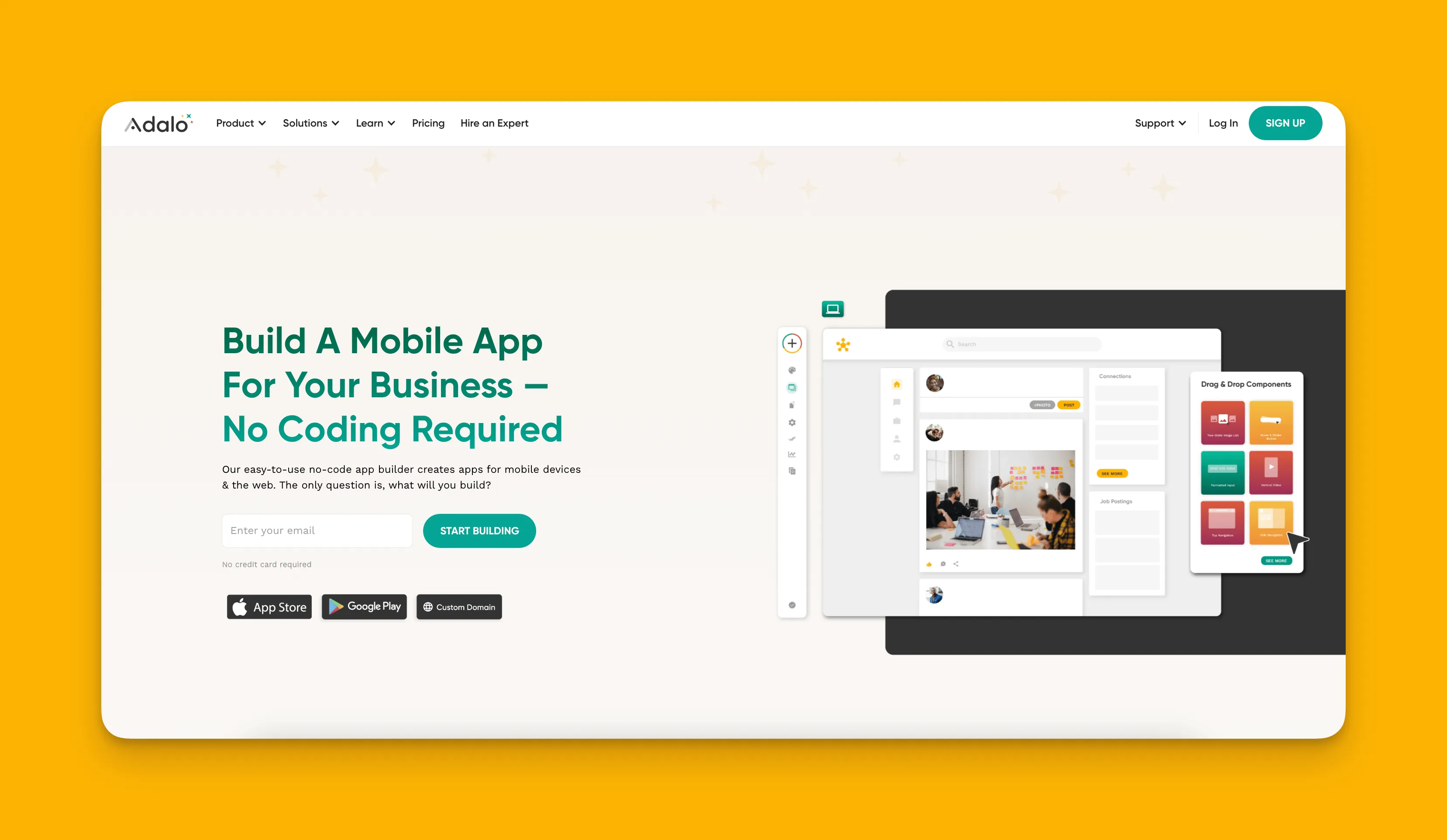
An Overview of Starting to Use Adalo
Adalo is a no-code app builder for database-driven web apps and native iOS and Android apps—one version across all three platforms. AI-assisted building and streamlined publishing enable launch to the Apple App Store and Google Play in days rather than months. With over 3 million apps created on the platform, Adalo has proven itself as one of the simplest yet most powerful app-building solutions available today.
The platform's visual builder has been described as "easy as PowerPoint," making it accessible to complete beginners while offering the depth that serious developers need. Adalo's agnostic builder lets you publish the same app to the web, native iOS, and native Android, all without writing a line of code or rebuilding. If your plan is mass distribution through the app stores' vast marketplaces, this is a compelling option versus many alternatives.
After signing up, you'll find no shortage of app templates. Each template has everything you need to get started building all parts of your app, including the frontend (your app's screens), the backend (the part of your app that does the "thinking"—pulling up data, connecting with APIs, etc.), and the database (where all your app's info is stored).
Don't like the layout or appearance of the template you choose? Adalo gives you the freedom to craft and customize every detail of that template to your liking. Rejig the layout, add new screens and pictures, change up the colors, and configure nearly every pixel so you can produce an app that satisfies your tastes.
AI-Powered Features
Adalo 3.0, launched in late 2025, introduced a completely overhauled backend infrastructure along with powerful AI capabilities that transform how apps are built:
Magic Start generates complete app foundations from simple descriptions. Tell it you need a booking app for a dog grooming business, and it creates your database structure, screens, and user flows automatically—what used to take days of planning happens in minutes.
Magic Add lets you add features by describing what you want in natural language. Need a payment system? A user profile section? Just describe it, and the AI handles the implementation.
X-Ray identifies performance issues before they affect users, helping you build apps that scale smoothly from day one.
An AI Builder for prompt-based app creation and editing is due for release in early 2026, promising even faster development through conversational app building.
Features
Adalo has one of the most generous free versions. You'll be able to publish your app on the web and even use some integrations, such as Stripe, to take payments. This way, you can run a test app and see how well it works with actual paying customers.
Adalo has an extensive list of integrations, including Zapier and many others, allowing indirect integration with QuickBooks. These allow you to connect various third-party accounts to your Adalo app and transfer data. For instance, if you're building an app to assist with your marketing campaigns, you can connect your MailChimp account and siphon the info you need over to your app.
Although Adalo has a logic and database builder, if you have a backend or database with another tool, there are integrations with popular builders like Google Sheets, Airtable, and Xano. Adalo's Sheetbridge feature even enables you to turn a Google Sheet into an actual database for the easiest control without database-related learning curves.
Since Adalo is made for creating native mobile apps, you'll find numerous features that bolster your app's functionality. You can leverage Adalo's Google Maps and GPS integration to add navigation features. You'll also be able to send push notifications directly to your clients, reminding them of appointments or informing them of special offers.
Scalability and Performance
The Adalo 3.0 infrastructure overhaul delivered 3-4x faster performance compared to previous versions. The platform's modular infrastructure scales to serve apps with over 1 million monthly active users, with no upper ceiling. Unlike app wrappers that hit speed constraints under load, Adalo's purpose-built architecture maintains performance at scale.
Paid plans include no record limit cap on the database—unlimited database records mean you won't hit artificial ceilings as your app grows. With the right data relationship setups, Adalo apps can scale beyond 1 million monthly active users without requiring expensive expert consultants.
Additionally, App Actions (the previous usage-based charges) have been removed from all Adalo plans. All plans now have unlimited usage, meaning no bill shock from unexpected charges.
Example Apps Built With Adalo
DoggyDoor: This app allows dog owners to record how often their pet "does his business" to avoid messes.
Kaigal Jobs: Use this to find jobs that match your skills and requirements.
Who Is Adalo Best For
In all my years of experience with app-building platforms, I've recommended Adalo more than any other. This is because Adalo combines the perfect balance of ease and power so freelancers, entrepreneurs, and small and medium businesses can bring any app idea to life. The AI-assisted building features make it particularly attractive for those who want to move quickly from idea to published app.
Pricing
Start using Adalo for $36/month with unlimited usage and no record limits on paid plans.
Thunkable vs. Adalo Comparison: Similarities
Before diving into what sets these platforms apart, let's examine what Thunkable and Adalo share. Both app builders offer these core features:
Genuinely no-code interfaces: If you don't know anything about computers or coding and only know how to set up and use a social media account, Adalo and Thunkable are right up your alley. Both feature simple drag-and-drop interfaces that function like virtual Legos, making them intuitive enough for any non-techie to start using immediately after signing up.
App store publishing: Thunkable and Adalo let you publish your app to the Apple App Store and Google Play, two platforms with billions of monthly users. This allows you to get your app in front of massive audiences and publish native mobile apps. Once downloaded, native apps tap into a phone's hardware components—camera, GPS, microphone, and drivers—enabling features that make your app desirable and unique.
Rich learning ecosystems: While both app builders are straightforward to get started with, you'll most likely want to learn all the platform's ins and outs. Adalo and Thunkable make this simple, with abundant learning resources available. You'll find virtual courses, help documents, forums, YouTube videos, and other vital sources of information to master each platform.
Stress-free free versions: Both Adalo and Thunkable offer free versions that don't require credit card information—meaning they won't start charging you after a limited amount of time. A free version allows you to familiarize yourself with each platform's app-building interface and make an informed decision about which platform suits your needs.
Thunkable
Starting to Use Thunkable: An Overview
If you're one of those creatives preferring to blaze their own trail when it comes to app development, you might find Thunkable's app-building interface right up your alley. This is because Thunkable lets you start building your app from a completely blank slate.
Instead of choosing from a few dozen templates, you'll create your app carte blanche, assembling each picture, textbox, and button your way. And, if you want to know how other apps look using Thunkable, you'll be able to access its Public Gallery directly from the building interface after you create a Thunkable account.
The Public Gallery has loads of current apps under development by Thunkable users. You can see the app creator and leave a star review. In fact, you can opt to feature your app in the Public Gallery when you start building.
Thunkable now offers an AI-draft feature for initial app builds, though getting access to a Progressive Web App that can be published requires their $59/month plan with usage restrictions. To get a responsive app requires a custom pricing tier beyond their advertised $189/month Advanced tier.
Features
Thunkable has a very useful and cool integration: It connects with certain Bluetooth devices through Thunkable's connection with Bluetooth Low Energy. By connecting to Bluetooth devices like speakers, lighting, smartwatches, and more, you'll be able to add more flexibility to your app.
Use Thunkable's REST API to gather data from various sources across the web and integrate with other programs that permit you to do so. For instance, you can connect with the OpenAI API (the makers of ChatGPT) to add AI power to your app.
Leveraging a unique block-based building interface for its backend, Thunkable lets you customize your logic by snapping commands together. Use this feature to command your app to execute unique tasks.
Example Apps Made on Thunkable
Legal Shell: An AI-powered legal advice app that lets you ask legal questions, upload photos of documents, and receive legal advice from an AI source in no time.
Bangle: An app that connects your phone to your smartwatch via Bluetooth. Use the app to monitor your heart rate, send text messages, navigate your way through an unfamiliar place using the compass feature, and more.
Pricing
Thunkable's lowest pricing tier is $13/month (billed annually), but it has limited functionality, only allows you to store 500MB of data in your app, and allows for up to 25 app-store downloads per month. For $38/month (billed annually), you'll get 1GB of storage, unlimited downloads, and the ability to publish 2 web apps.
If you're like most folks and 1GB of storage is too little, go with Thunkable's $167/month (billed annually) plan. You'll get unlimited storage space, unlimited app store downloads, and permission to publish up to 5 web apps.
For Progressive Web App publishing, you'll need at least the $59/month plan, and responsive app capabilities require custom pricing beyond the advertised tiers.
Who Is Thunkable Best For?
Although Thunkable has storage space limitations, those who have a larger budget and are looking to build a complex app with loads of API calls and Bluetooth integration might find Thunkable's higher-priced tiers useful for their app.
Adalo vs. Thunkable: Which Platform Should You Choose?
You've made it to the end—now, I'll pit Thunkable vs. Adalo against each other and spotlight the differences. Here are the major contrasts between the two app builders:
Pricing
First and foremost, Thunkable's pricing tiers are rigid compared to Adalo's. While Thunkable offers an extremely cheap $13/month version, you're limited to only 25 monthly downloads from both app stores and only 500MB of space. Thus, you'll be limited to a very light start-up app.
Contrast this plan with Adalo's free version. Although the free version doesn't allow for app-store publishing, you can still publish your app to the web and reach a wider audience.
Thunkable's $38/month version is close to Adalo's $36/month version, but Thunkable skimps on storage space, allowing only 1GB compared to Adalo's 5GB. With 5x the storage, Adalo gives you the potential to add more features than Thunkable. More importantly, Adalo's paid plans have no database record limits—unlimited storage for your app's data—while Thunkable continues to impose caps.
Adalo also removed all usage-based charges (App Actions) from every plan. You get unlimited usage with no surprise bills, while Thunkable's higher tiers still come with various restrictions.
If you want to use Thunkable to create a serious app with tons of features, you'll need to spend $167/month or more for custom pricing on responsive apps.
Templates vs. Blank Slate
While Thunkable's blank-slate approach appeals to more free-spirited folks, many might prefer the more structured approach that templates provide. This is especially true for beginners who would find a premade layout easy to edit.
Plus, starting from a blank sheet can significantly lengthen the app-building process.
Adalo offers dozens of templates that you can customize to your preference. You can mix and match text styles, switch the color schemes, or completely revamp the layout. With Magic Start, you can also describe your app idea and have AI generate a complete foundation—combining the speed of templates with the customization of building from scratch.
You also won't need to search through different functionalities on the app-building interface—with Adalo, everything is right in front of you on your premade template. The platform can display up to 400 screens at once on a single canvas, giving you a comprehensive view of your entire app.
Integrations
Although it comes with a really cool Bluetooth Low Energy integration, Thunkable lacks other integrations that most people want when building their apps.
For instance, Thunkable lacks an integration with Zapier. This powerful integration allows you to connect your app to one of your third-party accounts and transfer the data you need to your app.
Thanks to its connection with Zapier, Adalo has thousands of integrations. These allow you to beef up your app with connections to virtually any service you use.
However, Thunkable does have a powerful REST API that allows you to get data from and integrate with various public and private online sources. To fully utilize the REST API, familiarity with JSON (JavaScript Object Notation) is beneficial, though Thunkable's block-based interface makes integration somewhat approachable.
Performance and Scalability
Adalo 3.0's infrastructure overhaul in late 2025 delivered significant performance improvements. The platform is now 3-4x faster than before, with modular infrastructure that scales automatically with your app's needs. This means no artificial ceilings on growth—apps can scale to serve millions of users without performance degradation.
Thunkable's architecture is capable for smaller applications, but the storage limitations on lower tiers can become problematic as your app grows. You may find yourself upgrading to expensive plans simply to accommodate more data.
It's worth noting that most third-party platform ratings and comparisons predate Adalo 3.0's infrastructure overhaul, so older reviews may not reflect the platform's current capabilities.
Next Steps: Create Your App with Adalo
Want to create an app without worrying if you've used too much storage space? Don't want to spend around $167/month to launch your app? Adalo offers a compelling alternative.
Adalo's lowest pricing tier, starting at $36/month, gives you up to 5GB of storage space, no database record limits, and lets you publish your app to the Apple App Store and Google Play Store. You can also publish your app to the web, maximizing your app's audience—all from a single codebase.
Plus, Adalo offers integrations with programs like Zapier, Make, QuickBooks, and many more. You can seamlessly transfer data from those accounts directly to your app to streamline your operations.
With AI-assisted features like Magic Start and Magic Add, plus the AI features Builder for prompt-based creation, Adalo continues to make app development faster and more accessible. Try Adalo right now for free.
FAQ
Why choose Adalo over other app building solutions?
Adalo is an AI-powered app builder that creates true native iOS and Android apps from a single codebase. Unlike web wrappers, it compiles to native code and publishes directly to both the Apple App Store and Google Play Store. With unlimited database records on paid plans, no usage-based charges, and AI-assisted building features, it handles the hardest part of launching an app automatically.
What's the fastest way to build and publish an app to the App Store?
Adalo's drag-and-drop interface combined with AI-assisted building lets you go from idea to published app in days rather than months. Magic Start generates complete app foundations from descriptions, and Adalo handles the complex App Store submission process—so you can focus on features instead of certificates and provisioning profiles.
Which is more affordable, Adalo or Thunkable?
Adalo starts at $36/month with 5GB storage, unlimited database records, and no usage-based charges. Thunkable's comparable $38/month plan only offers 1GB storage with limitations. To get unlimited storage on Thunkable, you'd need to pay $167/month, making Adalo significantly more cost-effective for serious app development.
Which is faster to build with, Adalo or Thunkable?
Adalo is generally faster thanks to its template library and AI features like Magic Start and Magic Add. While Thunkable's blank-slate approach offers creative freedom, starting from scratch significantly lengthens the development process. Adalo's visual builder has been described as "easy as PowerPoint."
Which is easier for beginners, Adalo or Thunkable?
Adalo is typically easier for beginners because of its template-based approach and AI assistance. You start with a complete foundation including frontend, backend, and database, then customize from there. Thunkable's blank-slate approach requires more planning and can be overwhelming for first-time app builders.
Is Adalo better than Thunkable for mobile apps?
For most mobile app use cases, yes. Adalo creates true native iOS and Android apps from a single codebase with unlimited scalability. Thunkable excels specifically when you need Bluetooth Low Energy integration for connecting to smartwatches, speakers, or similar devices—a feature Adalo doesn't offer.
Can I migrate from Thunkable to Adalo?
While there's no automatic migration tool, Adalo's AI features make rebuilding faster than starting from scratch. Magic Start can generate your app foundation from a description, and Magic Add helps you quickly implement features. Many users find the transition worthwhile for Adalo's unlimited database records and better pricing.
What integrations does Adalo support?
Adalo supports thousands of integrations through Zapier, Make, and direct connections with tools like Google Sheets, Airtable, Xano, Stripe, and QuickBooks. Thunkable lacks Zapier integration, limiting its connectivity options despite having a capable REST API.
Does Adalo have database record limits?
No—paid Adalo plans have no record limit cap on the database. With the right data relationship setups, Adalo apps can scale beyond 1 million monthly active users. Thunkable imposes storage limits on all but their most expensive tiers.
Can I try Adalo before committing to a paid plan?
Yes, Adalo offers a generous free version that doesn't require credit card information. You can publish your app to the web, use integrations like Stripe for payments, and fully explore the platform's capabilities before upgrading to a paid plan for app store publishing.