4 Free Booking Form Templates for Effortless Event Planning
Giving customers a smooth booking experience is key for any kind of business—from salons to restaurants to consultants to event organizers. One of the most effective ways to deliver that experience is through interactive booking forms that increase user engagement and simplify your scheduling process.
Ada, Adalo's AI builder, lets you describe what you want and generates your app. Magic Start creates complete app foundations from a description, while Magic Add adds features through natural language.
Adalo, an AI-powered app builder, lets you create custom web and native mobile apps—including fully functional booking systems—without writing a single line of code. With Magic Start, you can describe your booking app and generate a complete foundation including database structure, screens, and user flows automatically. In this article, we'll cover key features, free booking form templates, and everything you need to know to increase bookings for your business.
What is a booking form?
A booking form is a physical or online form that allows customers to book or schedule services, appointments, events, or accommodations with a business or organization. It's a structured way to collect customer information to make a booking, and businesses can use booking form templates to quickly create forms tailored to their specific needs.
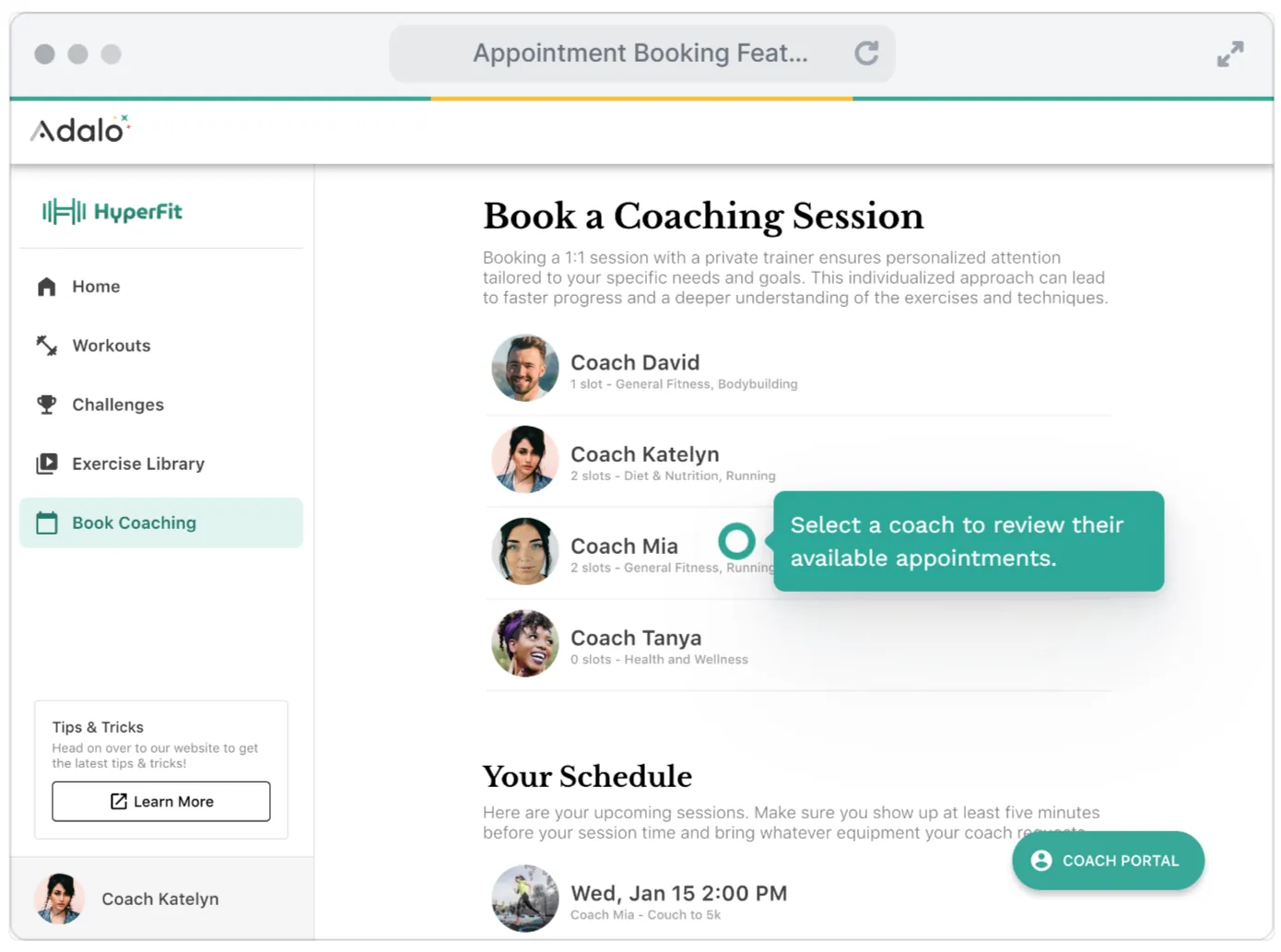
This information usually includes:
- Personal details such as name, contact details (phone number, email), and sometimes address
- Booking preferences like date and time, service or product, and number of people or attendees
- Special requests, notes, or instructions
- Payment or deposit to confirm the booking when required
What are the key features of an online booking form?
An online booking form integrates into websites and mobile apps, offering capabilities that paper forms simply can't match. Modern booking forms display up-to-date availability of services or time slots in real-time, eliminating the back-and-forth of manual scheduling.
Essential features include:
- Instant automated confirmations—emails or messages sent immediately upon booking
- Calendar integration for syncing bookings with digital calendars for both customers and businesses
- Secure payment processing through integrated payment gateways
- Template flexibility—choosing from various form templates to create booking forms tailored to specific needs
What are some common uses of booking form templates?
Customers love booking forms because they can book at any time without having to interact with company representatives. For businesses, they automate the booking process and store customer information systematically.
Common applications span multiple industries:
| Industry | Use Cases |
|---|---|
| Hospitality | Hotel room bookings, restaurant reservations |
| Services | Salon appointments, spa bookings, medical appointments, consultancy sessions, coaching services, personal trainer bookings |
| Events | Workshop registrations, conference sign-ups, class registrations, tour bookings |
| Transportation | Flight bookings, train reservations, bus tickets, car rentals |
How do you create a booking form?
Creating a booking form is easier than you might think. The process breaks down into four straightforward steps:
- Choose a form builder to create a custom form that meets your business needs
- Select a template or start from scratch to create a simple form—businesses can use booking form templates to create forms tailored to their specific needs quickly
- Add, remove, or edit form fields to collect the customer information you need
- Customize questions and answer types using the Edit menu to match your booking workflow
HINT: By using a DIY booking form, you can collect customer information without incurring additional costs. With Adalo's Magic Add feature, you can add new form fields simply by describing what you need—"add a dropdown for service type" or "include a date picker for appointment scheduling."
What are some examples of booking form templates?
Here are some free downloadable booking form templates to get you started:
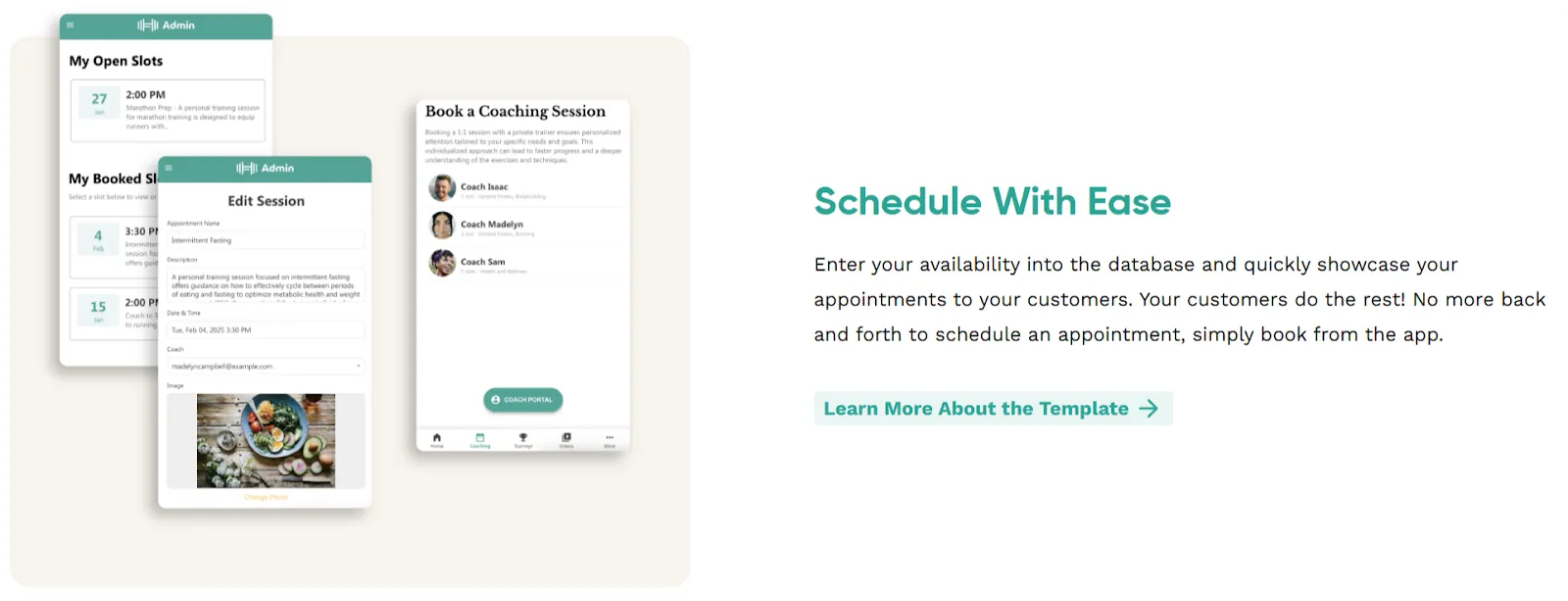
1. Appointments App Template by Adalo
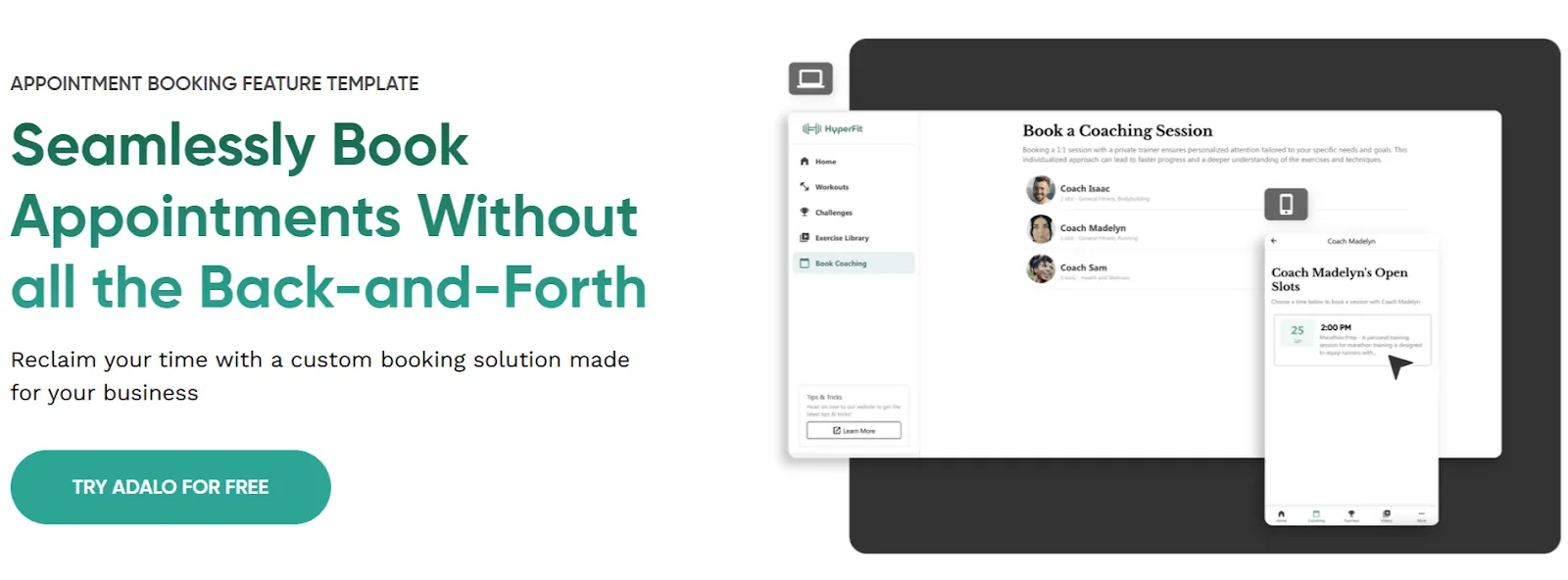
You can begin with Adalo's appointment app template to start scheduling right away for free. Create a custom app tailored to your business, then publish it to web, iOS App Store, and Google Play Store from a single codebase.
2. Hospitality Booking Form Template by MightyForms
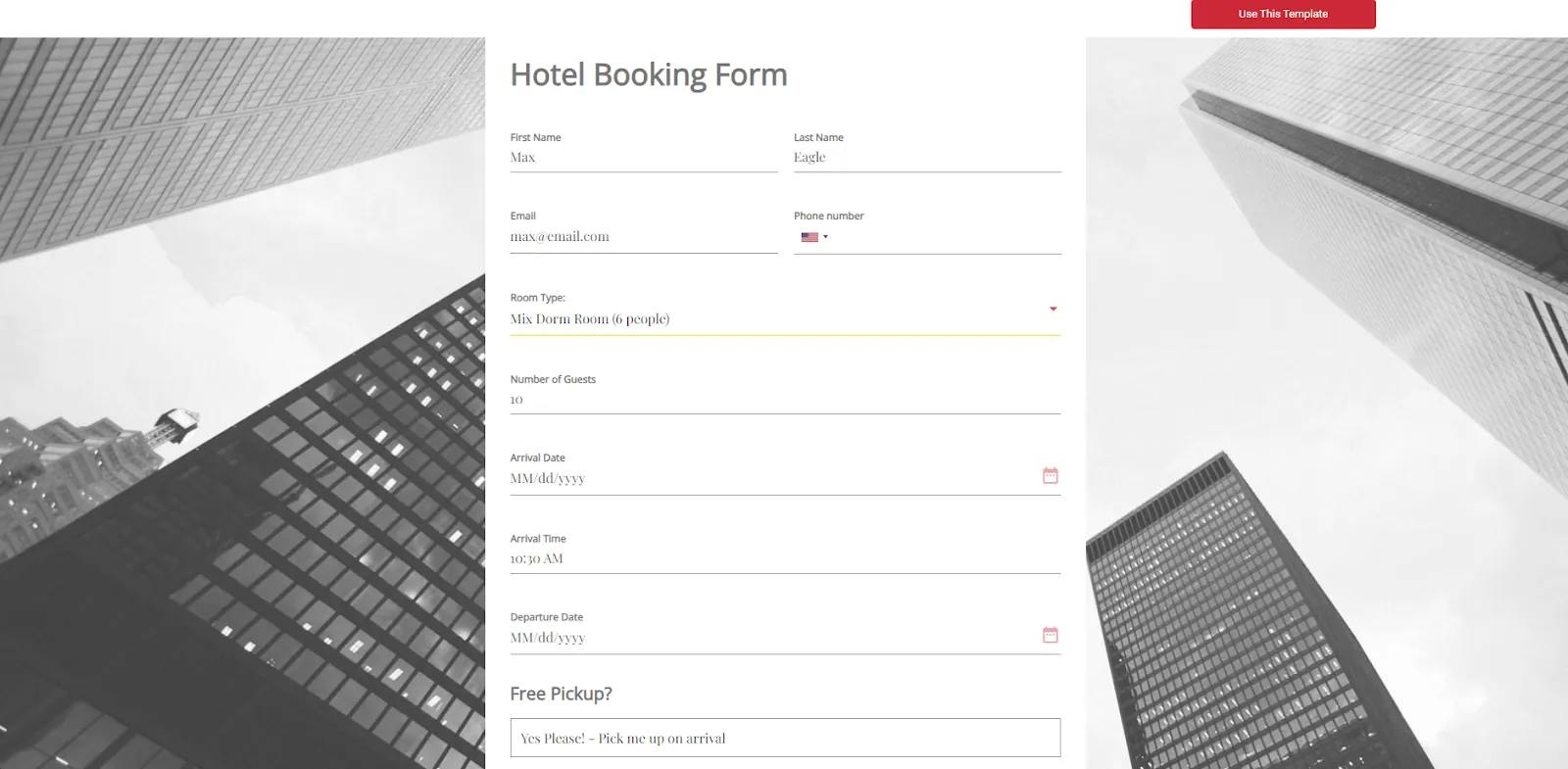
A hospitality reservation form is used for resorts, hotels, and B&Bs. A hospitality booking form should include name, phone number, email, number of guests, check-in date, and check-out date.
3. Appointment Booking Form Template by MightyForms
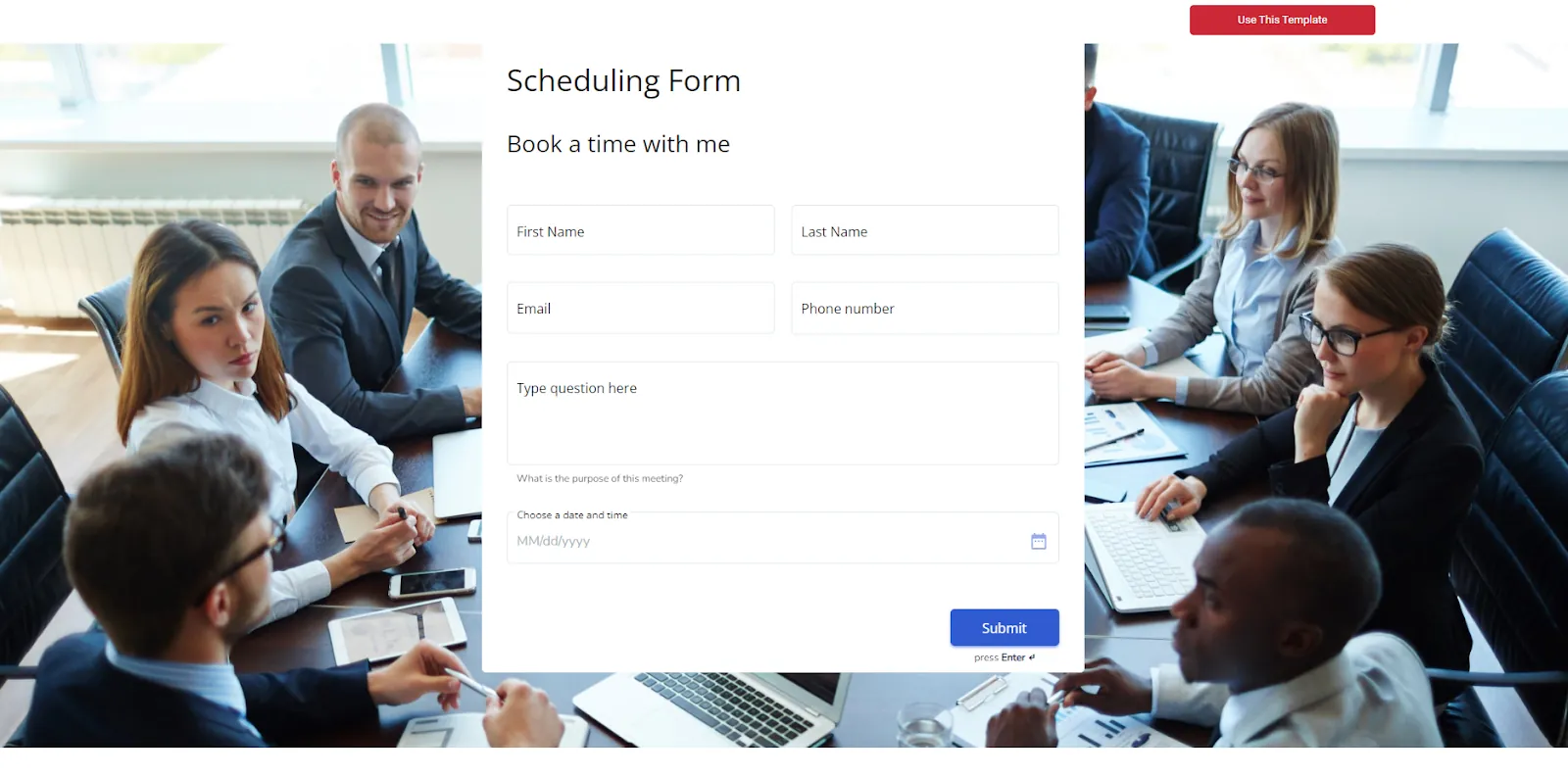
This booking form template is used to book appointments or meetings. The appointment booking form template should include fields for name, type of gathering, date, time, email, phone number, and attendance confirmation.
4. Car Rental Booking Form Template by MightyForms
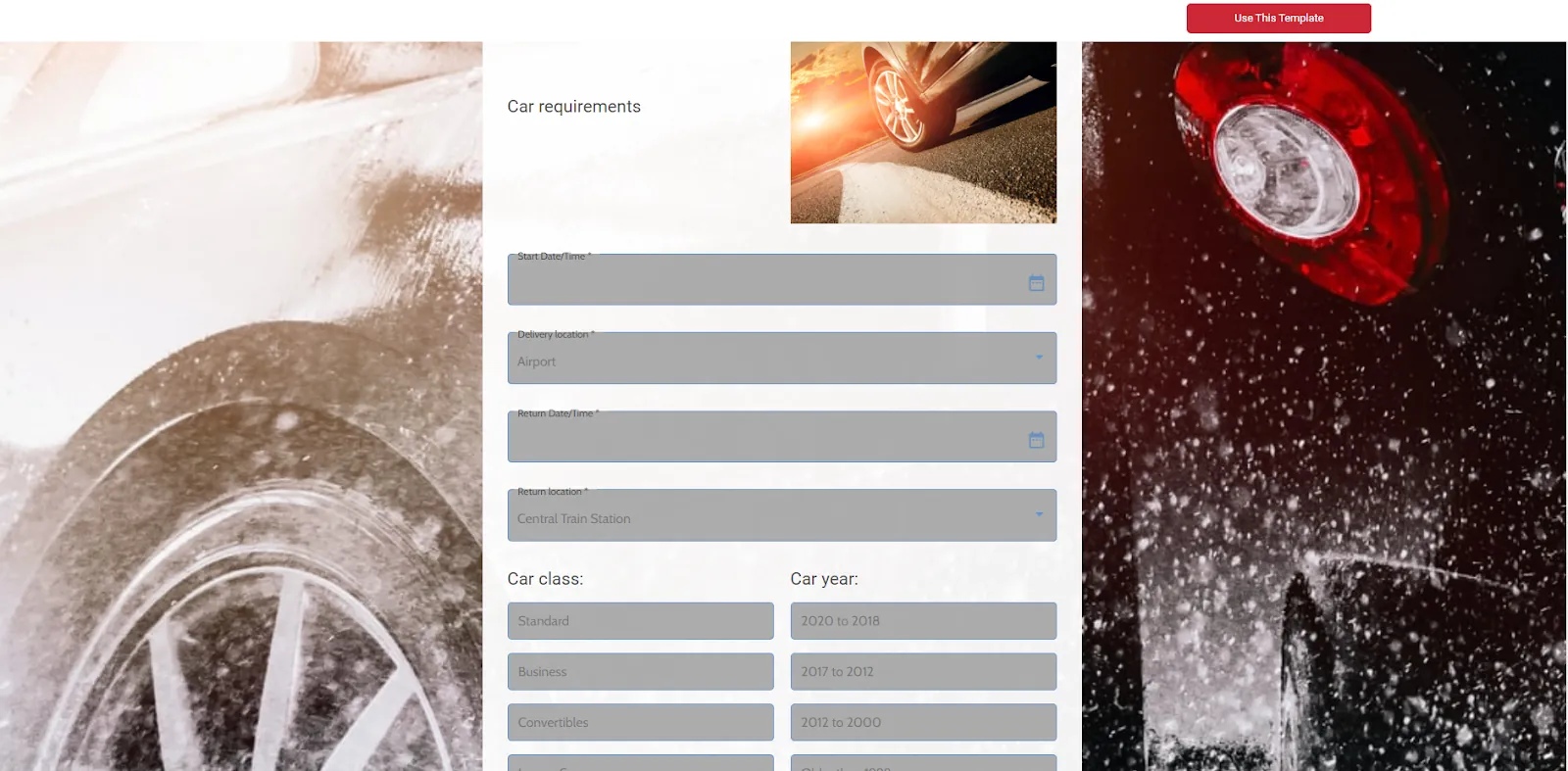
This form template is for booking car rentals. Fields on this form should include name, driver's license info, phone number, email, address, type of car, fuel option, options and features, length of rental, and location for pick-up and return.
What are the benefits of using online booking forms?
Online booking forms benefit both businesses and customers significantly. For businesses, they streamline the booking process, reducing admin tasks and overall time. Instead of handling booking requests manually, businesses can automate the entire workflow and free up resources for higher-value activities.
Customers appreciate the convenience of booking appointments, reservations, or services anytime without calling or emailing. This 24/7 availability means they're more likely to complete bookings and return for repeat business.
Security matters too. Online booking forms provide a secure way to collect customer information and accept payments. By using these forms, businesses reduce the risk of errors or lost bookings and ensure all customer information is recorded and stored safely. With Adalo's unlimited database records on paid plans, you never have to worry about hitting storage limits as your booking volume grows.
How can you share and promote your booking form?
Once you've built your online form, you need to share and promote it to reach your target audience. Start by embedding the form on your website so visitors can find it easily. Then, share the form on social media to reach a wider audience and drive bookings.
With Adalo, you can publish your booking app to the Apple App Store and Google Play Store, giving customers a native mobile experience. This means your booking form lives in an app on their phone—always accessible, always fast, and always professional.
How do you build a booking form with Adalo?
Adalo is a no-code app builder for database-driven web apps and native iOS and Android apps—one version across all three platforms, published to the Apple App Store and Google Play. This makes it ideal for businesses that want custom online booking forms without the complexity of coding.
Here are the key features you can use to create custom online booking forms:
1. Drag-and-drop interface
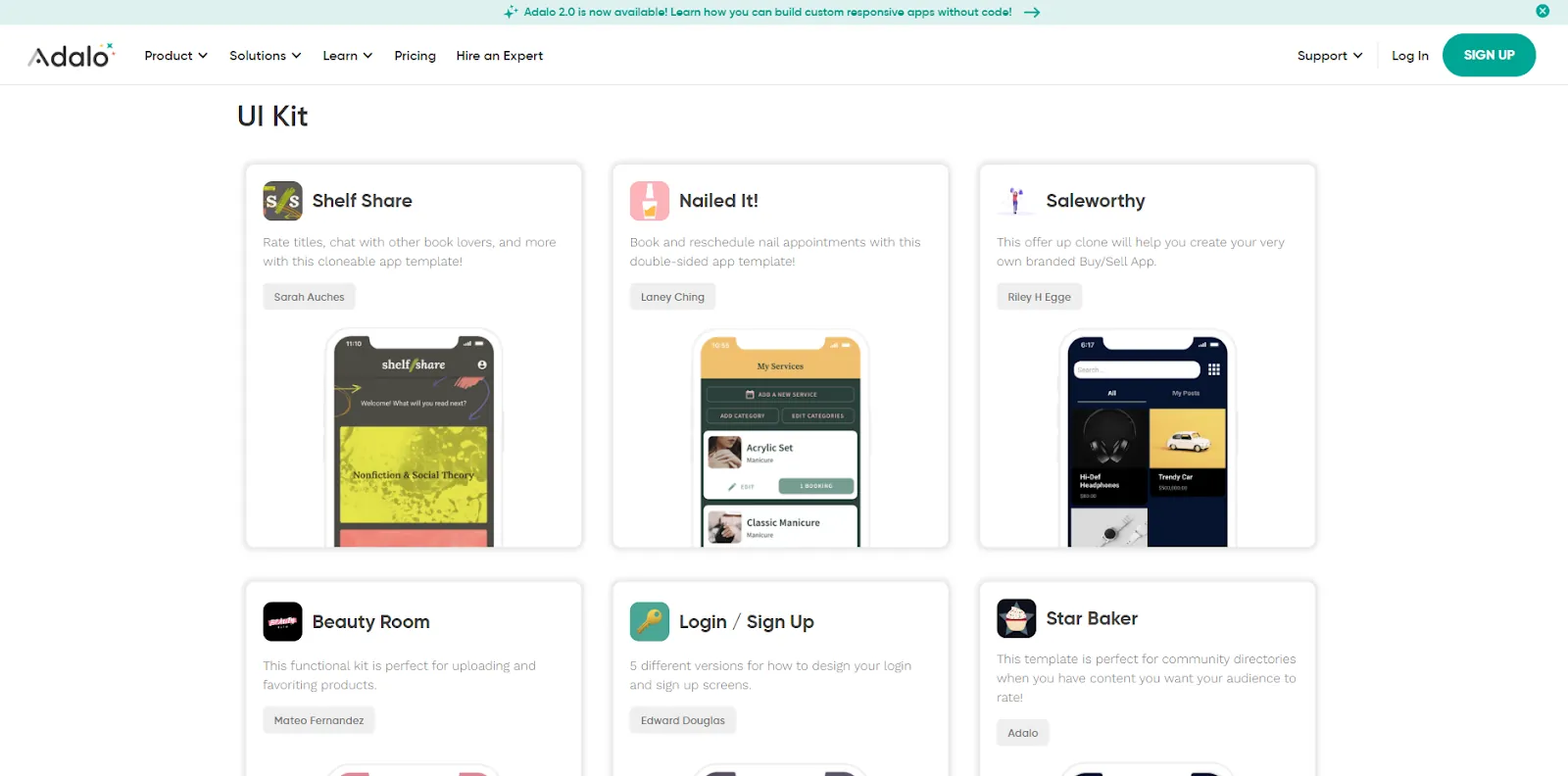
Adalo's visual builder—described by users as "easy as PowerPoint"—makes designing and customizing booking forms simple. You can add text fields, dropdowns, and date options without coding. The platform displays up to 400 screens at once on a single canvas, giving you complete visibility into your app's structure.
2. Form fields
Form fields offer extensive options:
- Text inputs: Capture user info like names, email, and phone numbers
- Date and time options: Let users select their preferred booking dates and times
- Dropdowns and checkboxes: Allow users to select from available services, staff members, or locations
3. Integrated database (Collections)
Adalo uses "Collections" to store and manage data submitted through your booking form. You can create a "Bookings" collection to store all appointments, including fields like user ID, service type, date, time, and any special requests. With no record limits on paid plans, your booking database can grow indefinitely as your business scales.
4. Automated workflows
You can set up actions to occur when a user submits a booking form:
- Confirmation messages: Show a thank you screen or email the booking details
- Notifications: Notify staff of new bookings via email or push notifications
- Calendar integration: Update availability calendars to prevent double bookings
5. Payment integration
Adalo lets you integrate payment gateways like Stripe directly into your booking form. Users can pay at the time of booking, simplifying and streamlining the process while reducing no-shows.
6. Mobile-friendly native apps
Design booking forms that look and work perfectly on all devices—desktops, tablets, and smartphones. Unlike web wrappers that can introduce performance issues, Adalo compiles to true native iOS and Android code, ensuring fast, responsive booking experiences. The platform's modular infrastructure scales to serve apps with over 1 million monthly active users.
In conclusion
By implementing a booking form, businesses can offer more convenience to customers, improve operational efficiency, and maintain a professional image when managing bookings and appointments. Adalo's combination of visual building, AI-assisted features, and native app publishing makes it straightforward to create booking systems that grow with your business—from your first customer to your millionth.
Caryl Ramsey has years of experience assisting in different aspects of bookkeeping, taxes, and customer service. She uses a variety of accounting software for setting up client information, reconciling accounts, coding expenses, running financial reports, and preparing tax returns. She is also experienced in setting up corporations with the State Corporation Commission and the IRS and is a contributing writer to SUCCESS magazine.
FAQ
Why choose Adalo over other app building solutions?
Adalo is an AI-powered app builder that creates true native iOS and Android apps from a single codebase. Unlike web wrappers, it compiles to native code and publishes directly to both the Apple App Store and Google Play Store—handling the hardest part of launching an app automatically.
What's the fastest way to build and publish an app to the App Store?
Adalo's drag-and-drop interface and AI-assisted building let you go from idea to published app in days rather than months. The platform handles the complex App Store submission process, so you can focus on features and user experience instead of certificates and provisioning profiles.
Can I create a custom booking form without coding?
Yes, Adalo's visual builder lets you create custom booking forms without writing any code. The drag-and-drop interface lets you add text fields, date pickers, dropdowns, and payment integration to build professional booking forms tailored to your business needs.
What information should I include in my booking form?
A well-designed booking form should include personal details (name, email, phone number), booking preferences (date, time, service type), and any special requests or instructions. Depending on your business, you may also want to add payment processing to confirm bookings instantly.
Can I accept payments directly through my booking form?
Yes, Adalo lets you integrate payment gateways like Stripe directly into your booking form. Customers can pay at the time of booking, streamlining the process and reducing no-shows while ensuring secure transaction processing.
Will my booking form work on mobile devices?
Absolutely. Adalo creates true native mobile apps that look and work perfectly on all devices—desktops, tablets, and smartphones. This native approach ensures fast, responsive booking experiences that web wrappers can't match.
Can I automate confirmations and notifications for new bookings?
Yes, Adalo allows you to set up automated workflows triggered when users submit booking forms. You can display confirmation messages, send email notifications to staff about new bookings, and integrate with calendars to prevent double bookings automatically.
How much does it cost to build a booking app with Adalo?
Adalo's paid plans start at $36/month with unlimited usage and app store publishing. Unlike competitors that charge based on database records or usage, Adalo offers unlimited database records on paid plans with no bill shock from unexpected charges.
Is there a limit to how many bookings my app can handle?
No. Adalo's paid plans include unlimited database records, so your booking system can grow indefinitely. The platform's modular infrastructure scales to serve apps with over 1 million monthly active users without performance degradation.