GoodBarber Review (2026): Pros, Cons, and Costs 👨💻
GoodBarber is a simple app builder that creates native mobile apps while specializing in e-commerce applications. This 2026 review highlights standout features like direct app publishing and community engagement options.
Read on to learn more about:
- GoodBarber's key features and purpose
- A tour of GoodBarber's building interface
- Pros and cons
- Determining if it's a good fit for you
- Introducing Adalo, a flexible powerful alternative
Let's start this GoodBarber app builder review by examining the platform's capabilities and features.
Adalo: The GoodBarber Alternative That Does More

Want an app builder that's flexible enough for any application, provides nearly pixel-perfect design freedom, and features extensive integrations for less money? Adalo is a no-code app builder for database-driven web apps and native iOS and Android apps—one version across all three platforms. AI-assisted building and streamlined publishing enable launch to the Apple App Store and Google Play in days rather than months.
Adalo provides enough flexibility and customization freedom to bring any app idea to life. Whether you want a finance app to track costs, a social media app for Dachshund enthusiasts, or just a simple ordering app for your cafe, Adalo's got the tools to meet your needs.
Ada, Adalo's AI builder, lets you describe what you want and generates your app. Magic Start creates complete app foundations from a description, while Magic Add adds features through natural language.
The platform is nearly as simple as GoodBarber, too—start building your app right out of the box. Magic Start generates complete app foundations from a simple description, creating your database structure, screens, and user flows automatically. Then, publish your app to the Apple App Store and Google Play Store for only $36/month with unlimited usage and no record caps on your database.
Start building your app for free with Adalo right now.
What is GoodBarber?
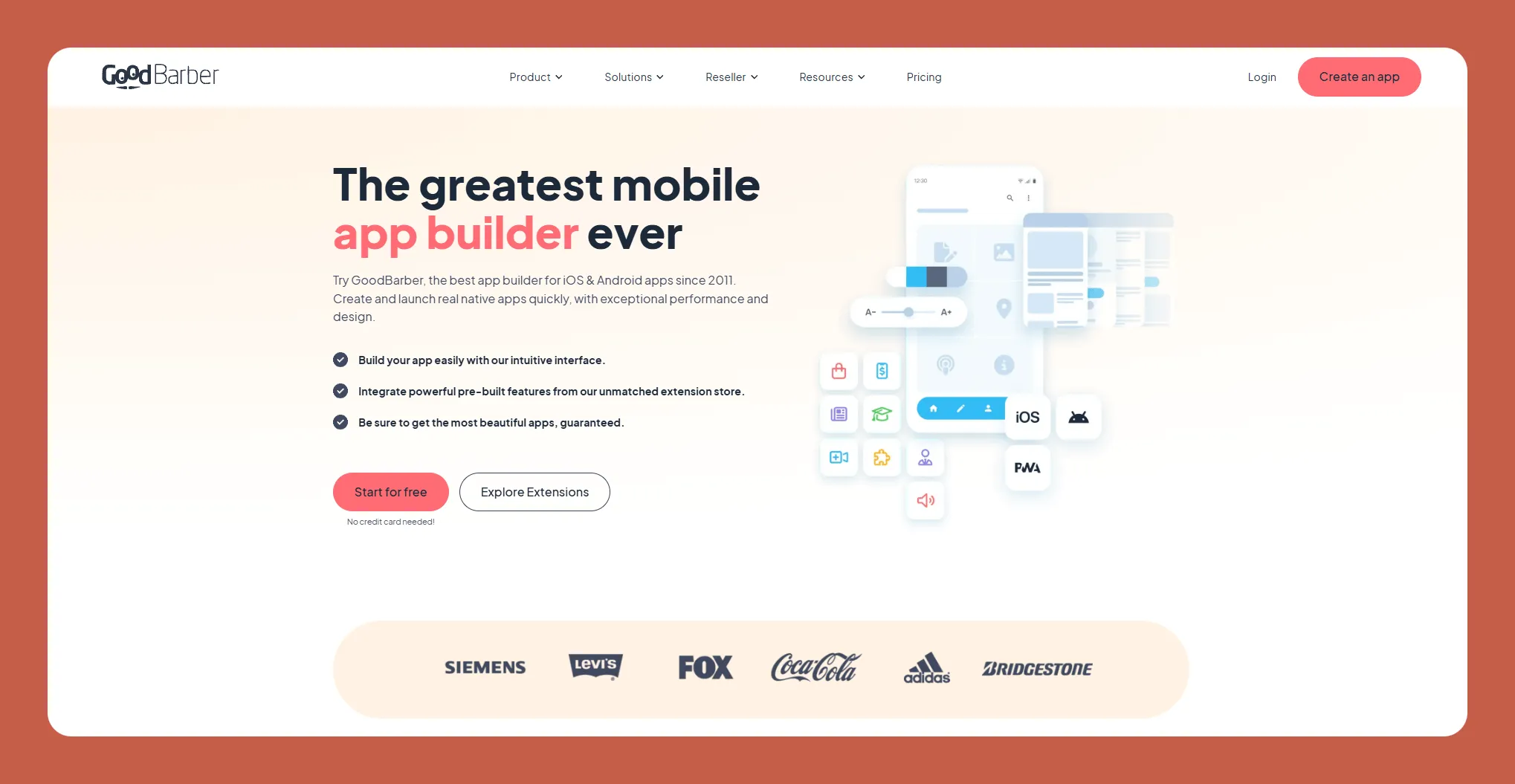
If you have an app idea for selling your content, products, or services and want to build it quickly, GoodBarber might be the app builder for you.
With GoodBarber, you can make progressive web apps (PWAs), which are apps that look like the ones you download to your phone, but you access them through a browser. The bonus is that GoodBarber also lets you make these into native mobile apps that you can publish on the Apple App Store and Google Play Store.
GoodBarber has carved out a niche in the e-commerce space, offering templates and tools specifically designed for online stores, subscription content, and service-based businesses. However, this specialization comes with trade-offs in flexibility that we'll explore throughout this review.
Getting Started: How Does GoodBarber Work?
After signing up, GoodBarber is very simple to start using. You'll choose a template matching the app type you want to build. Templates include those for general e-commerce apps, online courses, newsletter libraries, and others. Now, it's time to start creating your app.
GoodBarber's Building Interface and Main Functions
Because GoodBarber is designed for non-technical users, you won't need any programming skills. It features one of the most intuitive building interfaces, meaning you can start building your app right out of the box without having to hit the books.
You can easily change your color schemes and fonts, but the platform doesn't allow you to change its structure by dragging products, icons, or text boxes wherever you want on your app. Yet, this simple design approach will enable you to create apps fast.
Write descriptions of your products, put in more photos, and even add client reviews. GoodBarber lets you optimize each product on your app for Google using its SEO tool. This can really help grow your audience by getting your app in front of a Google audience and selling more products.
Helpfully, GoodBarber provides a checklist you can open by clicking on the black question mark at the bottom left of your dashboard. This will illustrate your building progress for each app page, giving you an idea of how close your app is to being "publish-ready."
GoodBarber's Integrations
GoodBarber has a healthy assortment of integrations, which they refer to as "extensions", which can add even more functionality to your app. Here are a few standout options:
- Square Point of Sale: Connect your store directly to Square and organize your revenue streams. It will automatically synchronize your orders to your Square account, which will help simplify your bookkeeping.
- Zapier: GoodBarber's Zapier integration allows you to connect your app to thousands of third-party services available on the Zapier platform. This integration enables seamless data transfer and task automation between GoodBarber and tools like email marketing platforms, CRMs, and delivery services.
For instance, when a customer places an order, it can trigger automated actions like sending email confirmations, updating spreadsheets, or notifying logistics providers.
- Local Delivery: This extension lets you define your business's delivery radius and connect with 3rd-party delivery services if you don't have your delivery fleet.
- WordPress: The gold standard for written content creators. Write your paid content on your WordPress account and connect it to your GoodBarber app for easy distribution to your current subscribers and more exposure to potential subscribers.
GoodBarber's Key Features
While GoodBarber's extensions can add loads of functionality to your app, you'll also find that GoodBarber boasts several other features, including:
Web App, PWA, and App Store Publishing
GoodBarber's ability to publish web apps, Progressive Web Apps (PWAs), and native mobile apps is a significant advantage if you want to reach a broad audience. By publishing your app to the web and boosting it with GoodBarber's SEO feature, folks can find it with a simple Google search.
Your customers can also download your app directly to their devices as a PWA from a link. This means your loyal customers will always have your app on their phones. But why not offer the masses the opportunity to download your app?
Publishing to the Apple App Store and Google Play Store does just this—you'll be able to get your app and your business in front of a truly enormous audience: The Apple App Store and Google Play Store have combined monthly users of over 1 billion people.
Advanced eCommerce Tools
GoodBarber is designed for e-commerce, and they indeed deliver quality e-commerce features. For instance, GoodBarber enables real-time tracking of stock levels, allowing you to monitor inventory across multiple product categories.
When certain items hit pre-set levels, you'll receive a notification to order more goods. This will help ensure that you always bring your A-game to inventory management, so you never sell out of products.
GoodBarber's analytics tool lets you discover your top-selling products and learn more about your audience. You'll need to know these to sell your products successfully and market your pre-existing products to new demographics.
Community Engagement Features
Create more than just an e-commerce app—build a community of users. GoodBarber offers robust community engagement features designed to foster interaction and connection within your app.
You'll be able to include chat systems, let your users make unique profiles, and create community spaces where users can connect and share info. This can give more folks a reason to keep using your app.
Content Management System (CMS)
Content creators of all stripes, listen up: GoodBarber's CMS offers a centralized platform for managing blogs, videos, and multimedia content. So, whether you create articles, videos, audio files, images, or more, GoodBarber is a versatile tool for getting your content out there.
If you write articles, newsletters, or other posts, you can create your own content in the GoodBarber CMS system. This lets you streamline your content creation into one place, so you don't have to skip around between different tools.
For video and multimedia content creators, the CMS supports direct uploads and external embedding from platforms like YouTube or Vimeo. You can also sprinkle in some samples of your video content by creating galleries and slideshows in the CMS, streamlining and simplifying your production.
Pros and Cons of Using GoodBarber
GoodBarber is an excellent app builder but for a limited audience. Here are some of GoodBarber's pros and cons:
Pros
- E-commerce-centric features: If you need to sell products or content online, GoodBarber has all the templates and tools you need to do so.
- App-store publishing: While many app builders only support publishing on the web, you'll be able to publish to the Apple App Store and Google Play Store, providing two extra marketing platforms for your app.
- Super simple platform: You won't need to spend much time learning the platform. You can start building with GoodBarber immediately after signing up.
Cons
- Lack of design freedom: While you can add logos and pictures and change the colors, you won't be able to customize each template to your precise tastes, meaning your finished product will look much like the template you started with.
- Not flexible enough for many applications: Want to create an app for physical fitness, tracking your business's KPIs, or a social network? You'll have a tough time doing so on GoodBarber—it's specifically designed for selling goods and services.
- Rigid pricing: Building content apps and e-commerce apps will cost you $70/month and $90/month, respectively, if you want to publish in the app stores. This could be above the budget of many startup businesses.
Who Is GoodBarber Suited for?
Put simply, GoodBarber is the go-to app for building any kind of online store or app for marketing products or services.
Not only will you find it easy to create an online store, but you'll also be able to make a portal for subscribers to access your blog or cobble together an app that features your salon services.
While GoodBarber does provide templates for community-building apps, internal business communication apps, and a few more non-e-commerce related apps, you might feel constrained by the lack of design freedom, limited flexibility, and the relatively small number of plugins.
But the trade-off is you can create an app quickly and easily with GoodBarber.
Is GoodBarber Right for You?
If you're selling content, products, or services and just need to build an online store app on the fly, GoodBarber is an excellent choice.
Then, if you don't really need customization and are OK with the higher prices to get your app published in the app stores, the Magic 8-Ball says, "All signs point to GoodBarber."
However, if you're picky about designing your app's structure and layout or on a budget, you'll probably want to seek a GoodBarber alternative. And if you're planning on developing an app other than for e-commerce or selling your content, GoodBarber isn't among the best of options, either.
Why Adalo Offers More Flexibility at a Better Price
For those who need more than e-commerce templates, Adalo's AI-powered platform provides a compelling alternative. With over 3 million apps created on the platform, Adalo has proven itself across virtually every app category—from fitness trackers and social networks to internal business tools and marketplace apps.
The platform's Magic Add feature lets you add functionality by simply describing what you want. Need a booking system? A user rating feature? Just describe it in natural language, and the AI generates the necessary components. This approach combines GoodBarber's ease of use with far greater creative freedom.
Adalo 3.0, launched in late 2025, introduced a completely overhauled backend infrastructure that's 3-4x faster than previous versions. The modular architecture scales with your app's needs, supporting apps with over 1 million monthly active users. Paid plans include no data caps on your database—a significant advantage over platforms that charge extra as your user base grows.
At $36/month for app store publishing with unlimited usage, Adalo costs significantly less than GoodBarber's $70-90/month plans while offering more flexibility. You get true native iOS and Android apps from a single codebase, not web wrappers that can introduce performance issues at scale.
Key Takeaways
- GoodBarber excels at e-commerce apps but limits design freedom and charges $70-90/month for app store publishing
- Adalo offers nearly pixel-perfect design control and AI-assisted building at $36/month with unlimited database records
- For non-e-commerce apps, Adalo's flexibility makes it the stronger choice
FAQ
Why choose Adalo over other app building solutions?
Adalo is an AI-powered app builder that creates true native iOS and Android apps from a single codebase. Unlike web wrappers, it compiles to native code and publishes directly to both the Apple App Store and Google Play Store. With Magic Start generating complete app foundations from descriptions and unlimited database records on paid plans at $36/month, it offers more flexibility than specialized builders at a lower price point.
What's the fastest way to build and publish an app to the App Store?
Adalo's drag-and-drop interface combined with AI-assisted building lets you go from idea to published app in days rather than months. Magic Start creates your database structure, screens, and user flows from a simple description. Adalo handles the complex App Store submission process, including certificates and provisioning profiles, so you can focus on your app's features.
Which is more affordable, Adalo or GoodBarber?
Adalo is significantly more affordable at $36/month for app store publishing with unlimited usage and no database record limits. GoodBarber charges $70/month for content apps and $90/month for e-commerce apps to publish to app stores. Adalo also includes unlimited app updates once published, with no usage-based charges.
Which is faster to build with, Adalo or GoodBarber?
Both platforms are designed for quick app creation, but they serve different purposes. GoodBarber is faster for e-commerce-specific apps due to its specialized templates. Adalo's Magic Start and Magic Add features make it faster for any other app type, generating complete app foundations and adding features from natural language descriptions.
Which is easier for beginners, Adalo or GoodBarber?
Both platforms are beginner-friendly with no coding required. GoodBarber's template-based approach is simpler but more restrictive. Adalo's visual builder has been described as "easy as PowerPoint" while offering more design freedom. The AI Builder, coming in early 2026, will make app creation even more accessible through prompt-based building.
Is Adalo better than GoodBarber for mobile apps?
For e-commerce apps specifically, GoodBarber offers specialized tools. For all other mobile app types—social networks, fitness apps, internal tools, marketplaces—Adalo is the better choice. Adalo creates true native iOS and Android apps with nearly pixel-perfect design control, while GoodBarber limits you to pre-set templates.
What is GoodBarber and what types of apps does it specialize in?
GoodBarber is an app builder that specializes in e-commerce apps, allowing users to create progressive web apps (PWAs) and native mobile apps. It's designed specifically for selling content, products, or services online with templates for online stores, courses, and newsletters.
What are the main limitations of using GoodBarber?
GoodBarber has limited design freedom—you can't drag and drop elements freely or customize templates beyond colors and fonts. It's not flexible enough for non-e-commerce applications like fitness apps or social networks, and pricing starts at $70-90/month for app store publishing, which may be steep for startups.
Can I build apps other than e-commerce stores without coding?
Yes, with platforms like Adalo, you can build virtually any type of app—from social media apps and fitness trackers to internal business tools and finance apps. Unlike e-commerce-focused builders, Adalo provides nearly pixel-perfect design freedom and flexibility to bring any app idea to life, with over 3 million apps already created on the platform.
Can I migrate from GoodBarber to Adalo?
While there's no direct migration tool, Adalo's Magic Start can help you quickly recreate your app concept with more design flexibility. Describe your existing app's functionality, and Adalo generates the foundation—database structure, screens, and user flows—which you can then customize beyond what GoodBarber's templates allow.