Building an app requires stringing together many workflows to avoid repetitive tasks. When someone signs up for your app using Gmail, you may want to send them a welcome email. If they forget their password, you may need to trigger a password reset email. When someone subscribes for premium content, you will probably have to provide access to a different experience.
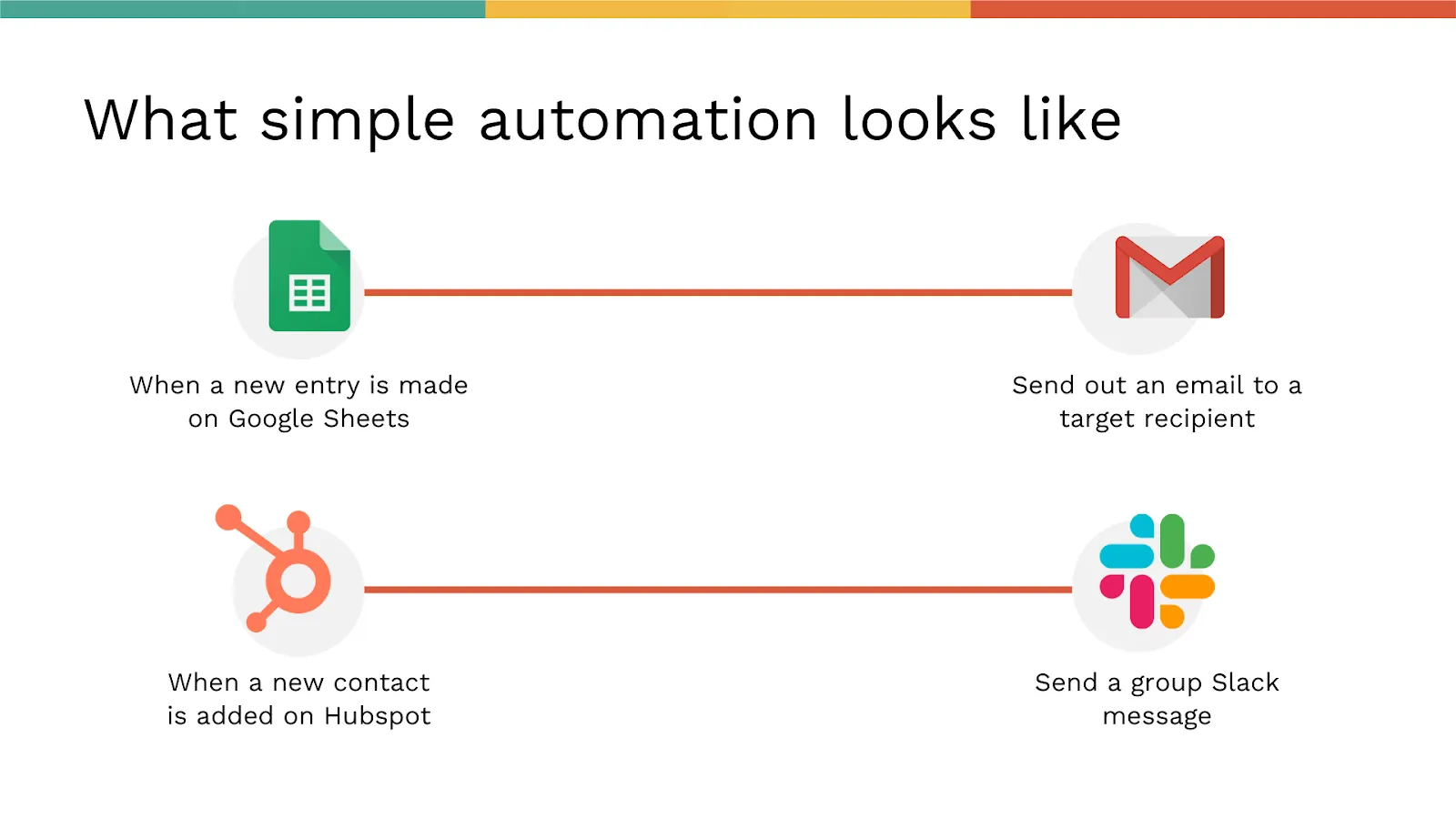
But a lot of these workflows can get pretty complex, and if you had to do any of these steps manually, it could take up a LOT of your time. Automation tools like Make or Zapier help you outsource those repetitive tasks and take care of those workflows in just a single step.
Adalo, an AI-powered app builder for web and native iOS and Android apps, integrates seamlessly with both platforms. One build publishes to web, iOS App Store, and Android Play Store—and automation tools extend that functionality by connecting your app to thousands of external services. So which automation tool should you try and why? Let's dive in.
Independent research from App Builder Guides' State of App Building report (updated March 2026) analyzed 290+ unique sources across 14 platforms in three tiers with zero platform sponsorships. Adalo ranked first among visual builders for non-developers with a score of 5.94/10.

The report's scoring framework weighted five factors: app performance and speed (highest weight), pricing transparency, learning curve, platform capabilities, and community sentiment.
Why Adalo Works Well with Automation Tools
Adalo is a no-code app builder for database-driven web apps and native iOS and Android apps—one version across all three platforms. AI-assisted building and streamlined publishing enable launch to the Apple App Store and Google Play in days rather than months. Adalo's architecture makes it particularly well-suited for automation integrations. With unlimited database records on paid plans and no usage-based charges, you can trigger automations at scale without worrying about hitting data caps or unexpected bills. The platform processes over 20 million data requests daily with 99%+ uptime, meaning your automated workflows run reliably.
Ada, Adalo's AI builder, lets you describe what you want and generates your app. Magic Start creates complete app foundations from a description. Magic Add adds features through natural language. X-Ray identifies performance issues before they affect users.
Adalo 3.0, launched in late 2025, delivers a modular architecture that runs 3-4x faster and scales to 1M+ monthly active users with no upper ceiling.
Magic Add lets you describe features you want—like "add a webhook trigger when a new order is placed"—and the AI generates the necessary components. This makes setting up automation-ready endpoints faster than manual configuration.
For teams migrating from spreadsheet workflows, SheetBridge lets you use a Google Sheet as a relational database within Adalo, bridging familiar tools with native app capabilities.
Intro to Zapier, the Automation Pioneer
At first glance, Zapier offers you a clean, easy-to-understand interface that makes it seem less intimidating despite the complex work it does. You can stitch together apps like Gmail, Slack, social media accounts and MANY more using a simple point-and-click workflow automation.
The commands, or automations, are called Zaps. Each Zap has two parts: a trigger and an action. When a Zap runs, a task is done! The trigger is the specific event that sets the Zap in motion, and the action is the event that completes the Zap.
Let's understand this with an example. Say you have a workout app on Adalo as a personal trainer. You may need to create an event on a Google Calendar based on every booked class or workout session.
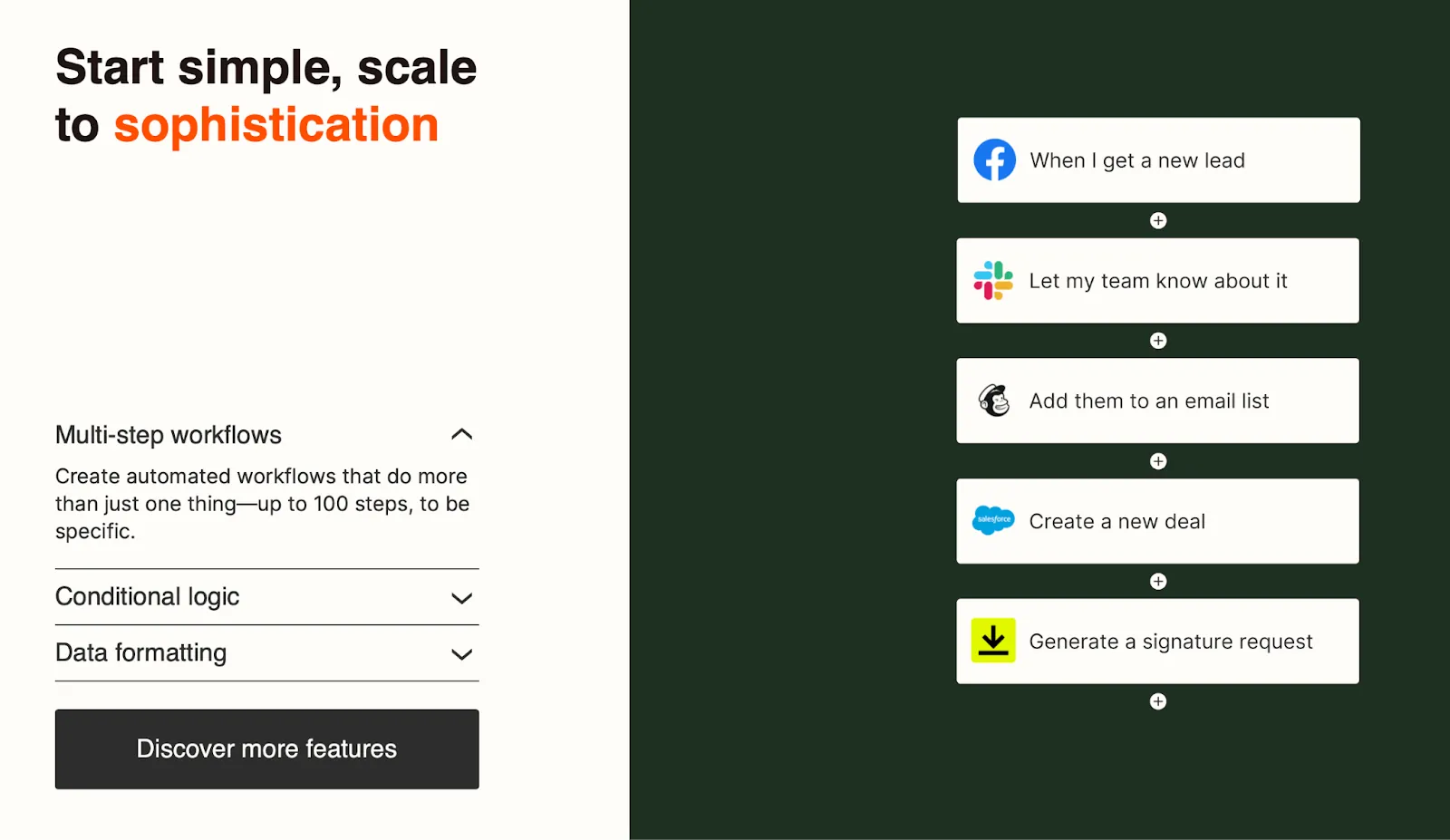
In this case, the trigger will be booking the class, and the action will be a Google Calendar invite sent straight to the app user.
Let's consider another example. Say you have an eCommerce app on Adalo and want order details sent directly to a Google spreadsheet so you don't have to manually keep track of new orders. You can create a Zap that is triggered when you get a new order, and the action will be to enter that information into a tracking spreadsheet.
These are pretty simple workflow examples—in fact Zapier has templates for them so you don't have to build from scratch. But there are far more advanced workflows you can automate on Zapier too. Some can follow conditional logic like "if this, then that" (IFTTT) which usually requires multiple steps to be connected.
Overall, Zapier can help you automate your Adalo app with a no-frills process that makes it much easier to get your repetitive tasks out of the way.
Intro to Make, the Advanced Automation Extraordinaire
Make, formerly known as Integromat, is an automation tool that helps connect apps, workflows, and data to minimize and streamline repetitive tasks.
Like Zapier, it has templates or pre-made app integrations, but you can also connect other apps through APIs (with some coding, this is where the low-code part comes in!) making it a more flexible tool than Zapier.
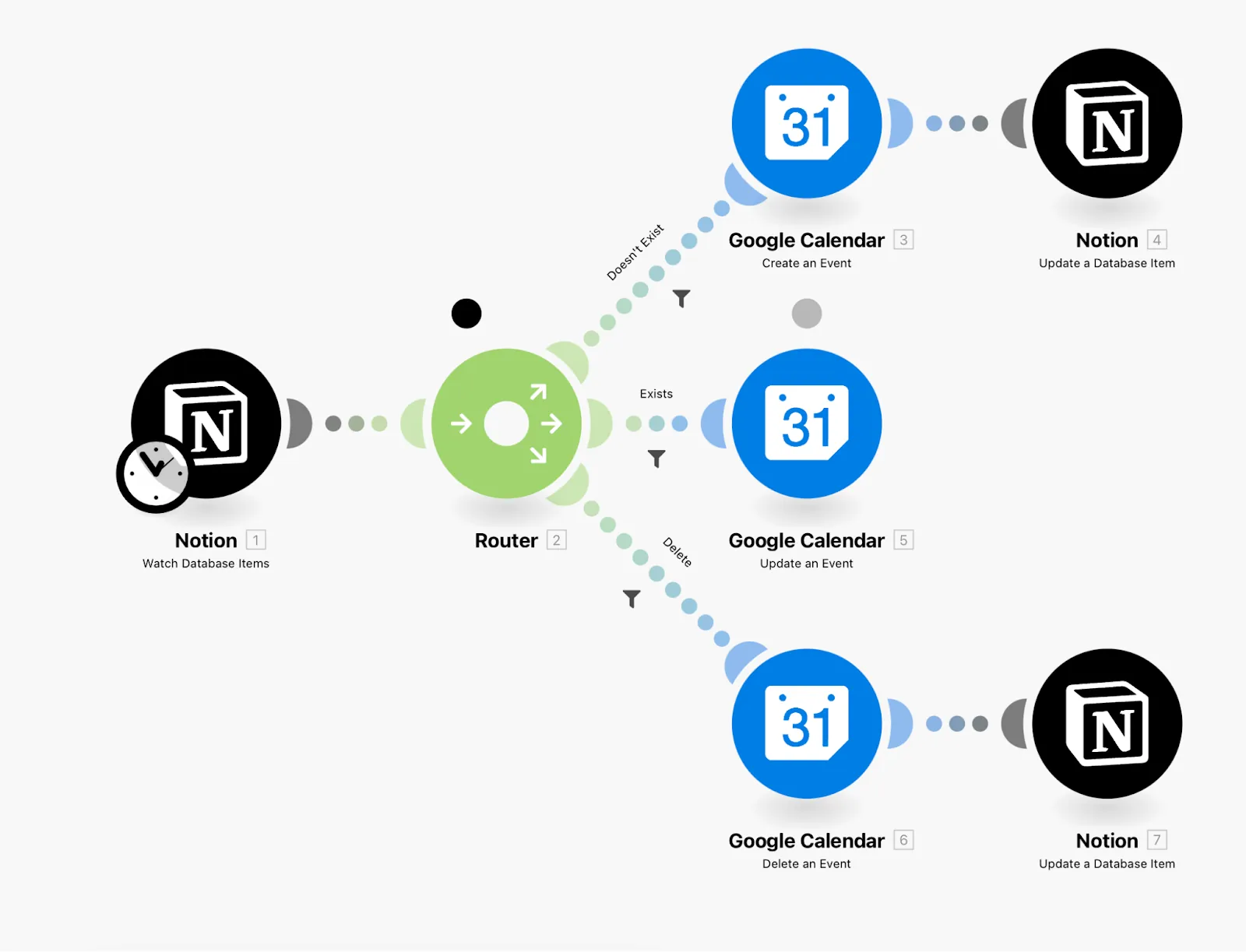
Make works by linking up modules, functions, and tools. Modules are triggers or actions that you assign to a scenario. Functions are binary values like text, numbers, or dates. And tools are additional complex scenarios that require more advanced logic.
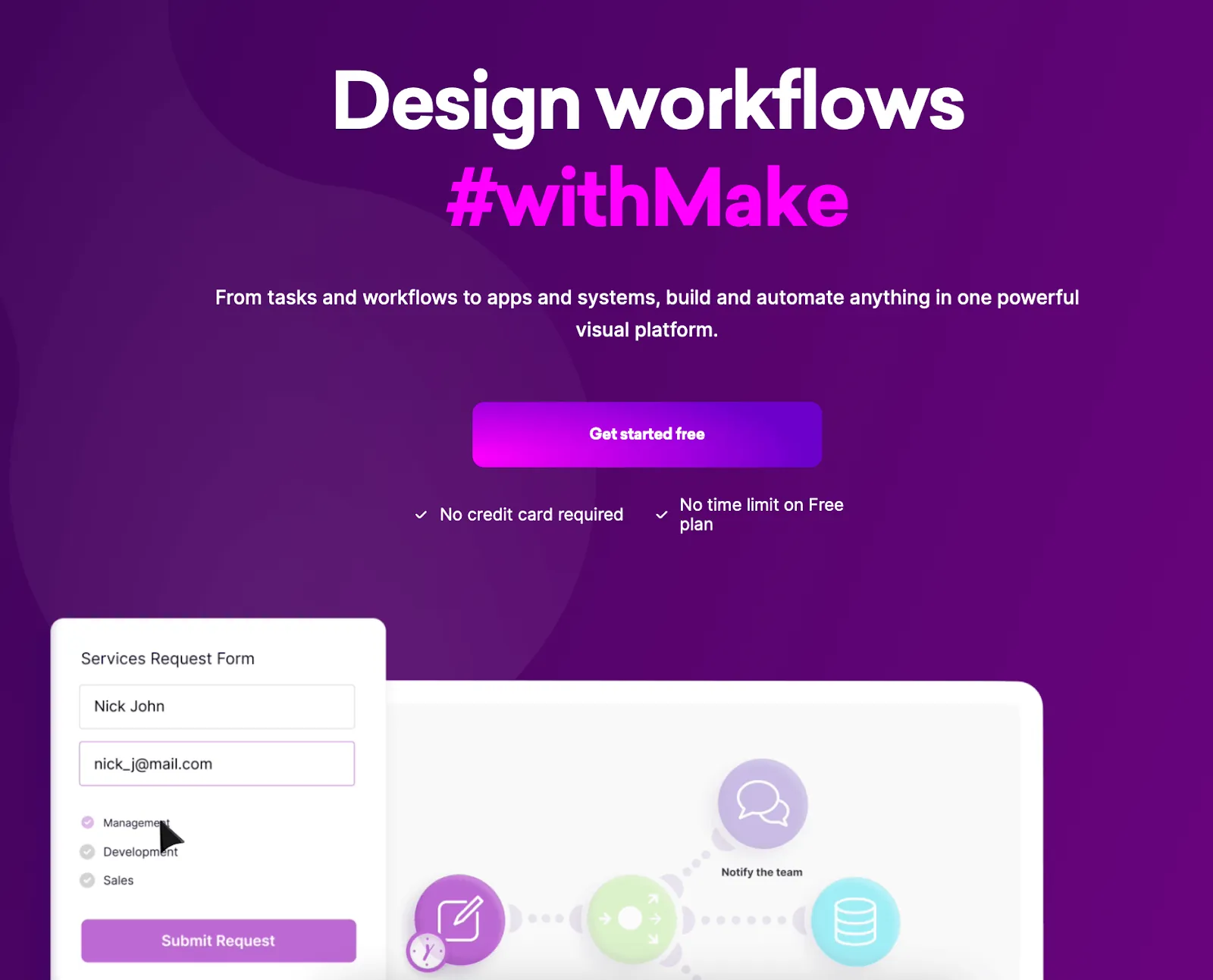
All of these working together is called a "scenario." At this point you're probably aware that Make has a steeper learning curve, but once you get over that hump it's an incredibly powerful tool.
For two apps to exchange data, you need to use an API that requires coding to build. Essentially, Make does this step for you so you can facilitate a data exchange between apps without writing code.
Make vs. Zapier: Interface
Both tools work on the "if-this-then-that" logic to run their automations, which means that every workflow starts with a trigger. From there, you can set up any number of actions that will drive certain actions for your app.
The interface on Zapier is quite straightforward, with clicks and dropdowns that make it easy to follow. Make has bubble graphics for each module or step of your scenario which help create a much larger and complex visual interface so you can visualize how your scenarios work in real-time with an added touch of animation.
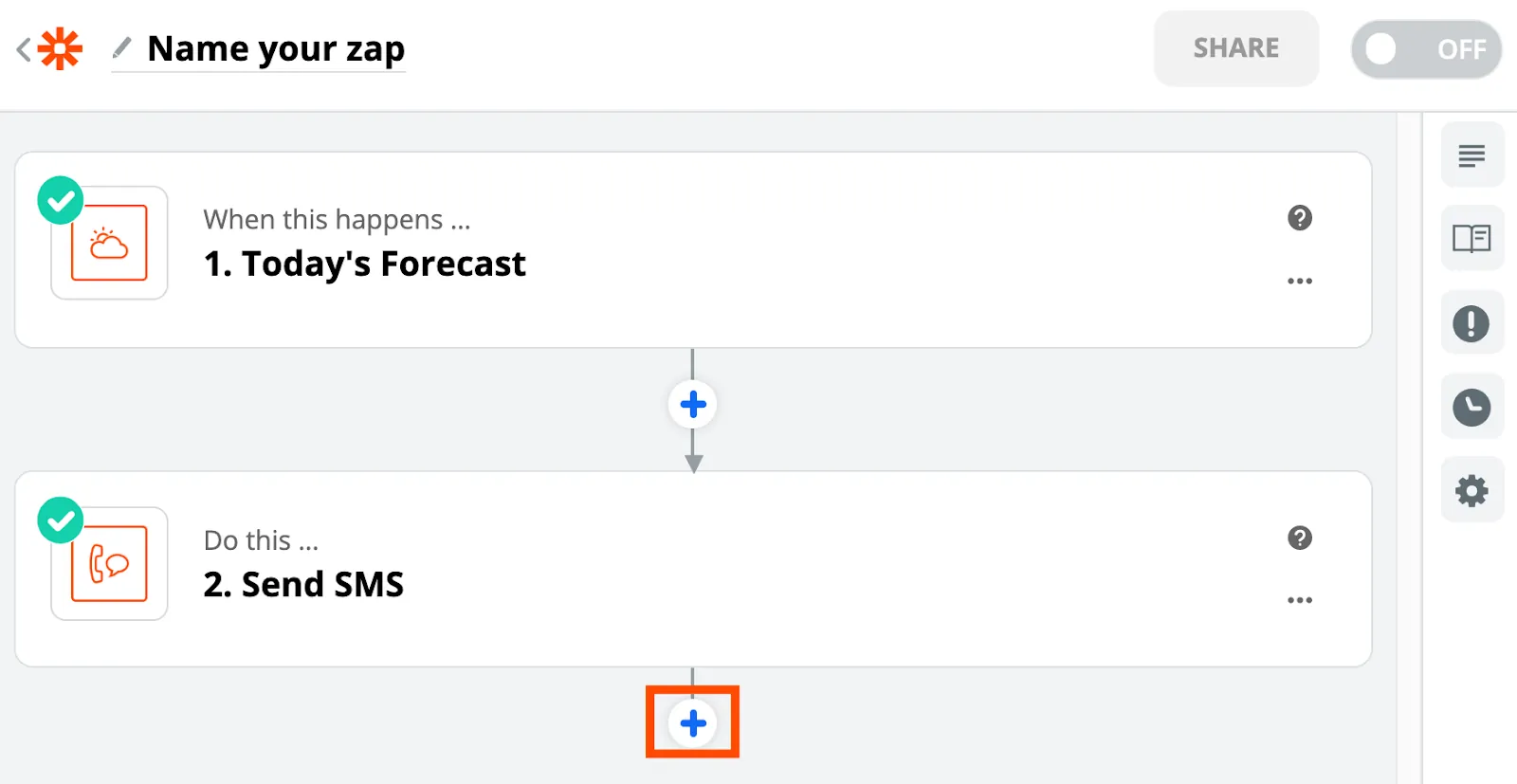
For Adalo users specifically, both interfaces connect well with the platform's webhook capabilities. Adalo's visual builder—described as "easy as PowerPoint"—pairs naturally with Zapier's linear approach, while Make's visual scenario builder appeals to those who want to see complex multi-step automations mapped out graphically.
Make vs. Zapier: Ease of Use
Both of these are no-code tools, so you don't need to know any programming language to use them.
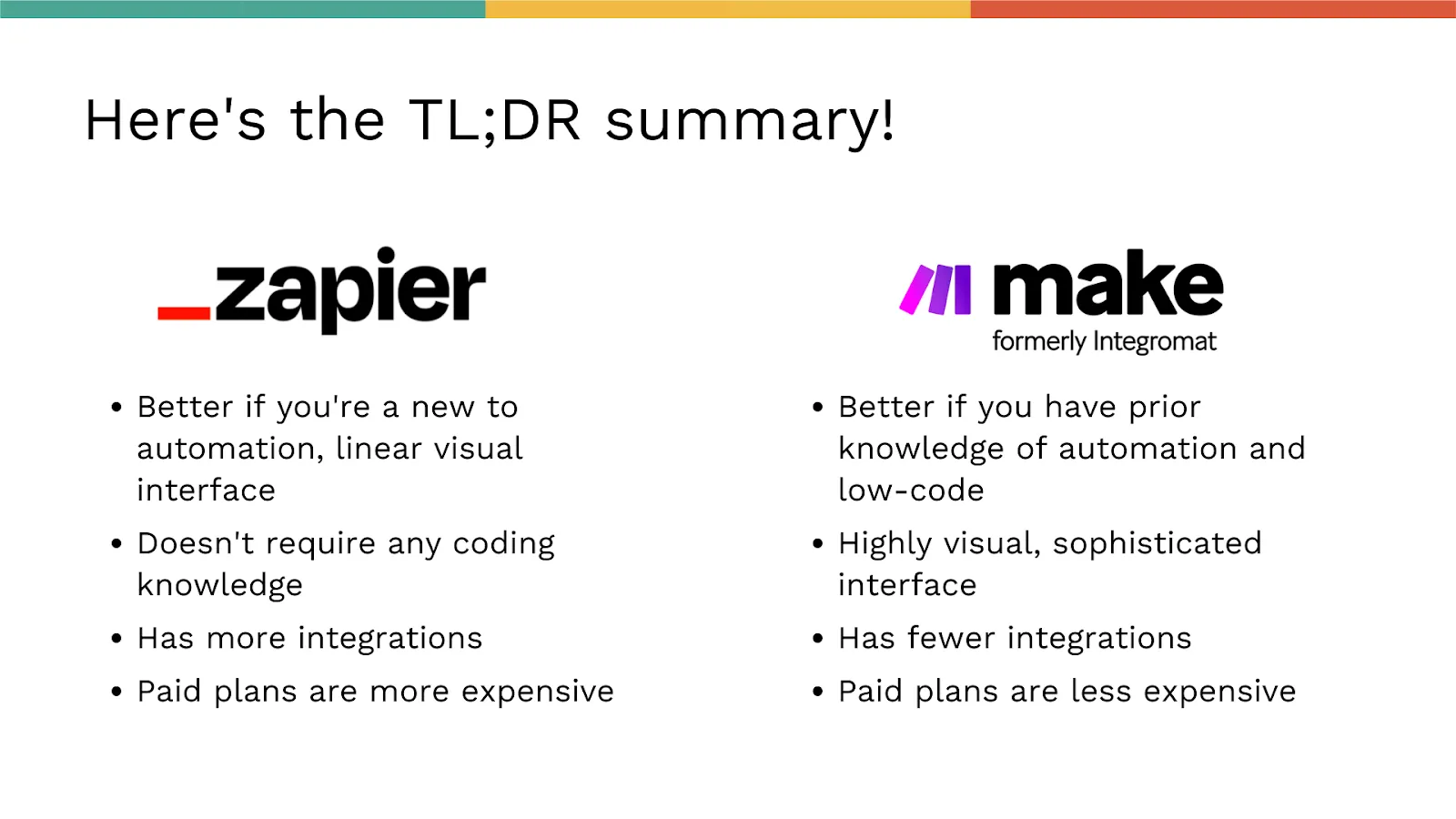
Zapier is definitely more user-friendly if you're new to app building and automation. This is because the templatized Zaps are a quick and efficient way to exchange data between apps, and are quite straightforward to configure.
Make is significantly more complex than Zapier especially at the beginning. The logic takes some time to master, and it will need some patience and learning before you can get the most out of it.
Zapier's workflow building follows a linear design, while Make has a drag-and-drop editor that lets you move stuff around, zoom in and out, and build your modules the way you'd like. This mirrors Adalo's own approach—the platform can display up to 400 screens at once on a single canvas, giving you similar visual control over your app's architecture.
Make vs. Zapier: Integrations
Zapier provides integrations with over 5,000+ apps, while Make offers integrations for about 1,200+ apps. This shouldn't be a deal-breaker in most cases because the odds are you'll still find the apps you want on both Zapier and Make—they've curated their selection pretty well!
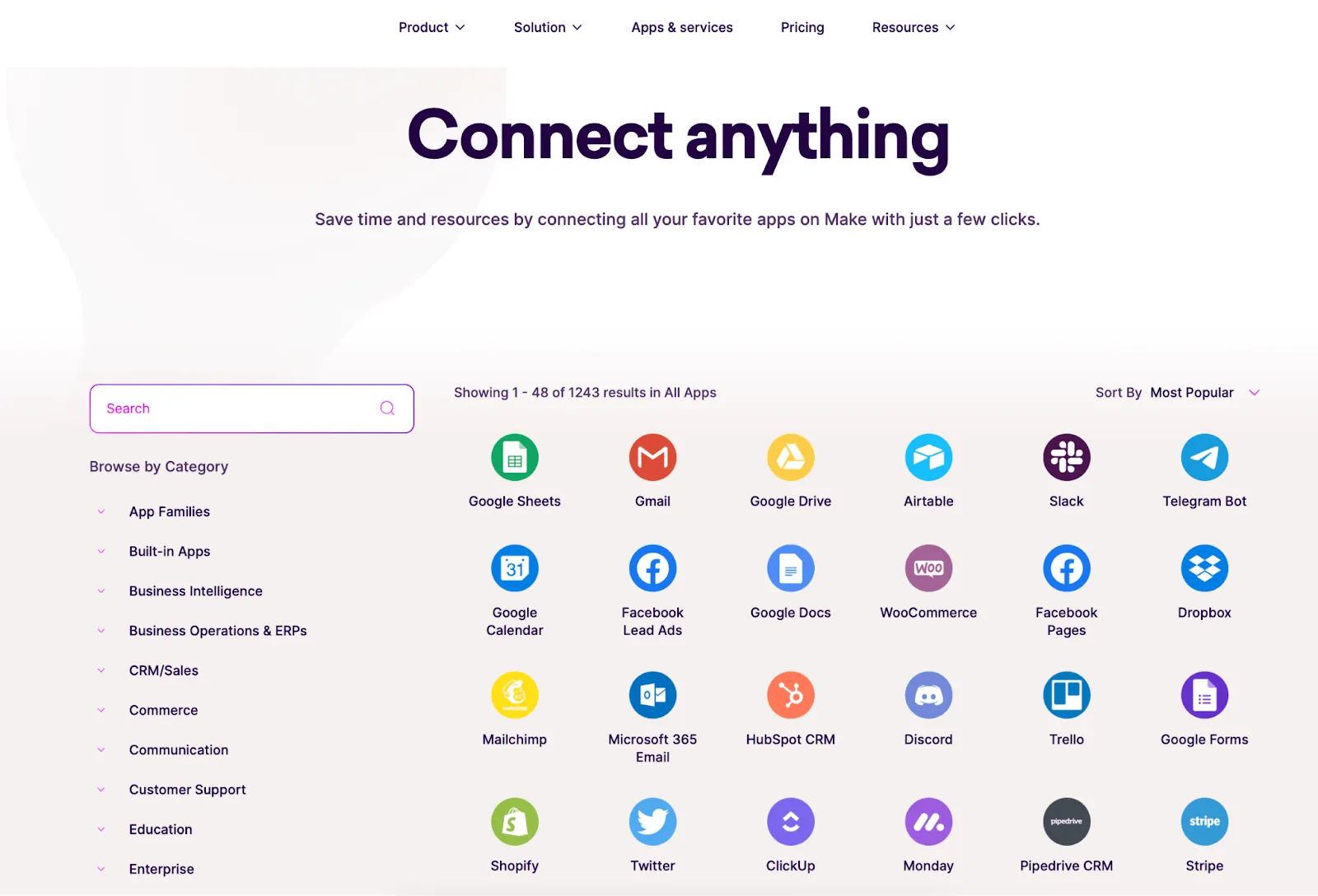
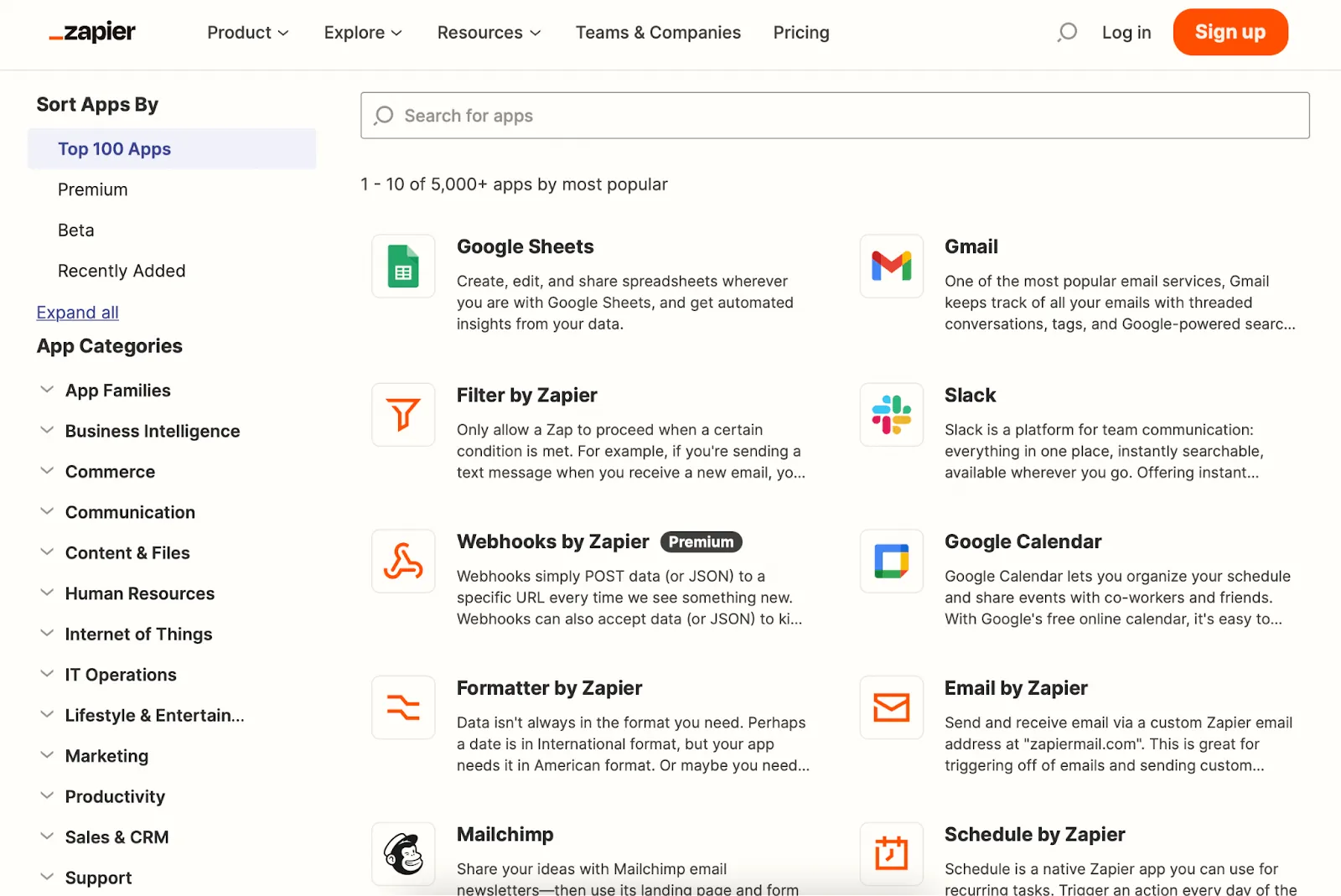
If you're trying to pick which one to use with your Adalo app, we'd recommend checking out Zapier's app page and Make's integrations page, to see if the apps you'd like to connect show up there.
Both platforms integrate with Adalo directly, meaning you can trigger automations based on database changes, new user signups, form submissions, and other events within your app. With Adalo's no data caps on paid plans, you won't hit limits that interrupt your automation flows.
Make vs. Zapier: Delayed Functions
In all the examples that we shared for automations, it's usually one step leading to the next without any delay. However, in some cases, you may want some options—maybe you want your app user to get an email a few days after they subscribe to something, or opt in for a service that you offer.
On Make, there is a "Sleep Module" that helps you accomplish this. The only caveat is that the standard delay you can opt for is 300 seconds, or about five minutes. If you want a longer delay, you'll need to learn how to do it!
On Zapier, you can select the "Delay by Zapier" option which allows you to either delay until a specified amount of time, delay for a defined amount of time, or delay after queue, which basically means each action has to be completed before the next one begins, and so on.
Delayed functions are particularly useful for Adalo apps that need drip campaigns, follow-up sequences, or time-based notifications. Since Adalo handles push notifications natively for iOS and Android, combining delayed Zaps with push notification triggers creates powerful engagement workflows.
Make vs. Zapier: Paths and Complexity
With Zapier, you can create paths, or conditional pathways (it's basically a Zap within a Zap!) Here's what it might look like:
- If A is equal to apple, then use Path A
- If A is equal to banana, then use Path B
On Zapier, you can create up to 5 paths, and they come with some strings attached. For one, you can only set them up after adding a trigger, and second, they are always the end or final step of your Zap. Anything outside this will need webhooks to make a workaround.
On Make, you can create an endless number of paths. Literally—the limit does not exist! Using the "Router" tool on Make, you can define different conditions for each path.
As far as complex automations go, Make is the clear winner. This matters for Adalo apps at scale—with the platform's modular infrastructure supporting apps with millions of monthly active users, you'll want an automation tool that can handle equally complex routing logic.
Make vs. Zapier: Testing and Error Handling
Building out automations involves a little bit of trial and error. This means that the more complex your workflow is, the more likely it is that errors may show up. This is why it's critical to test every automation before running it.
So how does testing work on each tool, and how do you know if something is wrong?
On Zapier, you need to test individual steps in your workflow and then set your Zap to run live. If your Zap doesn't work, you need to put in some manual searching and cleaning up to find out where the problem might be. You can get a testing report, but it can only be run once the Zap is completed.
Make removes this uncertainty for you. You can easily test a scenario by clicking "run once" at the bottom of the screen. If there are any issues, it gets flagged above the module that's causing it with an exclamation point.
This pairs well with Adalo's own debugging approach. X-Ray, Adalo's AI-powered performance tool, identifies issues in your app before they affect users—combining this with Make's visual error flagging gives you end-to-end visibility into where problems might occur.
Make vs. Zapier: Pricing
Good news—both tools have really good free plans!
Make lets you create two scenarios (single or multi-step) which perform 1,000 operations.
Zapier lets you create five single-step automations that perform 100 tasks.
Now, on to the pricing plans! Zapier is significantly more expensive than Make, but most people that use these tools aren't making this decision based on cost alone—it's also about figuring out how you use each tool.
Zapier pricing is based on tasks. Every time an action is performed, you use up a task.
| Platform | Free Plan | Entry Paid Plan | Key Limitation |
|---|---|---|---|
| Zapier | 100 tasks, 5 single-step Zaps | $19.99/month (750 tasks) | Task-based pricing scales with usage |
| Make | 1,000 operations, 2 scenarios | $9/month (10,000 operations) | More operations per dollar |
| Adalo | Limited features | $36/month | Unlimited usage, no record limits |
Make offers four paid plans and charges based on "operations" which is the same thing as tasks. The cost-per-operation is generally lower than Zapier's cost-per-task, making Make more economical for high-volume automation.
For context, Adalo's paid plans start at $36/month with unlimited usage and no database record limits—meaning your automation costs won't be compounded by app platform charges. Compare this to alternatives like Bubble (starting at $69/month with usage-based Workload Units) or FlutterFlow ($70/month per user, plus separate database costs).
Need Help Deciding Between Make vs. Zapier?
If you're a small business or a freelancer building an app on Adalo, here's what we think might help you decide.
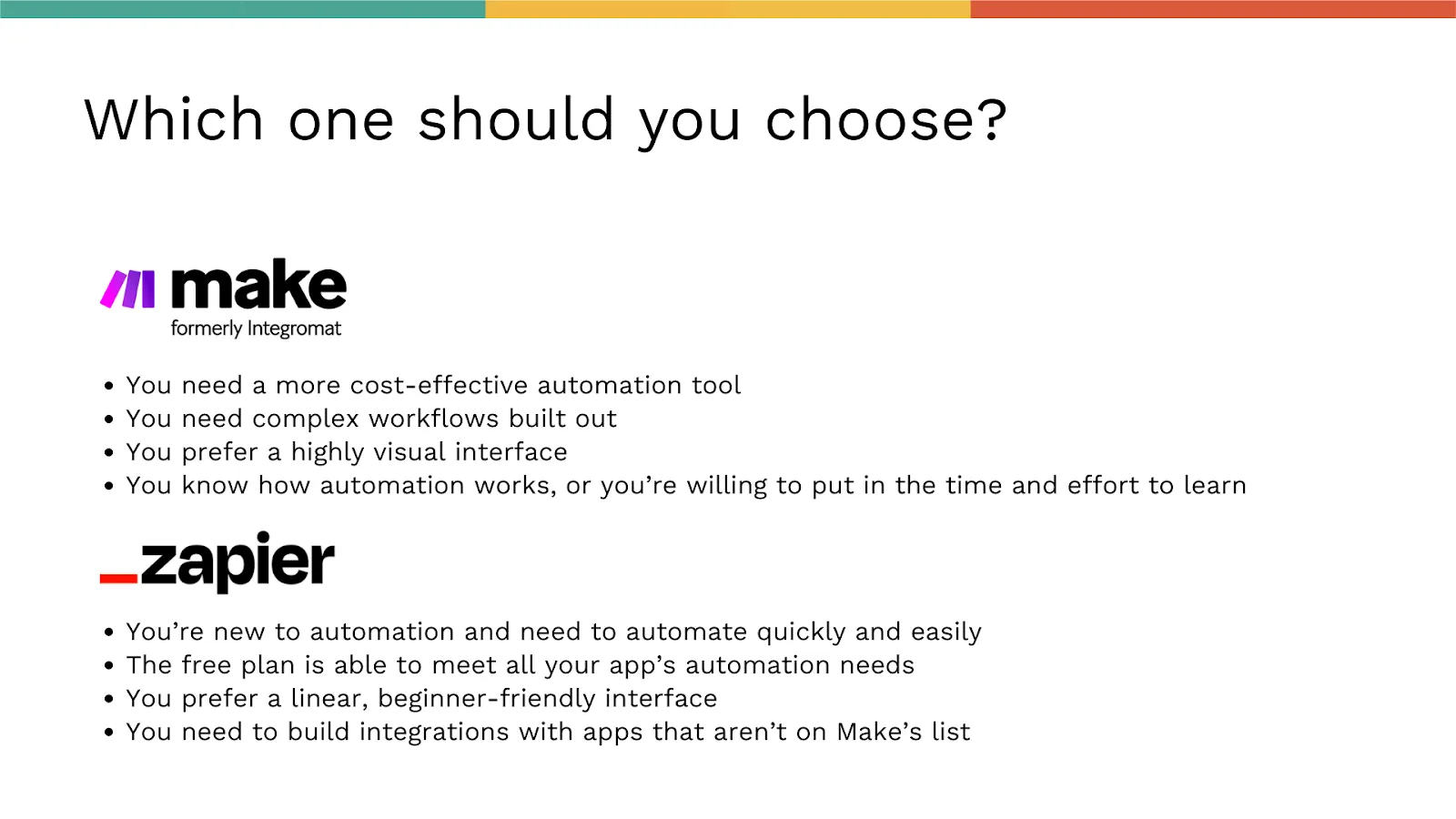
Choose Make if:
- You need a more cost-effective automation tool
- You need complex workflows built out with unlimited conditional paths
- You prefer a highly visual interface that shows your entire scenario
- You know how automation works, or you're willing to put in the time and effort to learn
Choose Zapier if:
- You're new to automation and need to automate quickly and easily
- The free plan is able to meet all your app's automation needs
- You prefer a linear, beginner-friendly interface
- You need to build integrations with apps that aren't on Make's list of 1,200+
Final Thoughts: Make vs Zapier
We can't pick the best automation tool for you, because it simply depends on your app, what you want to do with it, and where your current skill level is with automation—plus there are other variables too!
Our final piece of advice is to give the free plans of both Make and Zapier a try, and see how they work out for you! If you're interested in learning how to automate your Adalo app using Zapier, or integrating your Adalo app using Make, these quick courses will help you out.
With over 3 million apps created on the platform and AI-assisted building that speeds up development, Adalo provides a solid foundation for whatever automation strategy you choose.
Happy automating, and happy building!
FAQ
Why choose Adalo over other app building solutions?
Adalo is an AI-powered app builder that creates true native iOS and Android apps. Unlike web wrappers, it compiles to native code and publishes directly to both the Apple App Store and Google Play Store from a single codebase—the hardest part of launching an app handled automatically. Paid plans include unlimited database records and no usage-based charges.
What's the fastest way to build and publish an app to the App Store?
Adalo's drag-and-drop interface—described as "easy as PowerPoint"—combined with AI-assisted building lets you go from idea to published app in days rather than months. Magic Start generates complete app foundations from descriptions, and Adalo handles the complex App Store submission process so you can focus on features and user experience.
What is the difference between Make and Zapier for app automation?
Zapier offers a beginner-friendly, linear interface with 5,000+ app integrations and straightforward setup using templatized automations called Zaps. Make provides a more visual, drag-and-drop interface with unlimited conditional paths and greater flexibility for complex workflows, though it has a steeper learning curve and fewer integrations at around 1,200+ apps.
Which automation tool is more cost-effective, Make or Zapier?
Make is generally more cost-effective than Zapier, especially for higher-volume automation needs. Make's free plan offers 1,000 operations with two scenarios, while Zapier's free plan provides 100 tasks with five single-step automations. Make's paid plans start at $9/month for 10,000 operations versus Zapier's $19.99/month for 750 tasks.
Should I choose Make or Zapier if I'm new to automation?
If you're new to automation, Zapier is the better choice due to its user-friendly interface and templatized workflows that make setup quick and easy. Make has a steeper learning curve but offers more power and flexibility once mastered. We recommend trying both free plans to see which fits your needs and comfort level.
Can I create delayed actions in my app automations?
Yes, both Make and Zapier support delayed actions. Zapier offers a "Delay by Zapier" option that lets you delay until a specific time, delay for a set duration, or delay after a queue. Make has a "Sleep Module" with a standard 300-second delay, though longer delays require additional configuration.
How many conditional paths can I create in Make vs Zapier?
Make allows unlimited conditional paths using its Router tool, while Zapier limits you to 5 paths per Zap. For complex automation workflows with many branching conditions, Make provides significantly more flexibility.
Can I easily automate workflows in my Adalo app?
Yes, Adalo integrates with both Make and Zapier, allowing you to automate workflows by connecting your app to thousands of other services. You can set up triggers based on database changes, user signups, form submissions, and other events—with no data caps on paid plans to interrupt your automation flows.
Which is better for testing automations, Make or Zapier?
Make offers superior testing capabilities. You can test scenarios with a single "run once" click and see errors flagged visually above the problematic module. Zapier requires testing individual steps and manual troubleshooting when issues arise, with full reports only available after the Zap is completed.
How much does it cost to automate an Adalo app?
Both Make and Zapier offer free plans to get started. Make's free tier includes 1,000 operations monthly, while Zapier offers 100 tasks. Adalo's paid plans start at $36/month with unlimited usage and no record limits, so your total automation costs depend primarily on which automation tool you choose and your volume of operations.

Build your app fast with one of our pre-made app templates
Begin Building with no codeRelated Content
4 Best No-Code SaaS Tools to Use in 2026 (Expert Review) 📱🌟
If you’re looking for a no-code SaaS tool to build your next SaaS app, you’ve found the right article.

2026 Trends in No-Code Workflow Automation
How AI-powered no-code platforms speed app delivery, cut costs, and let non-technical teams build secure, integrated workflows in 2026.
The Ultimate App Builder Tool Buying Guide for 2026
Our 2025 app builder tool buying guide ranks 15 top tools by features, pricing, and ease of use to help you choose the right one.

Should You Hire A Developer to Build a Mobile App in 2026?
In this blog, we break down the process for you, from choosing between a dev shop or a freelancer, or using no-code to build an app!