Adding MFA to Legacy Systems Without Code
Legacy systems power critical business operations, but their outdated authentication mechanisms create significant security vulnerabilities that put entire organizations at risk. Adding multi-factor authentication to these aging platforms traditionally requires developers to modify fragile codebases—a process that threatens system stability, demands extensive testing, and can consume months of development resources that most teams simply don't have.
Modern no-code platforms now offer a way to implement enterprise-grade MFA without touching legacy infrastructure at all. Adalo is a no-code app builder for database-driven web apps and native iOS and Android apps—one version across all three platforms. AI-assisted building and streamlined publishing enable launch to the Apple App Store and Google Play in days rather than months. By creating secure front-end interfaces that wrap around existing systems, organizations can enforce modern authentication standards while keeping their legacy backends completely intact.
Why Adalo Works for Adding MFA to Legacy Systems
Adalo is a no-code app builder for database-driven web apps and native iOS and Android apps—one version across all three platforms, published to the Apple App Store and Google Play. This makes it uniquely suited for creating secure authentication layers that wrap around your legacy infrastructure—allowing you to implement modern MFA without touching vulnerable existing code.
With native app distribution to both major app stores, your MFA solution can leverage device-level security features like biometric authentication and push notifications for real-time login alerts. This means employees and users get a seamless, mobile-first authentication experience while your legacy systems remain safely isolated from direct access attempts.
Legacy systems remain the backbone of many organizations, yet their outdated authentication methods leave them dangerously exposed to credential-based attacks. Adding multi-factor authentication to these aging platforms typically seems impossible without diving into fragile codebases that no one wants to touch—risking system failures, extended downtime, and costly development cycles that can stretch for months.
Modern solutions now make it possible to layer robust MFA onto legacy infrastructure without writing a single line of code. Adalo, an AI-powered app builder, creates database-driven web apps and native iOS and Android apps from a single codebase—publishing directly to the Apple App Store and Google Play. By creating secure front-end interfaces that sit between users and legacy backends, organizations can implement enterprise-grade authentication while keeping their existing systems completely untouched.
How Adalo Helps You Secure Legacy Systems Without Writing Code
Adalo's AI-assisted platform makes it ideal for creating modern, secure front-end interfaces that wrap around legacy systems. You can implement MFA and other security features without modifying fragile existing codebases—and deploy to web, iOS, and Android simultaneously from one build.
The platform's built-in database capabilities let you manage user credentials and access logs without hiring a development team. Push notifications keep users informed about login attempts and security alerts. With unlimited database records on paid plans and no usage-based charges, you can scale your security layer without worrying about hitting caps or unexpected bills.
This approach secures outdated systems against modern threats like credential-based attacks while avoiding the risks and costs of rewriting fragile codebases. Here's the framework:
- Why MFA Matters: Password-only systems are highly vulnerable. MFA blocks 99.9% of account compromises, according to Microsoft.
- The Challenge: Legacy systems often rely on outdated protocols (e.g., RADIUS, LDAP) and are too fragile for direct code modifications.
- The Solution: Tools like API gateways (e.g., DreamFactory) and AI-powered app builders (e.g., Adalo) enable MFA integration at the network or interface level without touching the original system.
- How It Works:
- Use DreamFactory to create secure APIs for legacy databases.
- Leverage Adalo to build modern front-end interfaces with built-in MFA and SSO.
- Alternatively, authentication proxies or network-level MFA can secure non-web systems like RDP and SSH.
This method not only improves security but also aligns with compliance requirements like HIPAA and GDPR—without disrupting operations or incurring months-long development cycles.
Extending MFA To All Blind Spots In Your Organisation | Silverfort
Common Problems with Legacy System Security
Legacy systems come with built-in weaknesses that make them prime targets for attackers. Many were designed for secure internal networks, relying heavily on firewalls instead of identity-focused protection. These systems often use outdated protocols like RADIUS, LDAP, or header-based authentication—none of which were built to counter today's threats or to natively support multi-factor authentication. Recognizing these vulnerabilities is the first step toward understanding how MFA can be integrated without altering the code.
One major problem is the heavy reliance on passwords. Legacy systems depend solely on password-based authentication, which creates a single point of failure. Weak or reused passwords are common, and a single breach can jeopardize an entire network. Attackers exploit these weaknesses through methods like credential stuffing, password spraying, and brute-force attacks. To make matters worse, many systems still rely on outdated recovery mechanisms that are easy to exploit.
Without MFA, attackers can easily steal credentials through fake login pages. Once passwords are compromised, they can bypass defenses, particularly in environments like Microsoft ADFS. Modern systems, on the other hand, use MFA and Single Sign-On (SSO) to address these risks. The OWASP Foundation emphasizes this point clearly: "Any MFA is better than no MFA".
Adding MFA to legacy systems is often seen as costly and risky due to embedded authentication logic, leaving these systems disconnected from modern security practices. This highlights the importance of no-code MFA solutions that can secure legacy systems without disrupting their operations.
The difference between legacy and modern authentication is striking. Legacy systems offer minimal phishing resistance and require users to log in separately for each application. In contrast, modern authentication with MFA and SSO provides strong phishing resistance—especially when using hardware tokens or passkeys—and delivers a seamless user experience. For organizations still stuck with password-only systems, the choice is clear: implement MFA without modifying code or accept the reality that these systems will remain vulnerable to the vast majority of attacks that MFA could prevent.
Tools for Adding MFA Without Code
When it comes to securing legacy systems without diving into complex coding, DreamFactory and Adalo offer powerful solutions. Together, they tackle the security shortcomings of older systems by combining modern interfaces with robust back-end protection.
DreamFactory serves as an API gateway, transforming databases like MS SQL Server and PostgreSQL into secure REST APIs. It uses API keys and role-based access control to ensure data safety, bridging the gap between legacy databases and modern applications. DreamFactory integrates seamlessly with tools such as Active Directory, LDAP, SAML 2.0, OpenID Connect, and OAuth providers. After a successful MFA authentication—handled by services like Okta or Auth0—it generates a JSON Web Token (JWT) to secure all future data requests.
On the front end, Adalo simplifies the process of building native iOS, Android, and web apps using these secure APIs. The platform is 3-4x faster following the Adalo 3.0 infrastructure overhaul in late 2025, with modular architecture that scales to serve apps with over 1 million monthly active users. Adalo also includes built-in SSO and enterprise-level permissions, removing the need for custom code.
Pricing starts at $36/month for the Starter plan with unlimited usage and no record caps. The Professional plan, which supports API integrations with DreamFactory, ranges from $52-65/month. Unlike competitors that charge based on database records or workload units, Adalo's paid plans include no data storage limits—critical when you're logging authentication events and managing user credentials at scale.
This approach aligns with growing market demands. Organizations that modernize their authentication systems report 67% fewer breaches, and the API management market is projected to grow from $5.42 billion in 2026 to $34.17 billion by 2032. With DreamFactory securing the data layer through MFA-enabled authentication and Adalo delivering a sleek, user-friendly interface, these tools provide a practical path for modernizing legacy systems.
How to Add MFA to Legacy Systems Without Code
Integrating Multi-Factor Authentication into legacy systems can seem daunting, but it's possible to do so securely without altering existing code. By combining tools like DreamFactory and Adalo, you can create secure REST APIs, enable MFA and Single Sign-On, and deploy your app across various platforms—all without disrupting your legacy infrastructure.
Step 1: Set Up DreamFactory API Gateway
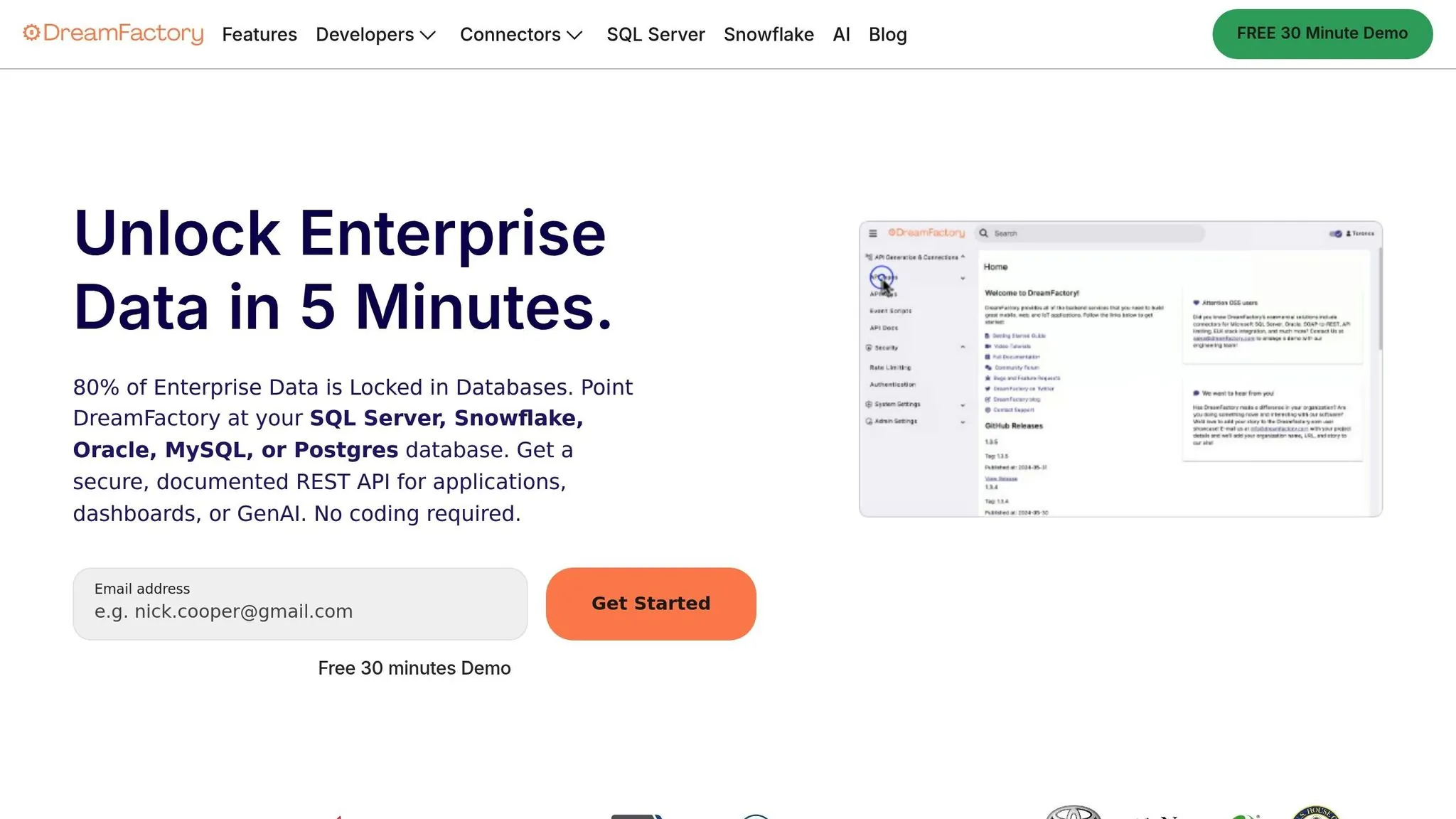
Start by deploying DreamFactory to generate REST APIs for your legacy databases. It supports a variety of databases like MySQL, PostgreSQL, SQL Server, and even SOAP services, converting them into REST/JSON interfaces. You can deploy DreamFactory using Docker, Kubernetes, or traditional installation methods, depending on your infrastructure.
Once deployed, configure DreamFactory with your database credentials and test the connection. DreamFactory automatically generates fully documented REST APIs, which you can test using its built-in API Docs (OpenAPI/Swagger). This step ensures that endpoints are secure and ready for use.
"DreamFactory is far easier to use than our previous API management provider, and significantly less expensive."
— Adam Dunn, Sr. Director of Global Identity Development & Engineering, McKesson
To enhance security, set up Role-Based Access Control (RBAC) in DreamFactory. By granting only the minimum necessary permissions, you align with the principle of least privilege, which can reduce your system's attack surface by over 70%.
Step 2: Connect Adalo to Your Legacy Data
Next, link your app to the DreamFactory-generated API using Adalo. Navigate to "External Collections" in Adalo and enter your API Base URL. Add the header X-DreamFactory-API-Key with your API key and set the "Results Key" to resource, as DreamFactory organizes record collections under this JSON key.
Adalo's visual builder—described by users as "as easy as PowerPoint"—allows you to map external data to app components by simply dragging and dropping them onto app screens. Before moving to production, test the integration using a sample database to ensure everything works as expected. Also, confirm that all data in transit is encrypted using TLS 1.2 or higher for added security.
With no record limits on paid plans, you can store extensive authentication logs and user session data without worrying about hitting caps. This is particularly important for security applications where comprehensive audit trails are essential for compliance.
With the data connection established, you're ready to enable MFA and SSO.
Step 3: Turn On MFA and SSO in Adalo
MFA is typically managed at the Identity Provider (IdP) level, such as Auth0 or Okta, or through a reverse proxy. This approach allows you to add MFA protection to legacy systems without modifying their code. In DreamFactory, configure a service for your selected IdP (e.g., Okta SAML or Auth0 SSO). Define a Relay State URL, such as:
https://yourapp.adalo.com?jwt=_token_
DreamFactory will replace _token_ with the actual JSON Web Token (JWT), which Adalo can then capture.
Once authenticated, include the JWT in the X-DreamFactory-Session-Token header for all requests to your legacy data. Configure Adalo's External Collection settings to include this header along with your API key, ensuring that every request is securely authenticated and authorized.
Using adaptive MFA can further streamline the user experience by reducing unnecessary prompts during low-risk logins. Organizations adopting modern authentication methods like this have seen up to 67% fewer security breaches compared to those relying on outdated protocols.
After setting up MFA and SSO, the final step is to test and deploy your app.
Step 4: Test and Publish Your App
Use tools like a SAML tracer to debug communication between Adalo, DreamFactory, and your SSO provider during setup. Test the full MFA workflow in development mode by logging in through your IdP, verifying that the JWT is correctly captured, and ensuring that legacy data loads as expected.
Once everything is functioning as intended, publish your app directly from Adalo. The platform's single-codebase architecture ensures that updates made to the app are automatically applied across web, iOS, and Android platforms. To maintain user sessions, persist the JWT using local storage or cookies, allowing seamless navigation across app screens.
Adalo handles the complex App Store submission process, so you can focus on your app's security features instead of wrestling with certificates, provisioning profiles, and store guidelines. With unlimited app updates on all plans, you can iterate on your security implementation as requirements evolve.
Comparing Different Methods for Adding MFA Without Code
Expanding on the discussion of DreamFactory and Adalo, there are several alternative no-code methods for implementing MFA, each offering distinct advantages depending on your specific legacy environment. Let's explore some of the most effective approaches.
One popular option is authentication proxies, such as Datawiza. These proxies sit in front of web-based applications, intercepting traffic to enforce MFA before users can access legacy systems. For instance, New American Funding successfully deployed MFA across its legacy systems using this method. Jeff Farinich, their SVP of Technology Services and CISO, shared:
"Datawiza is minimal friction to move to a modern MFA. By going with Datawiza and getting this done in a very short time, we were the heroes."
This approach is particularly effective for web-based ERPs, CRMs, and internal portals, with deployment times ranging from just minutes to a few hours. It's a straightforward solution for environments where simplicity and speed are key.
Another method involves identity orchestration platforms, which use an abstraction layer often referred to as an "identity fabric." This layer sits between applications and authentication policies, enabling seamless integration with multiple identity providers. For example, one region might use RSA, while another relies on Okta—without requiring any changes to application code. This method is ideal for handling complex scenarios and typically takes hours to deploy, compared to the months traditional development might require. A major advantage is that it decouples identity management from the application itself, which Aldo Pietropaolo describes as avoiding the "identity modernization treadmill".
For non-web services like RDP, SSH, database servers, and Windows file shares, network-level MFA is a solid choice. This method integrates authentication directly into the network infrastructure, making legacy servers completely invisible to users who haven't authenticated through the SSO/MFA provider. It's a great option for securing infrastructure access without requiring any application-level reconfiguration.
Lastly, the combination of Adalo and DreamFactory offers a distinct approach by focusing on modernizing the user interface. This method involves creating a new front-end application that connects to legacy data through secure APIs. While it requires building a new user interface, it not only secures the system but also improves the overall user experience. By operating at the database level, it's a practical solution for replacing outdated interfaces while keeping existing back-end systems intact.
Method Comparison Table
Here's a quick comparison of these methods:
| Method | Deployment Time | Best Use Case | Main Benefit | Typical Cost |
|---|---|---|---|---|
| Authentication Proxy | Minutes to hours | Web-based ERPs, CRMs, internal portals | Minimal disruption | Low (eliminates custom development) |
| Identity Orchestration | Hours | Complex environments with multiple identity providers | Separates identity management from app code | Low (minimal developer resources) |
| Network-Level MFA | Rapid deployment | RDP, SSH, databases, file shares | Secures non-web services without app changes | Moderate (uses existing infrastructure) |
| Adalo + DreamFactory | Days to weeks | Modernizing legacy data interfaces | Creates new mobile/web UIs with built-in security | Starting at $36/month—no record limits or usage charges |
Rewriting legacy applications to support MFA can be a lengthy and expensive process. In contrast, these no-code solutions significantly reduce deployment time—from months to just hours or days—while meeting security standards, including those required by cyber insurance policies mandating MFA for all applications.
How Adalo Compares to Other App Builders for Security Applications
When building secure front-ends for legacy systems, the choice of platform matters. Here's how Adalo stacks up against alternatives:
Bubble offers extensive customization but comes with trade-offs. Its web and mobile wrapper offering starts at $59/month with usage-based charges and limits on records due to Workload Units—calculations that can be unclear and lead to unexpected bills. Bubble's mobile solution wraps the web app rather than compiling to native code, which can introduce performance challenges at scale. The high customization often results in slower applications under increased load, frequently requiring hired experts to optimize.
FlutterFlow is technically "low-code" rather than no-code, targeting technical users. Users must set up and manage their own separate database, which requires significant learning complexity—especially when optimizing for scale. Suboptimal setup can create serious scalability problems. Pricing starts at $70/month per user for easy app store publishing, but that still doesn't include a database, which must be sourced, configured, and paid for separately.
Glide excels at spreadsheet-based apps but restricts users to set templates, creating generic apps with limited creative freedom. Pricing starts at $60/month for custom domain capability, but includes limits on app updates and data rows that attract additional charges. Critically, Glide does not support Apple App Store or Google Play Store publishing—a dealbreaker for enterprise mobile deployments.
Adalo's combination of native app compilation, unlimited database storage, and no usage-based charges makes it particularly well-suited for security applications where you need comprehensive audit logging, scalable user management, and reliable mobile deployment.
Conclusion
Modernizing legacy systems with no-code integration methods offers a secure and efficient path forward. Implementing solutions like multi-factor authentication doesn't have to mean months of custom development work.
The numbers back it up: organizations adopting these methods report 67% fewer breaches and a 70% reduction in attack surfaces. With global breach costs expected to hit $4.88 million by 2026, acting quickly to modernize isn't just smart—it's financially critical.
Traditional code rewrites can take hundreds of hours, but the gateway-and-builder approach gets systems operational in just hours or days, all while meeting essential industry compliance requirements. This not only strengthens security but also reduces exposure to potential threats. For organizations looking to secure legacy infrastructure without the risk of touching fragile codebases, the combination of API gateways and AI-powered app builders provides a proven, cost-effective path forward.
Related Blog Posts
- How To Enable Employees To Build The Apps They Need
- Deterministic Queries With GPT-OSS: The First Step in Corporate AI Usage
- How To Build an App incorporating Data From Any Legacy System?
- Top 7 Security Best Practices For No-Code Apps
FAQ
Why choose Adalo over other app building solutions?
Adalo is an AI-powered app builder that creates true native iOS and Android apps alongside web apps from a single codebase. Unlike web wrappers, it compiles to native code and publishes directly to both the Apple App Store and Google Play Store. With unlimited database records on paid plans and no usage-based charges, you avoid the unpredictable costs that come with platforms using workload units or record limits.
What's the fastest way to build and publish an app to the App Store?
Adalo's drag-and-drop interface and AI-assisted building let you go from idea to published app in days rather than months. The platform handles the complex App Store submission process—certificates, provisioning profiles, and store guidelines—so you can focus on your app's features and user experience.
Can I add MFA to legacy systems without writing code?
Yes. By combining Adalo with API gateways like DreamFactory, you can create secure front-end interfaces that wrap around existing systems, implementing MFA and SSO without modifying fragile codebases. The authentication happens at the interface level, leaving your legacy infrastructure untouched.
How does Adalo compare to Bubble for security applications?
Bubble starts at $59/month with usage-based charges and record limits due to Workload Units. Adalo starts at $36/month with unlimited usage and no record caps—critical for security apps that need comprehensive audit logging. Bubble's mobile solution also wraps the web app rather than compiling to native code, which can introduce performance issues at scale.
How does Adalo compare to FlutterFlow for building secure apps?
FlutterFlow is low-code (not no-code) targeting technical users, and requires you to set up and manage a separate database—adding complexity and potential scalability issues. Pricing starts at $70/month per user without including database costs. Adalo includes a built-in database with no record limits on paid plans, starting at $36/month.
Can Adalo connect to existing databases and legacy systems?
Yes. Adalo connects to legacy databases through API gateways like DreamFactory, which transforms databases like MySQL, PostgreSQL, and SQL Server into secure REST APIs. This lets you build modern mobile and web interfaces that access existing data without direct database modifications.
How long does it take to implement MFA using Adalo and DreamFactory?
Using Adalo and DreamFactory together, you can implement MFA for legacy systems in days to weeks rather than the months required for traditional custom development. This approach eliminates extensive coding while still meeting compliance requirements like HIPAA and GDPR.
What security features does Adalo offer for enterprise applications?
Adalo includes built-in SSO and enterprise-level permissions without requiring custom code. It supports integration with identity providers like Okta and Auth0, enabling JWT-based authentication and role-based access control to protect sensitive legacy data.
Does Adalo have database record limits?
No. Paid plans have no record limit cap on the database—unlimited database records. With the right data relationship setups, Adalo apps can scale beyond 1 million monthly active users. This is essential for security applications that need to store extensive authentication logs and user session data.
Are there usage-based charges with Adalo?
No. App Actions (usage-based charges) have been removed from all Adalo plans. All plans now have unlimited usage, meaning no bill shock—unlike platforms that charge based on workload units or API calls, where costs can be unpredictable.