Debugging Legacy ERP Systems Without APIs
Legacy ERP systems are notoriously difficult to debug, especially since many lack APIs for modern integration. These systems, often 10–25 years old, rely on outdated architectures like batch processing and proprietary data formats. Without APIs, developers face challenges like manual data entry, disconnected databases, and limited real-time insights. Here's how you can tackle these obstacles:
While debugging legacy systems remains essential, forward-thinking organizations are also exploring modern alternatives to extend ERP functionality. Platforms like Adalo, a no-code app builder for database-driven web apps and native iOS and Android apps—one version across all three platforms, published to the Apple App Store and Google Play, allow teams to create custom interfaces that can bridge gaps in legacy workflows without requiring deep technical expertise.
- UI Testing: Start by manually testing workflows through the ERP's interface to identify basic issues.
- Database Queries: Use SQL to inspect data directly, trace transactions, and verify integrity.
- Log Analysis: Consolidate system logs using tools like the ELK stack for real-time issue tracking.
- Automation Tools: Employ RPA or server-side scripting to streamline repetitive tasks.
- API Generation: Platforms like DreamFactory can create REST APIs for legacy databases, simplifying debugging and integration.
How to integrate legacy enterprise applications into your data pipelines
Debugging Strategies for Legacy ERP Systems
Debugging legacy ERP systems without APIs requires working with the tools at hand: the user interface, database, and system logs. These older systems demand a hands-on, manual approach to troubleshooting—less streamlined than modern methods, but essential for resolving integration issues in systems that predate current standards.
Testing Through the User Interface
One of the most straightforward debugging approaches involves testing workflows directly through the ERP's user interface. This means manually entering data—creating a purchase order or updating inventory—and observing how the system processes it. It's a practical way to ensure core functions operate as expected before diving into integration work.
For larger, more intricate systems, breaking the process into phases helps maintain stability. Modernize and test one workflow at a time to pinpoint specific issues more easily. However, when UI testing doesn't uncover the root of the problem, it's time to dig deeper into the database and system logs.
Database Queries and Log Analysis
Legacy ERPs often lack a modern application layer, making direct database access a critical debugging tool. By running SQL queries on databases like MS SQL Server, Oracle, MySQL, or IBM DB2, you can inspect specific records, check data integrity, and trace transaction flows that might not be visible through the user interface.
"Extracting data from ERP systems can be a painful challenge..." - Spencer Nguyen
In tandem with database queries, analyzing system logs provides real-time insights into activity. Tools like the ELK stack (Elasticsearch, Logstash, Kibana) can consolidate logs from various components into a single interface. This makes it easier to identify issues like slow queries, high latency, or workflow failures. Log consolidation also supports compliance with regulations such as GDPR or HIPAA.
Automation Tools for Workflow Testing
Manual testing becomes tedious for repetitive tasks. Robotic Process Automation (RPA) and image-based tools can simulate user actions, allowing you to test workflows without writing custom code. Server-side scripting languages like Python, Node.js, or PHP can validate and transform data before it enters the ERP system.
These approaches save time and reduce the risk of errors in production data. When combined with proper logging, automated tests create reproducible debugging scenarios that help isolate intermittent issues.
Using DreamFactory to Generate APIs for Legacy Systems
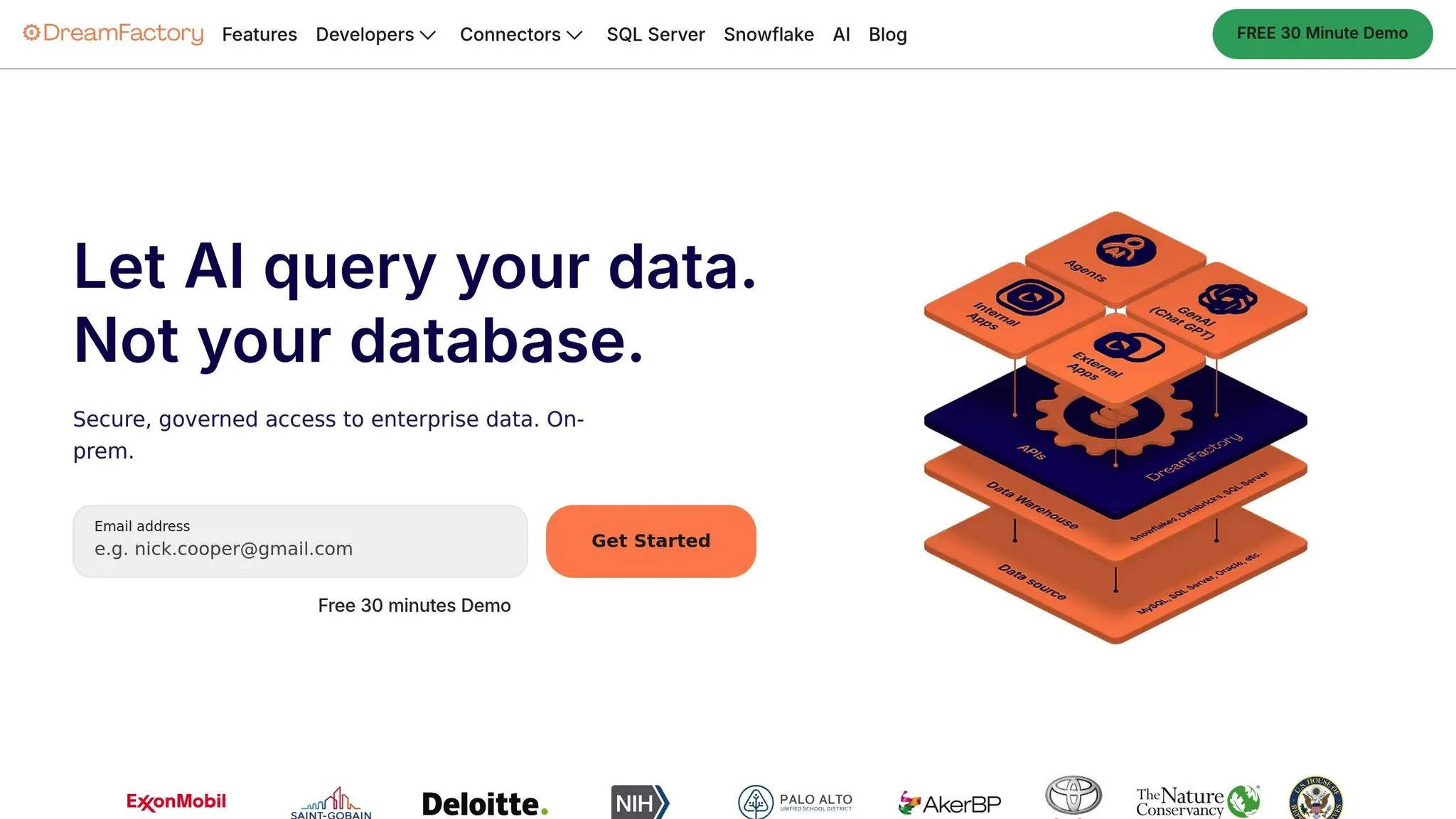
When manual testing and log analysis fall short, there's a more modern approach to tackling legacy ERP debugging. DreamFactory generates REST APIs for legacy databases in minutes, bridging the gaps left by manual methods and direct database queries.
How DreamFactory Connects to Legacy Systems
DreamFactory connects directly to the database behind your ERP system—whether it's SQL Server, Oracle, IBM DB2, or MySQL. Once authenticated, it analyzes the database schema, including tables, relationships, and stored procedures, then exposes these structures as RESTful endpoints for CRUD (Create, Retrieve, Update, Delete) operations.
For ERP systems still using older SOAP web services, DreamFactory's SOAP-to-REST conversion feature transforms outdated SOAP services into modern RESTful APIs without requiring you to rewrite the original code. The platform also supports server-side scripting in Python, PHP, Node.js, and V8JS, allowing you to embed custom logic or data validation directly into your API workflows.
"Manual API development is anything but a walk in the park. This process is incredibly time-consuming, error-prone, and ultimately a distraction." - DreamFactory Docs
Once an API is generated, DreamFactory automatically creates interactive OpenAPI (Swagger) documentation. This documentation lets you test endpoints and view parameter specifications immediately. Security features like role-based access control, API key management, and OAuth 2.0 are built in, ensuring your legacy data remains protected without altering the original system.
DreamFactory's Debugging Advantages
DreamFactory elevates traditional debugging methods by streamlining error isolation and performance checks. Its standardized RESTful interface simplifies debugging significantly—instead of relying on manual UI testing or writing complex SQL queries, you can use the Swagger interface to send test requests, verify responses, and quickly pinpoint data flow issues.
The platform integrates with ELK for real-time API monitoring, providing insights into HTTP status codes and performance metrics. This audit trail makes it easier to identify bottlenecks or potential security vulnerabilities. Because the APIs are stateless, each request contains all necessary data, making it simpler to troubleshoot specific calls.
Role-based access control adds precision to debugging by limiting access to specific tables or stored procedures, reducing the chance of unauthorized changes. Rate limiting prevents modern applications from overwhelming fragile legacy ERP systems with excessive requests.
Adalo and DreamFactory: Debugging Legacy ERP Systems
Connecting Legacy ERPs to Modern Apps with Adalo
Adalo, an AI-powered app builder, works seamlessly with DreamFactory to bring legacy ERP systems into the modern era. DreamFactory simplifies the process by generating REST APIs for databases like SQL Server, MySQL, and PostgreSQL. Adalo then uses these APIs through its External Collections feature, enabling you to build mobile or web interfaces that handle CRUD operations on legacy data—without touching the original ERP code.
Security remains a priority in this setup. API key headers ensure secure access, with DreamFactory's role-based controls relying on the X-DreamFactory-API-Key header. This approach allows you to gradually modernize your workflows, crafting new interfaces with Adalo while sidestepping the cost and risk of overhauling the entire legacy system.
When configuring the integration, set the "Results Key" to resource in Adalo's External Collections. This step is necessary because DreamFactory organizes record collections under this JSON key. Adalo's Run Test feature lets you validate API data retrieval and ensure JSON keys are properly mapped before launching your app.
By making legacy ERP data accessible through APIs, Adalo opens the door to creating user-friendly monitoring tools and interfaces that can be published directly to the Apple App Store and Google Play Store.
Building Apps to Monitor and Debug ERP Workflows
Ada, Adalo's AI builder, lets you describe what you want and generates your app. Magic Start creates complete app foundations from a description, while Magic Add adds features through natural language.
With secure integrations in place, Adalo enables you to monitor and debug ERP workflows directly within its platform. The AI Builder with Magic Start simplifies the process—describe what you need, like a dashboard to track real-time inventory or order statuses, and Adalo generates the screens, database structure, and logic automatically. What used to take days of planning happens in minutes.
Need to add a new feature? Magic Add lets you describe what you want in plain language. Tell it you need an alert system for low inventory levels, and it creates the necessary components without manual configuration. Using Magic Text components, you can display raw ERP data, ensuring the displayed information matches your expectations.
DreamFactory enhances debugging with backend tools such as API logging and rate limiting, which help pinpoint bottlenecks or unauthorized access in workflows. Its integrated ELK logging provides real-time insights into system performance. This API-driven modernization can boost data processing speeds by up to 80%, cutting response times dramatically—from 5 seconds to under 1 second.
At $36/month, Adalo offers native iOS and Android app publishing with no caps on actions, users, records, or storage. This predictable pricing model contrasts sharply with competitors like Bubble ($69/month with unpredictable Workload Unit charges) or Thunkable ($189/month required for app store publishing). For teams building ERP monitoring tools, this means you can deploy comprehensive dashboards without worrying about usage-based charges as your team scales.
"DreamFactory streamlines everything and makes it easy to concentrate on building your front end application. I had found something that just click, click, click... connect, and you are good to go."
– Edo Williams, Lead Software Engineer, Intel
Tool Comparison for Debugging Legacy ERP Systems
Feature Comparison Table
Debugging legacy ERP systems effectively often means leveraging the unique capabilities of various tools. DreamFactory excels at generating secure REST APIs from legacy databases like SQL Server, Oracle, and IBM DB2, eliminating the need for manual backend coding. This API-driven approach simplifies testing data flows and identifying bugs.
RPA platforms automate UI interactions, making them useful when database access is restricted or for testing front-end workflows. Adalo focuses on consuming APIs through its External Collections feature, enabling ERP data to be transformed into native mobile or web interfaces. Meanwhile, T-Plan employs OCR-capable UI testing to validate user interactions, making it ideal for UI-layer debugging.
Here's a side-by-side comparison of these tools:
| Feature | DreamFactory | Adalo | RPA Platforms | T-Plan |
|---|---|---|---|---|
| Primary Function | Instant API Generation | AI-Powered App Building | Task Automation | UI/Robotic Testing |
| API Generation | Yes (RESTful) | No (Consumes APIs) | Limited | No |
| Native Mobile Apps | No | Yes (iOS & Android) | No | No |
| UI Automation | No | No | Yes | Yes |
| OCR Support | No | No | Yes | Yes |
| ERP Compatibility | High (Database-level) | High (via API) | High (UI-level) | High (UI-level) |
| Debugging Role | Logging & RBAC | Data Visualization | Workflow Simulation | Scripted UI Testing |
| Setup Difficulty | Low/Medium | Low | Medium/High | Medium |
| Starting Price | Custom pricing | $36/month | Varies | Custom pricing |
REST APIs, being stateless, offer a scalable approach to debugging compared to UI automation. They make it easier to isolate and reproduce specific bugs. DreamFactory integrates seamlessly with the ELK stack (Elasticsearch, Logstash, Kibana), enabling real-time tracking of API activity and HTTP status codes to pinpoint workflow breakdowns with precision.
For high-volume testing or checking data integrity, API generation tools like DreamFactory are invaluable. However, when debugging UI-layer issues or when direct database access is unavailable, RPA platforms or T-Plan provide essential solutions. Adalo bridges the gap by turning API data into functional monitoring apps that can be deployed to app stores—giving field teams mobile access to ERP debugging dashboards.
Choosing the Right Tool Combination
The most effective debugging strategy often combines multiple tools. DreamFactory handles the API layer, exposing legacy data through modern REST endpoints. Adalo consumes those APIs to create monitoring interfaces that non-technical team members can use. RPA platforms fill in gaps where direct database or API access isn't possible.
For organizations building mobile monitoring tools, Adalo's AI-assisted development significantly reduces time to deployment. Its modular infrastructure scales to serve apps with millions of monthly active users—important when ERP monitoring tools need to support large field teams. With over 1 million apps built on the platform processing 20 million+ data requests daily with 99%+ uptime, the infrastructure handles enterprise-scale demands.
Conclusion
Combining API enablement with modern debugging tools breathes new life into legacy ERP systems—without requiring a complete overhaul. Among modernization strategies, API enablement is by far the quickest, often taking just 1–3 months, compared to the 12–36 months required for full system re-engineering.
DreamFactory eliminates the need for manual backend coding while introducing advanced security features that many older systems lack. When paired with an AI-powered app builder like Adalo, organizations can deploy mobile and web monitoring dashboards in days rather than months.
To maximize the benefits of API enablement, start small. Focus on low-risk ERP functions first to help your team get comfortable with the API architecture, then gradually move toward core operations. Implement real-time logging with ELK tools from the start to quickly identify bottlenecks and security vulnerabilities. During debugging, server-side scripts in Python, Node.js, or PHP can validate and transform data without modifying the core code of your legacy system.
This approach safeguards institutional knowledge while supporting modern workflows—avoiding the pitfalls of full ERP replacements, which fail to meet business goals in over 70% of cases.
"API enablement stands out for its ability to seamlessly link legacy systems with modern applications."
- Terence Bennett, CEO, DreamFactory
Related Blog Posts
- How No-Code Apps Connect to Legacy Systems
- How to Customize Middleware for Legacy ERP Systems
- DreamFactory for ERP Integration: How It Works
- Real-Time ERP Sync with Legacy Systems
FAQ
Why choose Adalo over other app building solutions?
Adalo is an AI-powered app builder that creates true native iOS and Android apps from a single codebase. Unlike web wrappers, it compiles to native code and publishes directly to both the Apple App Store and Google Play Store. At $36/month with unlimited usage—no caps on actions, users, records, or storage—it offers predictable pricing that competitors like Bubble ($69/month with Workload Unit charges) or Thunkable ($189/month for app store publishing) can't match.
What's the fastest way to build and publish an app to the App Store?
Adalo's AI Builder with Magic Start generates complete app foundations from text descriptions. Describe what you need—like an ERP monitoring dashboard—and it creates your database structure, screens, and logic automatically. The platform handles the complex App Store submission process, so you can go from idea to published app in days rather than months.
Can I easily connect legacy ERP systems to modern mobile apps?
Yes. Using External Collections to consume REST APIs generated by tools like DreamFactory, you can build interfaces that perform CRUD operations on legacy data without modifying the original ERP code. Set the "Results Key" to "resource" in Adalo's External Collections since DreamFactory organizes record collections under this JSON key.
What are the main challenges when debugging legacy ERP systems without APIs?
Legacy ERP systems often lack modern APIs, forcing developers to rely on manual data entry, direct database queries, and log analysis. These systems typically use outdated architectures like batch processing and proprietary data formats, making real-time integration difficult and time-consuming to troubleshoot.
How does DreamFactory help with legacy ERP debugging?
DreamFactory generates REST APIs for legacy databases in minutes, connecting directly to systems like SQL Server, Oracle, and MySQL. It provides interactive Swagger documentation for testing endpoints, integrates with ELK for real-time API monitoring, and includes security features like role-based access control without altering the original system.
What debugging strategies work best for ERP systems that predate modern standards?
Start with UI testing by manually running workflows through the ERP interface to identify basic issues. Then use SQL queries to inspect data directly and trace transactions. Consolidate system logs using tools like the ELK stack for real-time tracking, and consider RPA tools to automate repetitive testing tasks.
How can Adalo and DreamFactory work together for ERP modernization?
DreamFactory generates secure REST APIs from legacy databases, while Adalo consumes these APIs through its External Collections feature. This combination allows you to build modern mobile or web interfaces for monitoring and debugging ERP workflows without modifying the original legacy code, potentially improving data processing speeds by up to 80%.
How much does it cost to build an ERP monitoring app with Adalo?
Adalo's paid plans start at $36/month with unlimited usage—no caps on actions, users, database records, or storage. This predictable pricing contrasts with competitors that charge based on usage metrics, making it easier to budget for ERP monitoring tools that may see variable usage patterns.
Do I need coding experience to build ERP debugging tools?
No. Adalo's AI-assisted building with Magic Start and Magic Add lets you describe features in plain language. Tell it you need an inventory alert system, and it creates the necessary components. DreamFactory similarly generates APIs without manual backend coding, making the entire stack accessible to non-developers.
Can Adalo apps scale for enterprise ERP monitoring?
Yes. Adalo's modular infrastructure scales to serve apps with millions of monthly active users. With over 1 million apps built on the platform processing 20 million+ data requests daily with 99%+ uptime, the infrastructure handles enterprise-scale demands for ERP monitoring and debugging tools.