Build Custom Real Estate Apps for Any Brokerage
Adalo is the no-code app builder that pairs AI-powered generation with a visual multi-screen canvas, so entrepreneurs and business teams can design, build, and publish custom database-driven apps to the Apple App Store, Google Play Store, and web from a single project, no code, no developers required. Build a property app that fits your brokerage, your agents, and your market.
Existing business? Adalo Blue
- Free forever
- Build unlimited apps · AI included
- True native
- iOS IPA · Android AAB
- Ada AI builder
- Generate · edit · publish
- Built-in Postgres database
- No Firebase setup needed
- Adalo 3.0
- 3-4x faster · 1M+ MAU scale
Build Any Real Estate App You Can Imagine
From independent agents to multi-office brokerages: describe what you need and Ada, Adalo’s AI builder, generates a working property app with Magic Start in minutes.
- 01Property Listings
- 02Buyer Search
- 03Viewing Scheduler
- 04Agent Dashboard
- 05Lead Tracker
- 06Photo Gallery
- 07Offer Manager
- 08Neighborhood Guide
Agents & Brokerages Deserve Better Than Portal Listings & Spreadsheet Leads
Most real estate teams rely on portal sites for listings and spreadsheets for leads. Your brand disappears, your data is scattered, and clients have no reason to stay loyal. There’s a better approach.
The Real Estate App Problem
- 01Listings live on third-party portals where your brand competes with every other agent
- 02Leads tracked in spreadsheets with no follow-up automation
- 03Clients can’t search your exclusive listings or schedule viewings from their phones
- 04No push notifications for new properties matching buyer criteria
- 05Custom app development costs $80,000–$250,000 for a real estate platform
- 06Viewing scheduling done via phone calls, texts, and email chains
 The Adalo Real Estate Solution
- 01Your own branded property app on the App Store and Google Play
- 02Visual canvas lets you design listing views, search filters, and agent profiles your way
- 03Built-in relational database connects properties, leads, viewings, and agents
- 04Native iOS and Android apps let buyers search and schedule viewings on the go
- 05$65/mo with unlimited listings, leads, and agents: no per-seat charges
- 06Self-service viewing scheduler with push notification confirmations
Everything Your Real Estate App Needs in One Build
Built for agents and brokerages who want their own property app on web, iOS, and Android from a single build: with their brand front and center.
Property Listings & Search
Display properties with photos, specs, pricing, and descriptions. Buyers search by price range, bedrooms, location, and property type. All listing data lives in Adalo’s built-in relational database: no external database setup required.
Viewing Scheduler
Buyers request viewings directly in the app by selecting available time slots. Agents see all scheduled viewings on their dashboard and receive push notification reminders. No more phone tag or email chains.
Agent Dashboard & Lead Pipeline
Agents track their active listings, upcoming viewings, and lead pipeline from one screen. See which properties are getting the most interest and which leads need follow-up.
Photo Galleries
Each listing includes a scrollable photo gallery. Upload multiple images per property directly from the app. Buyers swipe through photos on their phones just like they do on major real estate platforms.
Push Notifications
Native push notifications alert buyers when new listings match their saved search criteria. Agents receive notifications when viewings are booked or leads submit inquiries. Critical for staying ahead in competitive markets.
Saved Properties & Favorites
Buyers save properties they’re interested in and compare them side by side. Agents see which properties each lead has favorited, giving them insight into buyer preferences before the first conversation.
From Idea to Property App in Five Steps
Adalo 3.0’s infrastructure (launched late 2025) is 3–4x faster and scales to 1M+ monthly active users. Here’s how to build your real estate app on it.
-
Describe Your App to Ada
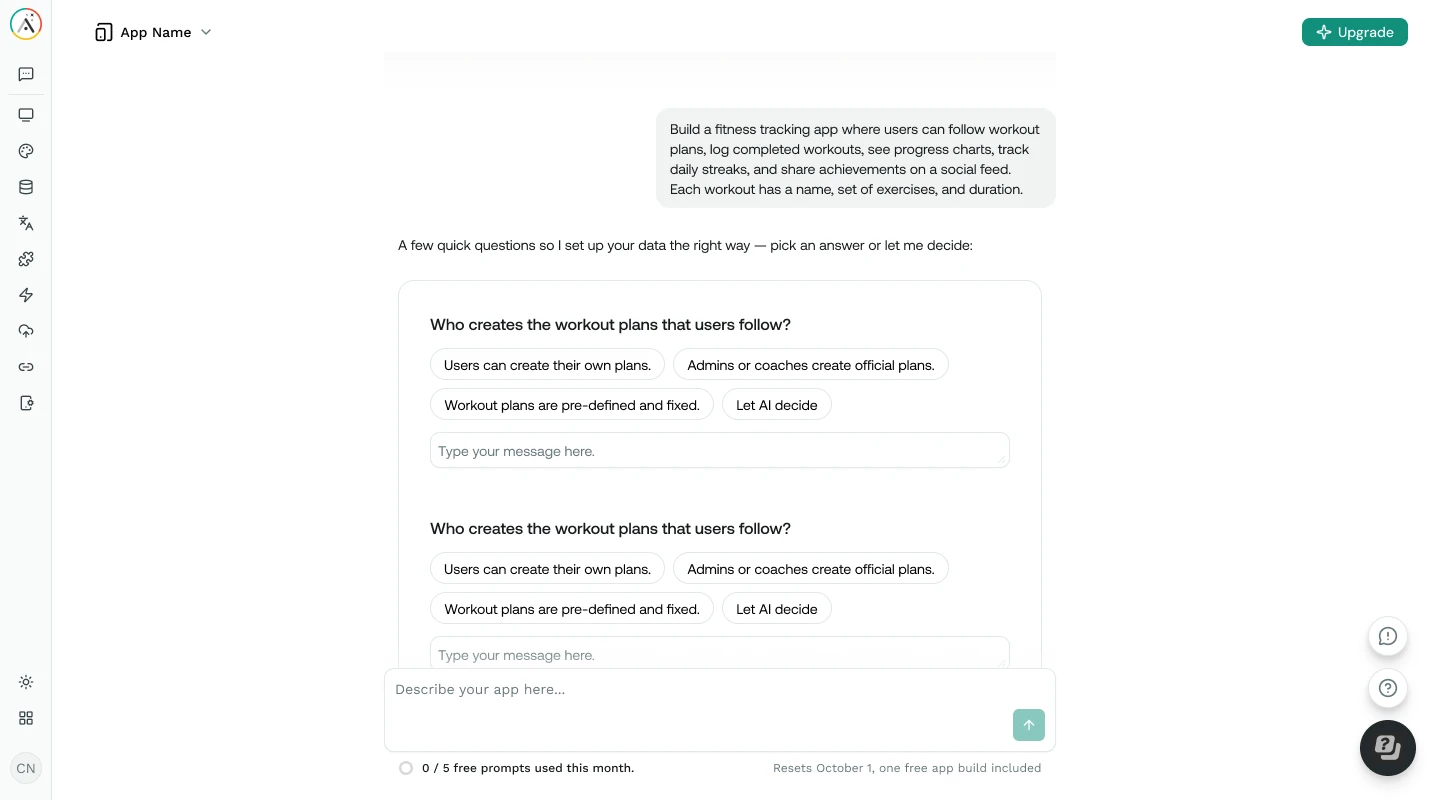
Tell Ada, Adalo’s AI builder, what your brokerage needs. Magic Start generates a complete real estate app with property listings, search, viewing scheduler, and agent dashboard from your description: typically in under two minutes.
-
Design Your Listing Layout
See every screen on the visual canvas simultaneously. Point at elements and visually direct Ada to adjust your property cards, search filters, and detail pages. Use Magic Add to add features like a mortgage calculator or neighborhood guide with natural language.
-
Connect Data Sources
Use Adalo’s built-in relational database for your property and lead data, or connect existing listing spreadsheets via SheetBridge. Add Zapier or Make integrations for email marketing, calendar sync, and CRM tools.
-
Test on Real Devices
Preview your property app on any device form factor directly from the canvas. Test the full buyer flow: searching properties, viewing photos, scheduling viewings, and saving favorites: on iPhone, Android, tablet, and desktop before publishing.
-
Publish to App Stores
Deploy your real estate app as a native iOS app on the Apple App Store, a native Android app on Google Play, and a web app: all from a single build. Agents and buyers download the app and start connecting immediately.
Your Brand, Your Listings, Your Client Relationships
Stop losing clients to portal sites. Build a branded property app that keeps buyers coming back to you.
Fraction of Custom Dev Cost
Custom real estate app development costs $80,000–$250,000. Adalo costs $65/mo with unlimited listings, leads, agents, and storage. A 20-agent brokerage pays $65/mo total, not per seat.
Your Brand in Clients' Pockets
Your own branded app on the App Store and Google Play. When buyers search for properties, they open your app: not a portal where they see competing agents' listings.
One Database for Everything
Properties, agents, leads, viewings, and favorites in Adalo’s built-in relational database. No Firebase setup. No Supabase. Everything connected automatically.
Ship in Days, Not Months
Ada generates your property app from a description. Visually customize it on the canvas. Publish to three platforms from one build. Most Builders go from idea to live app in under a week.
Design Every Screen Visually
See listing pages, search results, agent dashboards, and lead forms simultaneously on Adalo’s canvas. Visually direct the AI to refine layouts: no coding or chat prompts needed.
Scale with Your Portfolio
Adalo 3.0 handles 1M+ monthly active users with 3–4× faster performance. Whether you manage 50 listings or 5,000, the app stays fast as your portfolio and client base grow.
Adalo Real Estate App vs. Zillow-Style Platforms vs. Custom Development
See how building your own property app with Adalo compares to the alternatives.
| Factor | Adalo Real Estate App | Zillow-Style Platforms | Custom Development |
|---|---|---|---|
| Build Time | Included: Days to weeks | Immediate (but you’re on their platform) | 6–12 months |
| Monthly Cost | Included: $65/mo flat (unlimited agents) | $500–3,000/mo for premium placement | $10,000–30,000/mo (hosting + team) |
| Branding | Included: Your own app in stores | Portal branding with your listing | Fully custom |
| Native Mobile App | Included: iOS and Android (true native) | Their app, your listing | Yes (if budgeted separately) |
| Lead Ownership | Included: You own all lead data | Leads shared with competing agents | You own all data |
| Push Notifications | Included: Built-in | Platform controls notifications | Custom implementation required |
| Viewing Scheduler | Included: Built into your app | Through portal or external calendar | Custom build required |
Tips for Real Estate App Success
Patterns from Builders who have built and shipped successful real estate apps with Adalo.
Lead with Great Photos
Property photos are the single biggest driver of engagement in real estate apps. Invest in professional photography for your top listings. Each listing should have at least 8–12 high-quality images.
Make Search Simple
Don’t overload buyers with filters. Start with the essentials: price range, bedrooms, and location. Add secondary filters (square footage, year built, property type) as expandable options.
Use Push Notifications Wisely
Notify buyers about new listings matching their saved searches and viewing reminders. Don’t over-notify: one or two relevant alerts per week keeps engagement high without causing uninstalls.
Connect Your Calendar
Use Zapier to sync viewing requests with Google Calendar or Outlook. When a buyer books a viewing in the app, it should appear on the agent’s calendar automatically.
Import Listings from Spreadsheets
If your property data lives in Google Sheets, use SheetBridge to connect it as a relational database. Listings, prices, status, and agent assignments sync without manual re-entry.
Test with Active Clients
Have 5–10 clients use the app for property searches and saved listings before promoting broadly. Real buyer behavior reveals search friction and notification preferences that internal testing misses.
Everything You Need to Build & Run a Real Estate App
- 1
Unlimited Records on Paid Plans
No caps on listings, leads, or agents. Adalo paid plans include unlimited database records, users, and storage. Free plan includes 500 records to get started.
- 2
Push Notifications
Native push notifications for new listing alerts, viewing confirmations, and lead inquiries. Keeps agents responsive and buyers engaged with your properties.
- 3
Google Sheets via SheetBridge
Already tracking listings in Google Sheets? SheetBridge connects your spreadsheet as a relational database so you can migrate incrementally without disruption.
- 4
Zapier & Make Integrations
Connect your real estate app to 6,000+ tools. Sync with email marketing, calendar apps, CRM platforms, and document signing via Zapier or Make.
Learn How to Build Real Estate Apps with Adalo
Step-by-step guides, video walkthroughs, and documentation to help you build and ship your property app.
How to Build a Real Estate App Without Code
Full walkthrough: listings database, search filters, viewing scheduler, and publishing to app stores.
Read guide DocumentationConnecting External Data Sources
How to use External Collections and Custom Actions to connect your app to MLS feeds and CRM tools.
View docs TutorialGoogle Sheets to App via SheetBridge
Migrate your listing spreadsheet to a real app without losing your existing data workflow.
Read guide DocumentationRelational Database Basics
Understand collections, relationships, and record linking: the foundation of any property and lead data model.
View docsCommon Questions About Building Real Estate Apps
What is Adalo?
Adalo is the no-code app builder that pairs AI-powered generation with a visual multi-screen canvas, so entrepreneurs and business teams can design, build, and publish custom database-driven apps to the Apple App Store, Google Play Store, and web from a single project, no code, no developers required.
Can I build a real estate app without coding?
Yes. Adalo’s no-code app builder requires zero coding. Tell Ada (Adalo’s AI builder) what your brokerage needs and Magic Start generates a complete app with property listings, search, and agent tools. Then visually customize everything on the canvas by pointing at elements and directing changes. Builders routinely build and publish real estate apps to the App Store and Google Play without writing a single line of code.
How much does a custom real estate app cost?
Adalo’s paid plans start at $65/mo with unlimited usage: no caps on listings, leads, agents, or storage. Compare that to custom development at $80,000–$250,000 or Zillow-style premium placement at $500–$3,000/mo. A 20-agent brokerage on Adalo pays $65/mo total (not per agent), with native iOS and Android apps included. The free plan includes 500 database records so you can prototype your property app before committing.
Can I connect to MLS listing data?
Adalo can connect to MLS feeds via External Collections if your MLS provider offers a REST API (RETS or RESO Web API). However, MLS access varies significantly by region and provider: many require IDX agreements, specific compliance requirements, and approved vendor status. For brokerages with direct MLS API access, Adalo can display that data. For those without API access, you can manually enter your own listings or import them from Google Sheets via SheetBridge.
Can buyers schedule viewings through the app?
Yes. You can build a viewing scheduler where buyers select available time slots and agents receive push notifications for each booking. Connect to Google Calendar or Outlook via Zapier so that confirmed viewings automatically appear on the agent’s calendar. This eliminates the back-and-forth of scheduling by phone and email.
Can my agents update listings from their phones?
Yes. Adalo builds true native iOS and Android apps. Agents can add new listings, upload photos, update pricing and status, and manage their lead pipeline directly from their phones. This is particularly valuable for agents who spend most of their day at showings and open houses rather than at a desk.
How does this compare to having a listing on Zillow or Realtor.com?
Portal sites give you visibility but at a cost: your listings appear alongside competing agents, leads are often shared or sold to multiple agents, and buyers associate the experience with the portal brand rather than yours. With Adalo, you build your own branded app where buyers interact exclusively with your brokerage’s properties and agents. The trade-off: you don’t get the portal’s existing traffic. Most successful agents use both: portals for visibility and their own app for client retention and referrals.
What can’t Adalo do for a real estate app?
Adalo excels at building custom property listing and agent management apps, but it’s not a replacement for enterprise real estate platforms. Built-in map views with property pins, automated MLS synchronization, in-app document signing (like DocuSign), virtual tour embedding, and mortgage pre-qualification calculators require additional tools or custom API integrations. Adalo also doesn’t provide direct MLS access: you need your own IDX agreement. For brokerages that want a branded client-facing app with listings, search, and viewing scheduling at a fraction of custom development costs, Adalo is the practical choice.
Explore more from Adalo: CRM Apps, Booking Apps, Marketplace Apps, Business Apps. Learn more about Adalo’s no-code app builder.
Ready to Build Your Brokerage’s Property App?
Start building for free with Adalo’s no-code app builder. Your free plan includes 500 records, unlimited screens, and Ada AI: no credit card required.